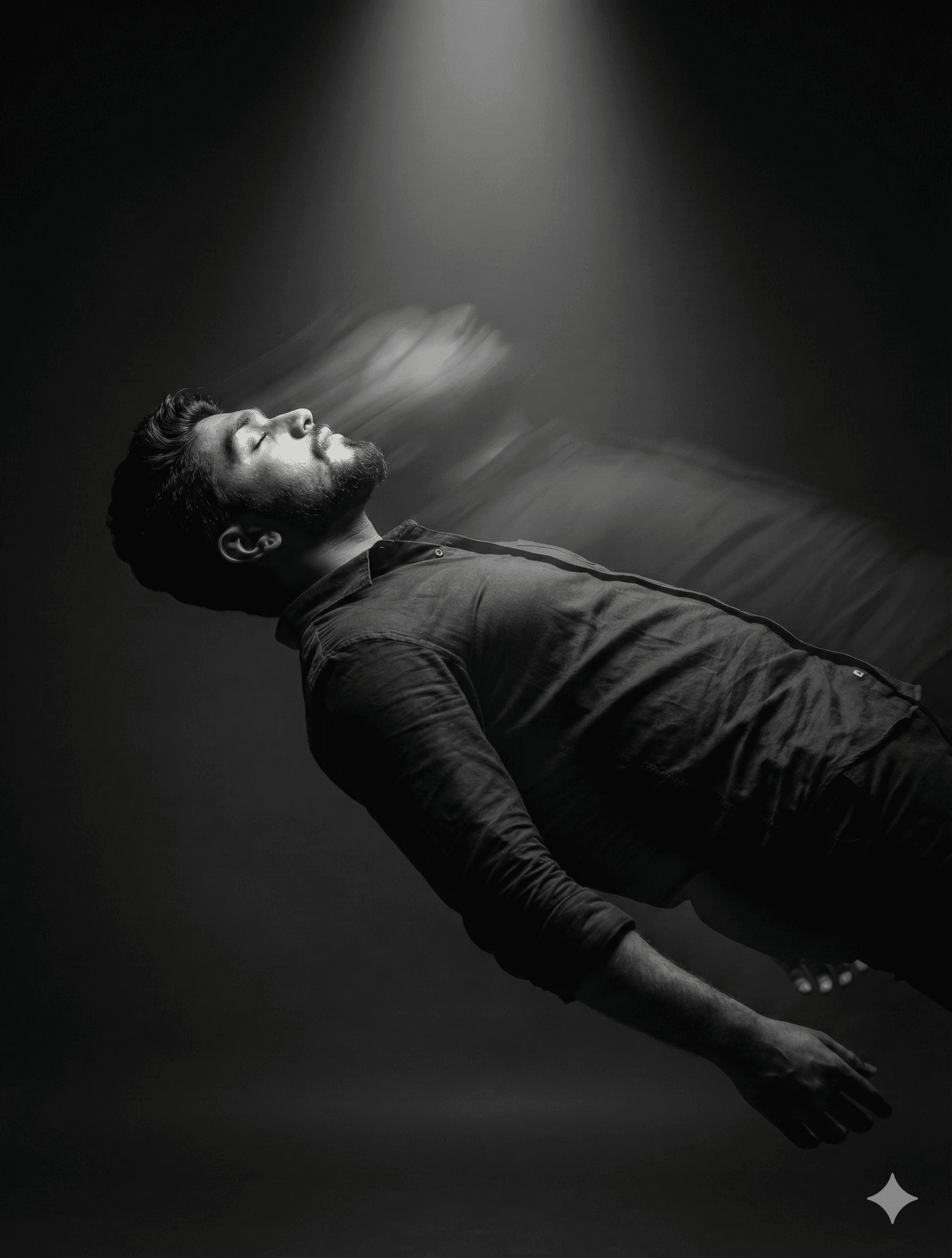
Suspended Figure Beneath a Single Beam of Light
AI Photo Prompt
Want more trending photo prompts? Discover them in the Prompt King Android app on Google Play.
About this prompt
This prompt creates a fine-art monochrome portrait of a man suspended mid-air beneath a single overhead beam of light. His body arches slightly backward, face turned upward with eyes closed and a calm, introspective expression, suggesting transcendence or release. Natural skin texture is preserved, with visible pores and subtle highlights on the cheekbones and forehead. The lighting is soft yet dramatic, with deep realistic shadows and strong chiaroscuro against a dark, minimal background. An IMAX-style perspective from a slightly low angle emphasises elevation and emotion, and a shallow depth of field isolates the figure. Long-exposure motion trails flow behind the body, implying energy, movement or spiritual ascent. The grading is professional black and white, with rich blacks, smooth midtones and crisp highlights that pick out fabric folds and light falloff. The overall feel is gallery-grade and minimalist, closer to a fine-art photograph than a typical portrait. This style suits men who want an artistic poster, an album or book cover concept, or a meditative profile image. Upload a clear reference photo; a face in good, even light works best since the eyes are closed in the final image.
Lighting, colour and composition
A single overhead beam creates a sculpted top light with deep falloff into darkness. The palette is pure monochrome, with rich blacks, silvery midtones and bright highlights on skin and fabric. A low-angle vertical composition places the arched figure centrally, with motion trails extending behind to suggest upward movement.
Ways to make it your own
- Add a faint warm tint to the light beam for a subtle duotone effect.
- Use flowing white fabric on the subject to exaggerate the motion trails.
- Try a 2:3 vertical poster ratio to emphasise the sense of height.
Best for
Poster photo ideas and creative portrait inspiration.
Suggested framing
Use the aspect ratio or framing described in the prompt, then adapt it for your intended platform.
Customization ideas
Adjust the clothing, background, lighting, colors and composition to match your own idea.
How to use
Copy the prompt, adapt it to your idea, and paste it into your preferred compatible AI tool. Follow that tool’s instructions for reference photos.
A few helpful answers.
What type of image does this prompt create?
In a compatible AI tool, this prompt is intended as a starting point for this prompt creates a fine-art monochrome portrait of a man suspended mid-air beneath a single overhead beam of light. His body arches slightly backward, face turned upward with eyes closed and a calm, introspective expression, suggesting transcendence or release. Natural skin texture is preserved, with visible pores and subtle highlights on the cheekbones and forehead. The lighting is soft yet dramatic, with deep realistic shadows and strong chiaroscuro against a dark, minimal background. An IMAX-style perspective from a slightly low angle emphasises elevation and emotion, and a shallow depth of field isolates the figure. Long-exposure motion trails flow behind the body, implying energy, movement or spiritual ascent. The grading is professional black and white, with rich blacks, smooth midtones and crisp highlights that pick out fabric folds and light falloff. The overall feel is gallery-grade and minimalist, closer to a fine-art photograph than a typical portrait. This style suits men who want an artistic poster, an album or book cover concept, or a meditative profile image. Upload a clear reference photo; a face in good, even light works best since the eyes are closed in the final image. Results depend on the tool, settings and references you use.
Can I customize the clothing or background?
Yes. Replace the clothing, setting or colors in the prompt with your own choices. Keep descriptions consistent and adjust one detail at a time.
What aspect ratio works best?
Start with Use the aspect ratio or framing described in the prompt, then adapt it for your intended platform.. A 4:5 ratio works well for a portrait feed post. Adjust the crop for your intended platform and your tool’s available settings.
Does Prompt King generate the image?
No. Prompt King helps users discover and copy prompts that can be used with compatible AI tools.
Can I use this for social media ideas?
Yes. Use it as creative inspiration and customize the result for your audience. Use photos you have permission to upload, and check your chosen tool’s terms before publishing.