Karnataka Heritage Double Exposure Travel Poster
AI Photo Prompt
Want more trending photo prompts? Discover them in the Prompt King Android app on Google Play.
About this prompt
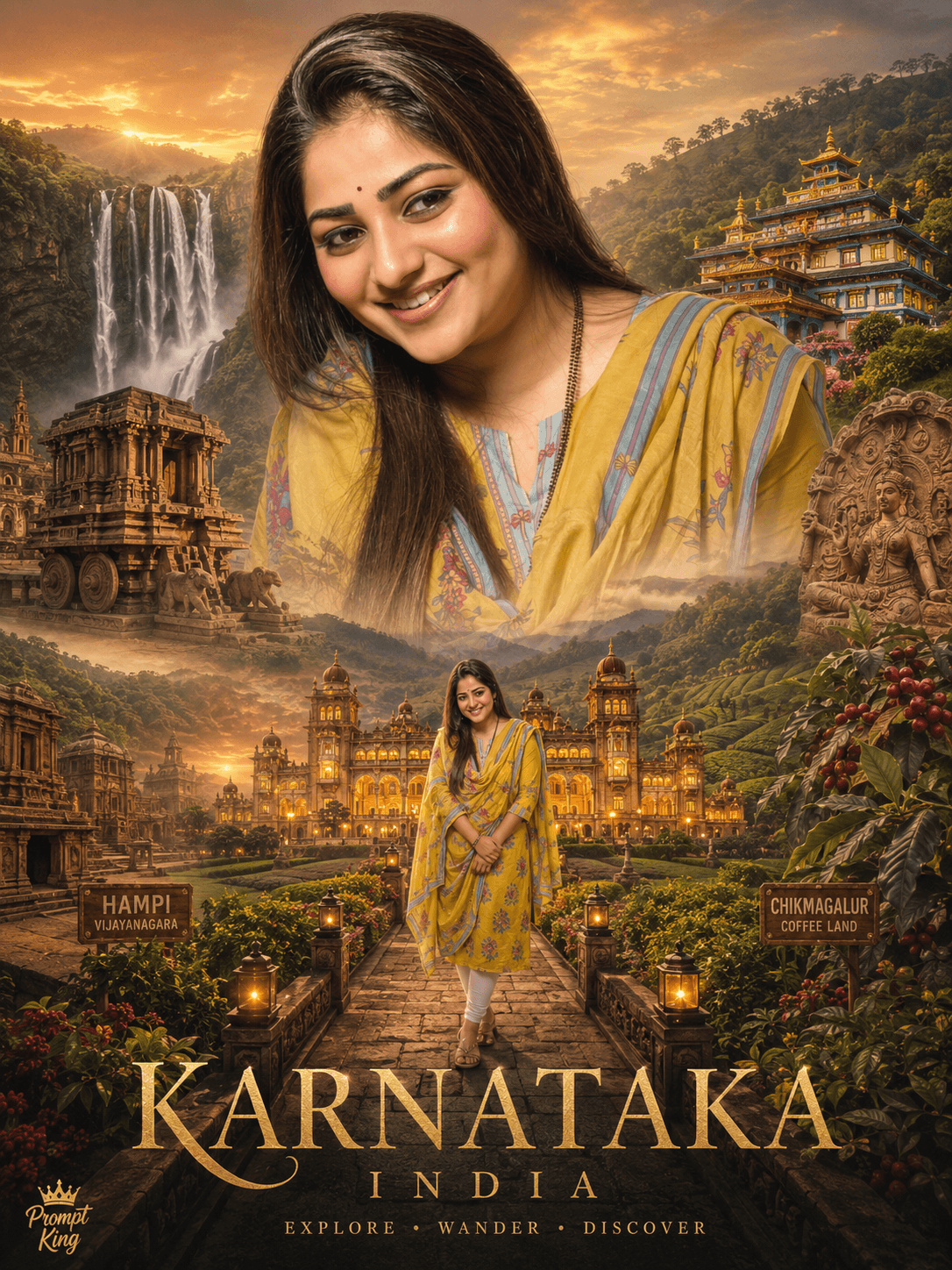
This prompt turns your photo into a 3:4 cinematic double-exposure travel poster themed on Karnataka, India. Your face, pose, outfit and hairstyle are kept as in the uploaded image, and the state's well-known landmarks are blended inside and around your silhouette. The prompt names Mysore Palace, the Vijayanagara ruins at Hampi, Jog Falls, the coffee plantations of Chikmagalur and the Namdroling Monastery, often called the Golden Temple, in Coorg. Around these, it adds temple carvings, stone mandapas, palace corridors, misty Western Ghats forests, rolling hills, festival scenes, handicrafts and heritage markets. The background is not plain: it uses golden sunrise and sunset skies, palace silhouettes and green valleys to create a rich, layered tourism-style environment. The finished image feels like a state tourism campaign poster with you as the central figure. It is a good fit for people from Karnataka, travellers who have visited the state, Kannada Rajyotsava greetings on 1 November, travel blogs, and anyone who wants a proud, culture-focused profile picture or poster celebrating the region's history and landscapes.
Lighting, colour and composition
Warm golden sunrise tones dominate, blended with lush greens from the Western Ghats and the stone beige of Hampi. The double exposure places landmarks within the head and shoulder outline, with brighter detail near the face and softer fades towards the edges for a balanced poster layout.
Ways to make it your own
- Add the text Karnataka or a Kannada greeting at the bottom for Rajyotsava posts.
- Pick fewer landmarks, such as just Mysore Palace and Jog Falls, for a cleaner composition.
- Switch the poster theme to your own home district by naming its local temples and landscapes.
Best for
Poster photo ideas and creative portrait inspiration.
Suggested framing
Use the aspect ratio or framing described in the prompt, then adapt it for your intended platform.
Customization ideas
Adjust the clothing, background, lighting, colors and composition to match your own idea.
How to use
Copy the prompt, adapt it to your idea, and paste it into your preferred compatible AI tool. Follow that tool’s instructions for reference photos.
A few helpful answers.
What type of image does this prompt create?
In a compatible AI tool, this prompt is intended as a starting point for this prompt turns your photo into a 3:4 cinematic double-exposure travel poster themed on Karnataka, India. Your face, pose, outfit and hairstyle are kept as in the uploaded image, and the state's well-known landmarks are blended inside and around your silhouette. The prompt names Mysore Palace, the Vijayanagara ruins at Hampi, Jog Falls, the coffee plantations of Chikmagalur and the Namdroling Monastery, often called the Golden Temple, in Coorg. Around these, it adds temple carvings, stone mandapas, palace corridors, misty Western Ghats forests, rolling hills, festival scenes, handicrafts and heritage markets. The background is not plain: it uses golden sunrise and sunset skies, palace silhouettes and green valleys to create a rich, layered tourism-style environment. The finished image feels like a state tourism campaign poster with you as the central figure. It is a good fit for people from Karnataka, travellers who have visited the state, Kannada Rajyotsava greetings on 1 November, travel blogs, and anyone who wants a proud, culture-focused profile picture or poster celebrating the region's history and landscapes. Results depend on the tool, settings and references you use.
Can I customize the clothing or background?
Yes. Replace the clothing, setting or colors in the prompt with your own choices. Keep descriptions consistent and adjust one detail at a time.
What aspect ratio works best?
Start with Use the aspect ratio or framing described in the prompt, then adapt it for your intended platform.. A 4:5 ratio works well for a portrait feed post. Adjust the crop for your intended platform and your tool’s available settings.
Does Prompt King generate the image?
No. Prompt King helps users discover and copy prompts that can be used with compatible AI tools.
Can I use this for social media ideas?
Yes. Use it as creative inspiration and customize the result for your audience. Use photos you have permission to upload, and check your chosen tool’s terms before publishing.