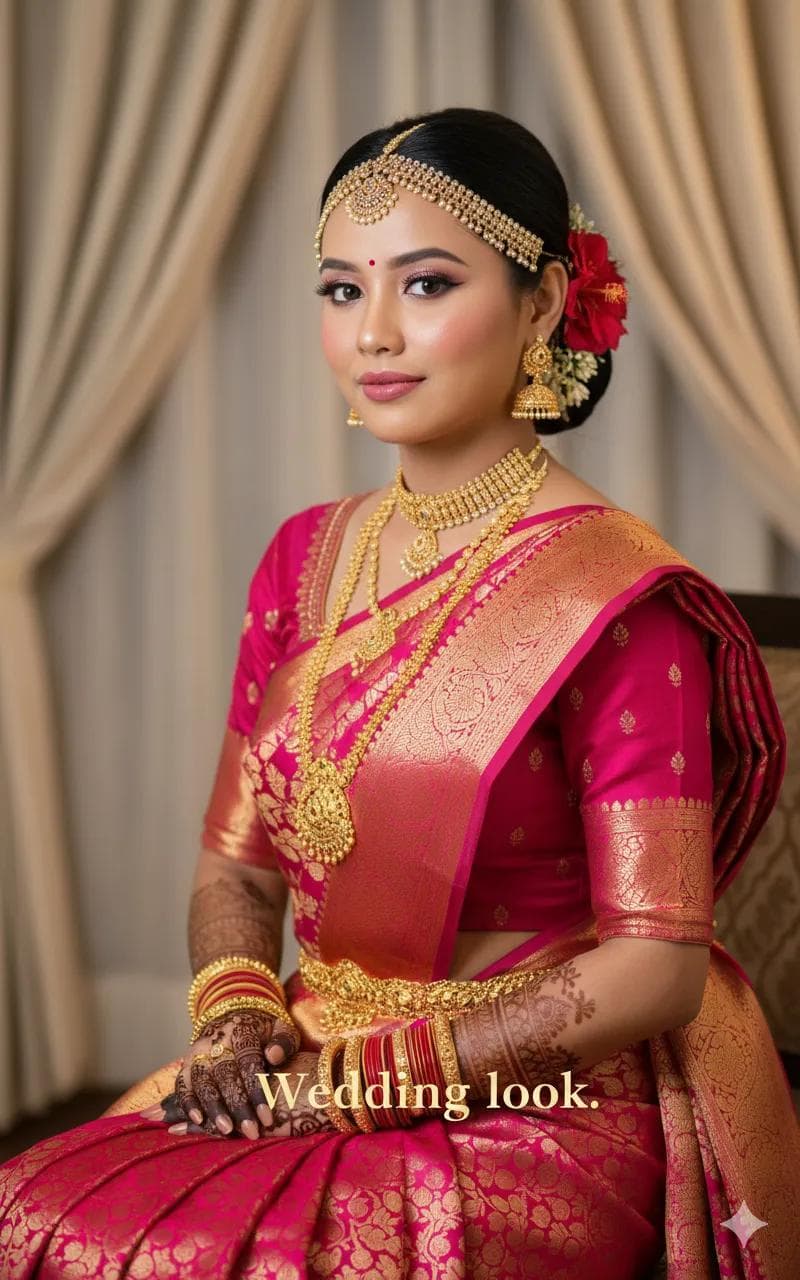
Pink and Gold Silk Saree Bridal Studio Portrait
AI Photo Prompt
Want more trending photo prompts? Discover them in the Prompt King Android app on Google Play.
About this prompt
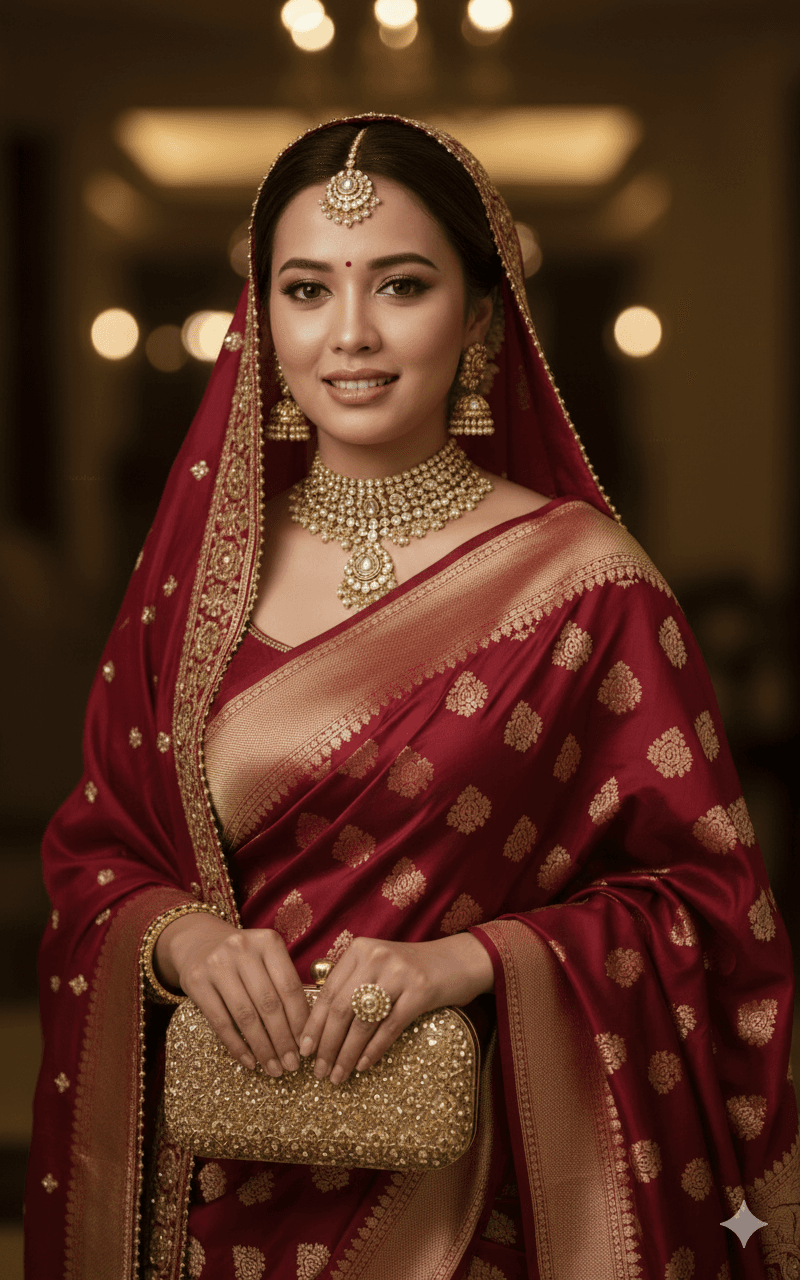
This bridal prompt creates a close-up, flattering studio portrait of a South Asian bride in an ornate pink and gold silk saree with heavy brocade work. The jewellery is extensive and traditional, featuring a multi-layered gold choker, several long necklaces, heavy bangles, jhumka earrings and a detailed matha patti that frames the forehead and hairline. Makeup is soft yet glamorous, with winged eyeliner, rosy cheeks and pink lips that echo the colour of the saree. The studio setting keeps attention on the bride, the fabric texture and the fine metalwork of each piece. Because the framing is close, the brocade patterns and layered gold pieces are rendered in clear detail, making this a useful reference for planning a wedding look. It suits brides-to-be exploring jewellery combinations, family members preparing for a ceremony, or anyone who wants a traditional festive portrait to share. For the best result, upload a sharp, front-facing photo taken in soft, even light. Hair pulled back from the face helps the matha patti and earrings sit correctly, and a simple, relaxed expression usually blends well with the polished bridal styling in the final image.
Lighting, colour and composition
Soft, flattering studio light keeps skin smooth and highlights the shine of gold jewellery. A warm palette of rose pink and antique gold dominates the frame. Close framing emphasises brocade texture, the layered choker and the matha patti, while a plain backdrop keeps the composition clean and focused on bridal detail.
Ways to make it your own
- Upload a photo with hair pulled back so the matha patti and jhumka earrings render in the right position.
- Mention a preferred lip or eye shade if you want the makeup to match a specific wedding outfit.
- Use soft, even lighting in your reference so the warm gold tones do not overpower your skin colour.
Best for
Bridal photo ideas and creative portrait inspiration.
Suggested framing
Use the aspect ratio or framing described in the prompt, then adapt it for your intended platform.
Customization ideas
Adjust the clothing, background, lighting, colors and composition to match your own idea.
How to use
Copy the prompt, adapt it to your idea, and paste it into your preferred compatible AI tool. Follow that tool’s instructions for reference photos.
A few helpful answers.
What type of image does this prompt create?
In a compatible AI tool, this prompt is intended as a starting point for this bridal prompt creates a close-up, flattering studio portrait of a South Asian bride in an ornate pink and gold silk saree with heavy brocade work. The jewellery is extensive and traditional, featuring a multi-layered gold choker, several long necklaces, heavy bangles, jhumka earrings and a detailed matha patti that frames the forehead and hairline. Makeup is soft yet glamorous, with winged eyeliner, rosy cheeks and pink lips that echo the colour of the saree. The studio setting keeps attention on the bride, the fabric texture and the fine metalwork of each piece. Because the framing is close, the brocade patterns and layered gold pieces are rendered in clear detail, making this a useful reference for planning a wedding look. It suits brides-to-be exploring jewellery combinations, family members preparing for a ceremony, or anyone who wants a traditional festive portrait to share. For the best result, upload a sharp, front-facing photo taken in soft, even light. Hair pulled back from the face helps the matha patti and earrings sit correctly, and a simple, relaxed expression usually blends well with the polished bridal styling in the final image. Results depend on the tool, settings and references you use.
Can I customize the clothing or background?
Yes. Replace the clothing, setting or colors in the prompt with your own choices. Keep descriptions consistent and adjust one detail at a time.
What aspect ratio works best?
Start with Use the aspect ratio or framing described in the prompt, then adapt it for your intended platform.. A 4:5 ratio works well for a portrait feed post. Adjust the crop for your intended platform and your tool’s available settings.
Does Prompt King generate the image?
No. Prompt King helps users discover and copy prompts that can be used with compatible AI tools.
Can I use this for social media ideas?
Yes. Use it as creative inspiration and customize the result for your audience. Use photos you have permission to upload, and check your chosen tool’s terms before publishing.