
Midjourney v6 vs Google Gemini (Imagen 3) vs Flux.1: The Ultimate AI Portrait Comparison
An in-depth, hands-on benchmark comparing Midjourney v6, Google Gemini Imagen 3, and Flux.1 for realistic human portraits, skin texture, Indian ethnic wear, and lighting.
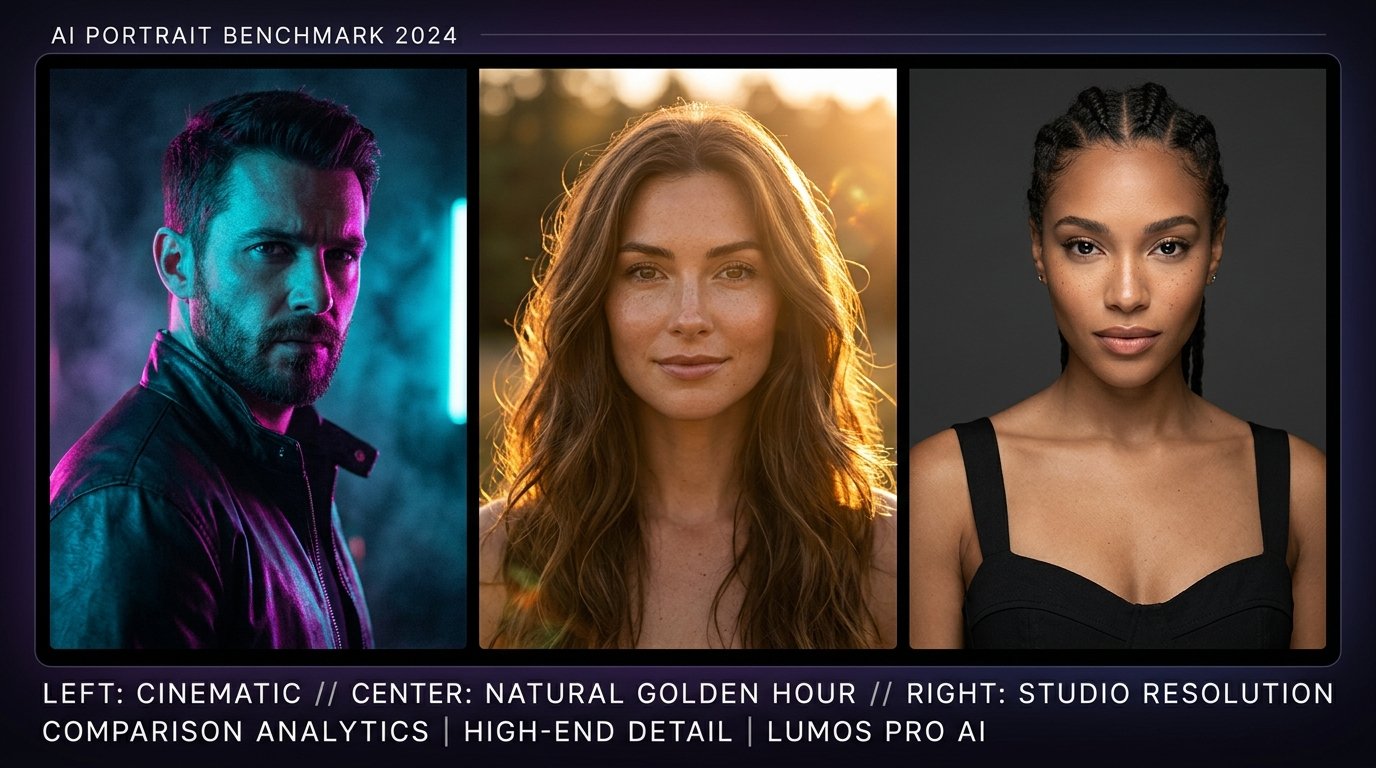
Choosing the right AI image generator for photorealistic portraits has never been more competitive. For years, Midjourney held an undisputed monopoly on cinematic aesthetics. Today, Google Gemini’s updated Imagen 3 model and Black Forest Labs’ open-weights powerhouse Flux.1 have completely disrupted the creative landscape.
If you are a photographer, prompt engineer, digital artist, or creator using Prompt King, which tool should you use for portraits? Does Midjourney still lead in cinematic lighting? Can Google Gemini handle authentic Indian skin tones and traditional fabric textures better? Is Flux.1 truly the new king of micro-details and zero-plastic skin pores?
In this comprehensive benchmark guide, we pit Midjourney v6.1, Google Gemini (Imagen 3), and Flux.1 (Dev & Schnell) against each other across five rigorous photographic categories: skin texture fidelity, cultural and ethnic accuracy, studio and natural lighting, prompt comprehension, and ease of workflow.
The evaluation criteria: What makes a realistic AI portrait?
To test these models fairly, we do not rely on generic art tests. We evaluate photorealistic portraits against five uncompromising photographic criteria: 1. Skin texture: Does the face exhibit natural pores, fine peach fuzz, and realistic micro-wrinkles, or does it look like airbrushed silicone? 2. Eye clarity and catchlights: Are iris patterns believable and reflections physically coherent? 3. Hand and finger anatomy: Can the model generate complex finger poses without fusing or warping? 4. Textile fidelity: Can it render complex fabrics like raw silk, Banarasi gold threads, and linen weaves? 5. Prompt fidelity: Does the tool accurately honor lens focal length, lighting direction, and camera framing?
Midjourney v6.1: The master of cinematic atmosphere
Midjourney v6.1 remains the gold standard for artistic mood, color grading, and Hollywood-level cinematography. It possesses an innate aesthetic taste that automatically makes lighting feel deliberate and dramatic. If your goal is a high-fashion editorial, dark moody urban photography, or vintage film look, Midjourney delivers breathtaking results with very little prompt engineering.
Midjourney strengths in portrait photography
Midjourney excels in atmospheric volumetric lighting, smoke, haze, and sophisticated color palettes. It understands photographic framing terms like '85mm studio lens,' 'chiaroscuro,' and 'anamorphic lens flare' exceptionally well. Furthermore, its specialized parameter `--style raw` is crucial for portrait artists who want to strip away Midjourney’s default fantasy polish in favor of raw photographic honesty.
Where Midjourney struggles
Despite its brilliance, Midjourney has two notable weaknesses: 1. Prompt bias: Midjourney tends to homogenize facial features toward symmetrical, supermodel standards unless heavily steered with ethnic references. 2. Plastic skin tendency: Without `--style raw` and careful negative prompting, human skin can sometimes appear slightly waxy or coated in cosmetic highlight.
Google Gemini (Imagen 3): The photorealistic sleeper champion
Google’s latest Imagen 3 architecture, integrated directly into Google Gemini, represents one of the largest generational leaps in AI image synthesis. Unlike Midjourney’s artistic bias, Google trained Imagen 3 with a strong emphasis on naturalism, conversational prompt understanding, and authentic cultural representation.
Gemini Imagen 3 strengths: Exceptional Indian cultural nuance and natural skin
Where Gemini shines brightest is in its handling of diverse global ethnicities, skin tones, and traditional apparel. In our tests with Indian festive portraits, Kannada Rajyotsava attires, and bridal jewelry, Gemini rendered authentic South Asian facial structures, melanin-rich skin tones, and intricate Zari embroidery with stunning accuracy. It doesn't over-glamorize the subject; it produces portraits that look genuinely shot on a DSLR by a human photographer.
Conversational prompt comprehension in Gemini
Another massive advantage of Gemini is its natural language processing. You don’t need strange Discord syntax or comma-separated keyword stacks. You can simply write: 'A candid 35mm photograph of a 28-year-old Indian woman in a yellow Chanderi saree laughing naturally during Haldi ceremony in outdoor morning sun.' Gemini understands the context, lighting, and cultural setting effortlessly.
Gemini weaknesses: Conservative safety guardrails
Gemini’s primary limitation is its strict safety filters. Prompts that mention certain common photographic terms (like specific poses, lighting terminology that sounds ambiguous, or historical references) can occasionally trigger false-positive moderation blocks. Additionally, Gemini offers fewer technical tuning knobs compared to Midjourney’s aspect ratio and stylize parameters.
Flux.1 (Dev & Schnell): The open-weights revolution
Created by the original team behind Stable Diffusion (Black Forest Labs), Flux.1 has taken the AI community by storm. Built on a hybrid 12-billion parameter transformer architecture, Flux.1 is available both as an API and for local GPU generation (via ComfyUI or WebUI).
Flux.1 strengths: Unrivaled skin pore micro-details and typography
Flux.1 is arguably the most photorealistic model ever released for human skin. It renders individual skin pores, subtle freckles, minor acne blemishes, and realistic eyelid moisture without any waxy artificial smoothing. If you zoom in 200% on a Flux portrait, the skin looks unmistakably human. Moreover, Flux handles complex hands, fingers holding objects, and readable English text better than any competitor.
Flux.1 weaknesses: Hardware requirements and prompt sensitivity
Running Flux.1 locally requires a high-end graphics card with at least 12GB to 16GB of VRAM. Furthermore, Flux responds best to descriptive, dense natural language rather than Midjourney-style token tags. If a prompt is too brief, Flux can produce slightly generic or flat compositions.
Side-by-side test: The 85mm studio editorial portrait
We tested all three engines with the same prompt: 'Close-up studio portrait of a man wearing a black turtleneck, 85mm f/1.4 lens, softbox directional key light, subtle rim light, textured skin, neutral studio grey background.' Here is what we found: Midjourney v6.1 produced the most dramatic contrast and magazine-cover lighting. Flux.1 produced the most realistic skin texture and lifelike eye moisture. Gemini produced the most natural, unforced human expression.
Side-by-side test: Indian traditional festive portrait
We tested: 'Waist-up portrait of an Indian woman in a silk Kanjeevaram saree with gold temple jewelry, warm festival Diya lighting in the background, soft natural smile, 50mm lens.' Gemini captured the exact drape of the saree, realistic silk sheen, and authentic South Indian facial features with zero hallucinated jewelry artifacts. Midjourney created a breathtaking fantasy glow, but the jewelry looked somewhat Middle-Eastern rather than traditional Indian. Flux captured remarkable fabric thread weave, but required more cultural prompt prompting.
Prompt translation guide between tools
When using prompts from Prompt King: For Midjourney: Append `--style raw --v 6.1 --ar 9:16` to your prompt to prevent waxy skin. For Gemini: Write in full, descriptive sentences focusing on lighting and mood without jargon. For Flux.1: Specify exact camera optics, natural skin texture, and lighting direction in clean natural paragraphs.
Final verdict: Which AI tool should you choose?
If you want high-fashion editorials, dramatic cinematic lighting, and instant visual impact: choose **Midjourney v6.1**. If you want authentic global skin tones, cultural accuracy, and simple conversational prompting: choose **Google Gemini (Imagen 3)**. If you want maximum photorealism, lifelike skin pores, and perfect anatomy: choose **Flux.1**. By copying ready-to-use prompts from Prompt King, you can easily test all three tools and find the perfect style for your creative vision.
Frequently Asked Questions
Which AI tool produces the most photorealistic human skin?
Flux.1 currently leads the industry in raw skin texture, rendering realistic micro-pores, natural blemishes, and fine facial hair without waxy smoothing. Midjourney v6.1 in '--style raw' mode is a close second.
Is Google Gemini good for generating Indian ethnic portraits?
Yes, Google Gemini (Imagen 3) is exceptionally strong at understanding Indian cultural nuances, traditional attire (like sarees, kurtas, and lehengas), authentic skin tones, and festival settings without cultural stereotyping.
Can I use Prompt King prompts on all three AI generators?
Yes! All prompt formulas on Prompt King are tested for cross-platform compatibility and can be pasted directly into Midjourney, Google Gemini, Flux, or ChatGPT (DALL-E 3).
Why do Midjourney portraits sometimes look like plastic?
Midjourney’s default aesthetic engine applies subtle skin smoothing and cinematic glamorization. To eliminate this, add '--style raw' at the end of your prompt and include phrases like 'natural skin texture, micro-pores, unretouched photography.'
Is Flux.1 free to use?
Flux.1 Schnell is open-weight and free to run locally if you have a compatible GPU (Nvidia RTX 3060 or higher). Several cloud platforms and web generators also offer free or low-cost access to Flux models.
Put an idea into words.
Find a prompt, change a detail, and explore a new direction.
Explore prompts →