
Camera Lenses and Focal Length in AI Photo Prompts Explained
Master how 24mm, 35mm, 50mm, 85mm, and 135mm lenses change face shape, background compression, and depth of field in AI photo prompts.
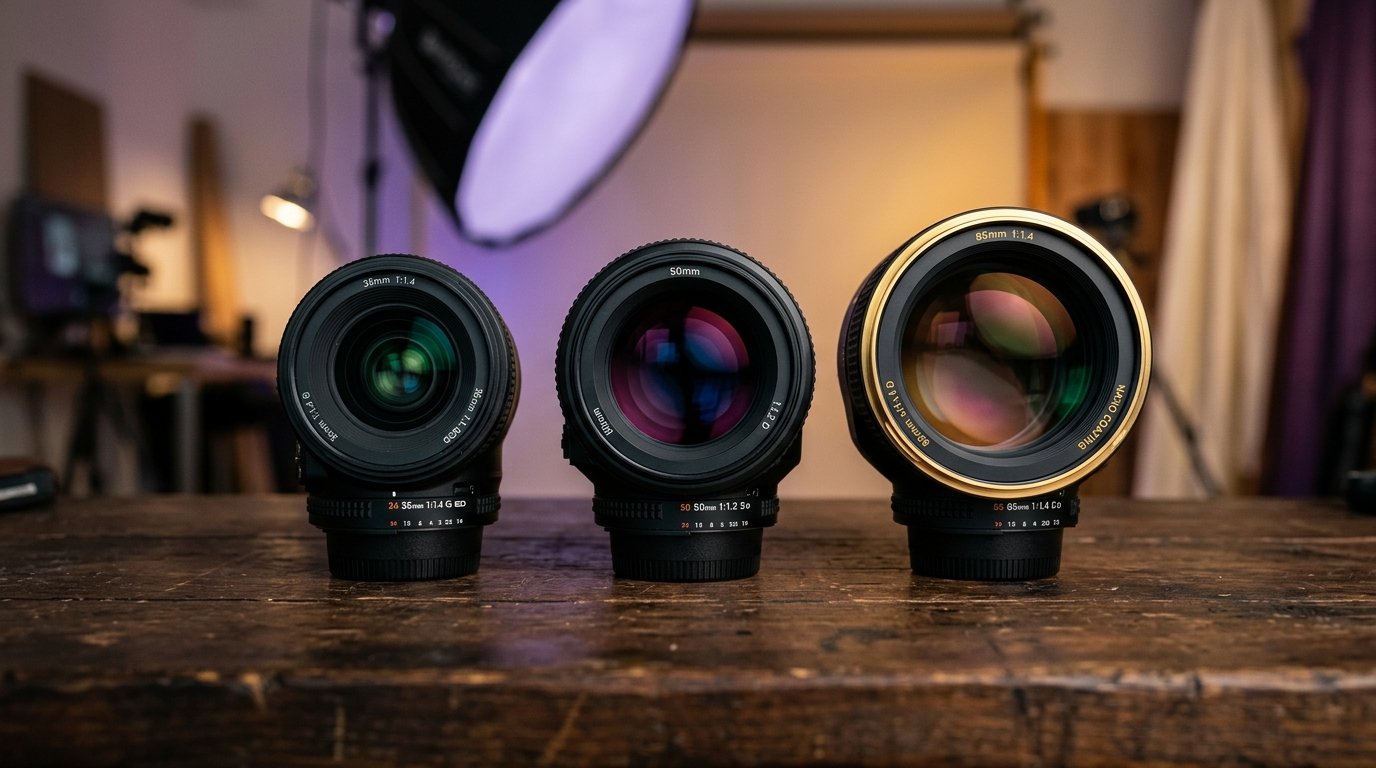
One of the fastest ways to turn an artificial-looking AI image into a convincing photographic portrait is to stop using vague buzzwords like “hyperrealistic,” “ultra-detailed,” or “8K” and instead specify a real camera lens and focal length.
Generative AI models such as Midjourney v6, Google Gemini (Imagen 3), and Flux.1 are trained on millions of real photographic files with embedded camera metadata (EXIF data). When you tell the AI that a photo was taken with an “85mm f/1.4 prime lens,” the model understands the exact optical characteristics associated with that lens: flattering facial compression, shallow depth of field, natural perspective, and realistic background blur.
Understanding camera focal lengths gives you direct creative control over subject proportions, facial appearance, background context, and overall mood. This guide breaks down the most useful focal lengths for AI prompts, explains why they work, and provides tested copy-and-paste prompt formulas.
Why focal length matters more than resolution buzzwords
Words like “photorealistic” and “masterpiece” do not tell the AI tool anything about optical physics. A real camera does not take “8K” photos; it captures light through an optical lens with a specific focal length measured in millimeters (mm). The focal length determines two crucial elements in your image: angle of view (how much of the scene fits in the frame) and perspective compression (how close the background feels to the subject and how natural the facial proportions look). Specifying focal length immediately instructs the AI model to emulate physical camera optics rather than digital rendering.
The physics of focal length in generative AI
Lenses are generally grouped into four categories: wide-angle (under 35mm), standard or normal (40mm to 50mm), short telephoto or portrait (70mm to 105mm), and medium telephoto (135mm to 200mm). Shorter focal lengths push the background away and expand space, while longer focal lengths pull the background closer, flatten perspective, and soften the background into smooth bokeh. Knowing which lens to specify ensures your subject looks natural and proportional.
Wide-angle lenses: 24mm and 28mm for environmental storytelling
A 24mm or 28mm wide-angle lens has a broad field of view. In real photography, wide lenses are used for landscapes, architecture, and environmental portraits where the surroundings are just as important as the person. In AI prompts, specifying a 24mm or 28mm lens tells the model to keep the subject small to medium within the frame and show extensive background context—such as a grand temple courtyard, an open mountain highway, or a bustling street market.
The risk of wide lenses: facial distortion
When a wide lens is used too close to a human face, it creates barrel distortion: the nose and forehead appear unnaturally enlarged, while the ears and jawline recede into the distance. This is why smartphone front cameras often distort selfies. If you want a close-up portrait, never specify a 24mm lens in your prompt unless you are deliberately aiming for a dramatic, stylized, or fisheye effect.
35mm lens: The gold standard for documentary and street photography
The 35mm focal length is beloved by photojournalists and street photographers because it captures human subjects within their natural surroundings without jarring distortion. It provides a slightly wider view than human vision, making the viewer feel like an active participant in the scene. In AI photo prompts, 35mm is the perfect choice for candid lifestyle shots, couples walking through a city, cafe portraits, and waist-up street portraits.
Example prompt using a 35mm lens
“Candid street portrait of a young man wearing a denim jacket, walking through an illuminated night bazaar in Jaipur, captured on a 35mm f/2.0 lens, waist-up framing, natural motion blur in background pedestrians, ambient lantern lighting, true-to-life skin texture, documentary photography style.” Notice how the 35mm specification anchors the photo in an authentic editorial context.
50mm lens: The 'Nifty Fifty' natural human perspective
A 50mm lens on a full-frame sensor produces roughly the same field of view and spatial relationship as the naked human eye. It does not stretch objects like a wide lens, nor does it compress them like a telephoto. Because it is neutral and honest, 50mm is the most versatile focal length for casual portraits, three-quarter body fashion shots, and storytelling scenes where you want the photo to look completely believable and un-manipulated.
Example prompt using a 50mm lens
“Waist-up natural portrait of a young Indian woman wearing a soft pastel linen kurta, standing in a sunlit home garden, photographed with a 50mm f/1.8 prime lens at eye level, soft morning daylight, gentle shadow transitions, lifelike skin pores, realistic depth of field.”
85mm lens: The undisputed king of studio and beauty portraits
If you want stunning, flattering, professional portraits, 85mm is the single best focal length you can specify. At 85mm, facial compression is virtually ideal: noses do not appear prominent, ears stay in proper proportion, jawlines look clean, and the background melts into a smooth, creamy blur (bokeh). Professional portrait photographers around the world use 85mm prime lenses for wedding shoots, fashion editorials, and corporate executive portraits.
Why 85mm eliminates the 'AI plastic look'
Many AI portraits suffer from weird facial symmetry or waxy skin because the model guesses arbitrary camera parameters. When you specify “85mm studio portrait lens, shallow depth of field,” the generative AI applies authentic optical falloff: the eyes and eyelashes remain razor-sharp, while the ears, hairline, and background gently soften. This optical separation creates an undeniable sense of physical realism.
Example prompt using an 85mm lens
“Close-up studio portrait of a confident man wearing a tailored black turtleneck, shot on an 85mm f/1.4 prime lens, subtle directional softbox lighting from the left, delicate rim light highlighting the jawline, rich deep shadows, textured skin with natural micro-creases, neutral studio grey backdrop.”
105mm and 135mm telephoto lenses: Cinematic background compression
When you move into longer focal lengths like 105mm or 135mm, background compression becomes pronounced. Objects that are 50 meters behind the subject appear much closer and larger, and the background blur becomes exceptionally creamy and painterly. In AI photography, 135mm is fantastic for bridal close-ups, high-fashion beauty campaigns, and dramatic cinematic headshots.
Understanding aperture alongside focal length
Focal length controls perspective and framing, but aperture (expressed as f-stop, such as f/1.4, f/2.8, or f/8) controls how much of the image is in focus. A wide aperture like f/1.4 or f/1.8 creates a razor-thin focus plane with an extremely blurry background. A moderate aperture like f/4 or f/5.6 keeps both the face and clothing in focus while preserving background separation. An aperture of f/8 or f/11 ensures the entire scene from foreground to background is crisp.
Aperture and focal length pairing cheatsheet
For intimate beauty close-ups: 85mm at f/1.4 (sharp eyes, dreamy background). For wedding and festive attire: 85mm at f/2.8 (sharp jewelry, sharp embroidery, soft background). For environmental portraits: 35mm at f/4.0 (clear subject, recognizable background). For full-body fashion or bike portraits: 50mm at f/2.8 (clear vehicle, balanced focus plane).
Common focal length mistakes to avoid in AI prompts
1. Conflicting terms: Do not write “wide-angle close-up macro portrait.” Wide-angle pushes back, close-up pulls in, and macro is for tiny objects. Pick one optical direction. 2. Stacking lens brands: Writing “Sony 85mm Canon 50mm Nikon 35mm” confuses the AI weights. Choose one specific lens. 3. Forgetting the subject distance: If you specify 135mm, ensure your framing is head-and-shoulders or close-up; requesting a wide landscape with a 135mm lens creates visual tension.
Summary & prompt formula for perfect camera optics
To give your AI photo prompt an immediate professional edge, use this formula: [Subject & Wardrobe] + [Focal Length & Lens] + [Aperture & Depth of Field] + [Lighting Setup] + [Framing & Angle] + [Background & Mood]. For example: “Waist-up portrait of an Indian bride wearing a crimson Banarasi silk lehenga with intricate gold zardozi work, captured on an 85mm f/1.4 lens, soft warm golden-hour side lighting, subtle background bokeh of palace archways, realistic skin tones, editorial photography.”
Frequently Asked Questions
What is the best focal length for AI portrait prompts?
The 85mm prime lens is widely considered the best focal length for AI portraits because it produces flattering facial proportions, eliminates wide-angle distortion, and creates creamy background blur.
Does specifying a camera lens really improve AI images?
Yes. Modern AI models like Midjourney v6 and Flux are trained on photographic datasets with real EXIF metadata. Adding lens details like '85mm f/1.4' directly triggers photographic optics rather than generic digital illustration.
What lens should I use for full-body AI photo prompts?
For full-body shots, a 35mm or 50mm lens works best. A 35mm lens captures the subject and surroundings naturally, while a 50mm lens keeps the body proportions completely neutral and distortion-free.
Why does my AI portrait have an oversized nose or distorted forehead?
This usually happens when the prompt lacks focal length specifications or accidentally triggers wide-angle perspective. To fix it, explicitly specify '85mm portrait lens' or '50mm eye-level portrait' in your prompt.
Can I use these lens prompt formulas on Prompt King?
Yes. You can copy any prompt formula from Prompt King, adjust the focal length (e.g. change 50mm to 85mm), and run it in Midjourney, Google Gemini, Flux, or your favorite AI generator.
Put an idea into words.
Find a prompt, change a detail, and explore a new direction.
Explore prompts →