
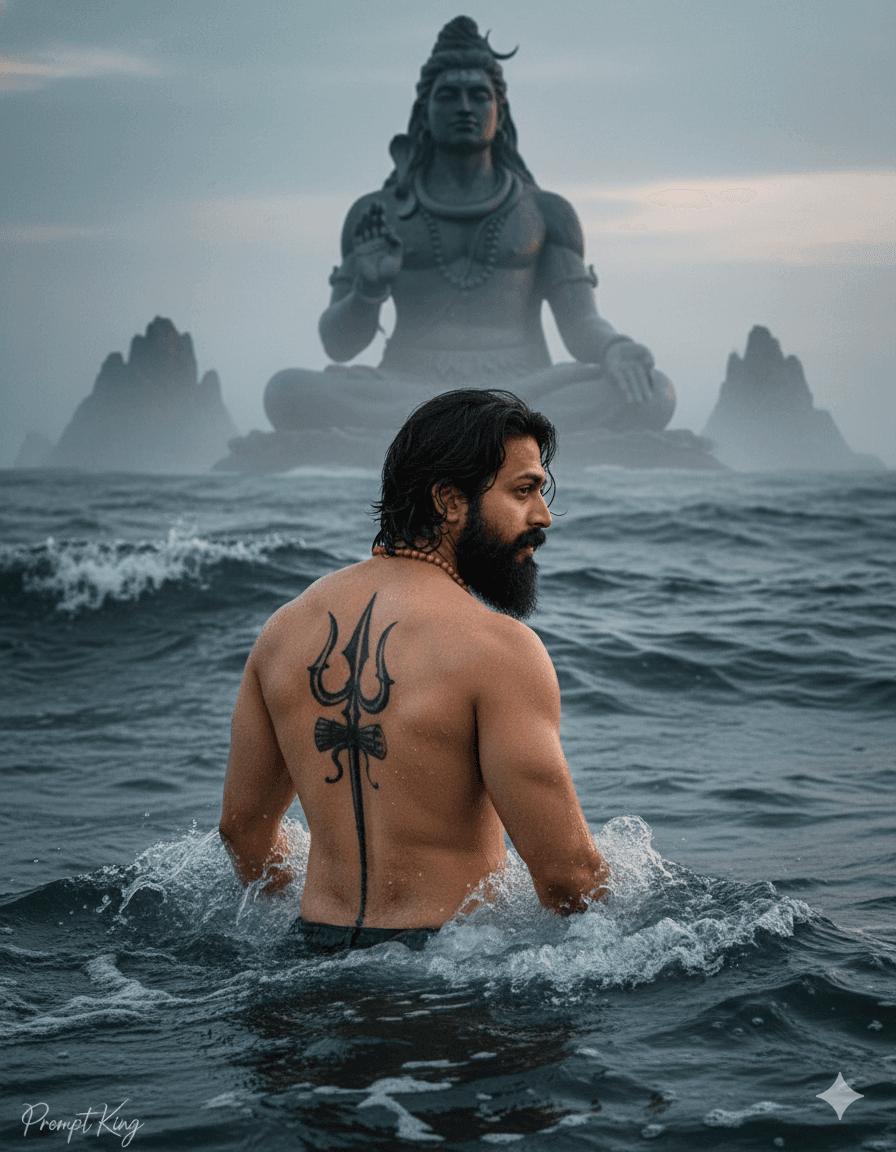
Trishula Back Tattoo Portrait in Misty Ocean Waters
AI Photo Prompt
Want more trending photo prompts? Discover them in the Prompt King Android app on Google Play.
About this prompt
This devotional-themed prompt creates a dramatic image of a young, athletic man standing waist-deep in dark, turbulent ocean water, facing away from the camera with his head turned slightly to the side. A large, intricate, symmetrical Trishula, the trident associated with Lord Shiva, is tattooed down the centre of his back. He wears a simple orange-beaded necklace, which adds a spiritual touch. In the vast, misty background, the prompt describes a colossal dark stone statue rising from the sea, intended as a statue of Lord Shiva, though the original text is cut off before naming it. The atmosphere is powerful and reverent, with heavy mist and moody tones. This style is popular for Maha Shivaratri, Shravan month and Karthika Somavara posts, and for devotees who want an image expressing faith and strength. Because the subject faces away, the face reference matters less, making this a good option for people who prefer not to show their face. Complete the final sentence by naming the statue, for example 'a colossal stone statue of Lord Shiva in meditation', to get a consistent result. Treat the theme respectfully when sharing.
Lighting, colour and composition
Moody, diffused light filters through heavy sea mist, creating a solemn atmosphere. Dark blue-grey water and stone tones dominate, with the orange beads as a small warm accent. The back-facing composition centres the trident tattoo, with the giant statue looming in the misty distance for scale.
Ways to make it your own
- Finish the cut-off line by naming the statue, such as 'Lord Shiva in meditation'.
- Add a rudraksha mala instead of orange beads for a more traditional devotional look.
- Use a 9:16 frame so the statue towers above the figure in the composition.
Best for
Trending photo ideas and creative portrait inspiration.
Suggested framing
Use the aspect ratio or framing described in the prompt, then adapt it for your intended platform.
Customization ideas
Adjust the clothing, background, lighting, colors and composition to match your own idea.
How to use
Copy the prompt, adapt it to your idea, and paste it into your preferred compatible AI tool. Follow that tool’s instructions for reference photos.
A few helpful answers.
What type of image does this prompt create?
In a compatible AI tool, this prompt is intended as a starting point for this devotional-themed prompt creates a dramatic image of a young, athletic man standing waist-deep in dark, turbulent ocean water, facing away from the camera with his head turned slightly to the side. A large, intricate, symmetrical Trishula, the trident associated with Lord Shiva, is tattooed down the centre of his back. He wears a simple orange-beaded necklace, which adds a spiritual touch. In the vast, misty background, the prompt describes a colossal dark stone statue rising from the sea, intended as a statue of Lord Shiva, though the original text is cut off before naming it. The atmosphere is powerful and reverent, with heavy mist and moody tones. This style is popular for Maha Shivaratri, Shravan month and Karthika Somavara posts, and for devotees who want an image expressing faith and strength. Because the subject faces away, the face reference matters less, making this a good option for people who prefer not to show their face. Complete the final sentence by naming the statue, for example 'a colossal stone statue of Lord Shiva in meditation', to get a consistent result. Treat the theme respectfully when sharing. Results depend on the tool, settings and references you use.
Can I customize the clothing or background?
Yes. Replace the clothing, setting or colors in the prompt with your own choices. Keep descriptions consistent and adjust one detail at a time.
What aspect ratio works best?
Start with Use the aspect ratio or framing described in the prompt, then adapt it for your intended platform.. A 4:5 ratio works well for a portrait feed post. Adjust the crop for your intended platform and your tool’s available settings.
Does Prompt King generate the image?
No. Prompt King helps users discover and copy prompts that can be used with compatible AI tools.
Can I use this for social media ideas?
Yes. Use it as creative inspiration and customize the result for your audience. Use photos you have permission to upload, and check your chosen tool’s terms before publishing.




