
Three View Yellow Jersey Cricket Poster
AI Photo Prompt
Want more trending photo prompts? Discover them in the Prompt King Android app on Google Play.
About this prompt
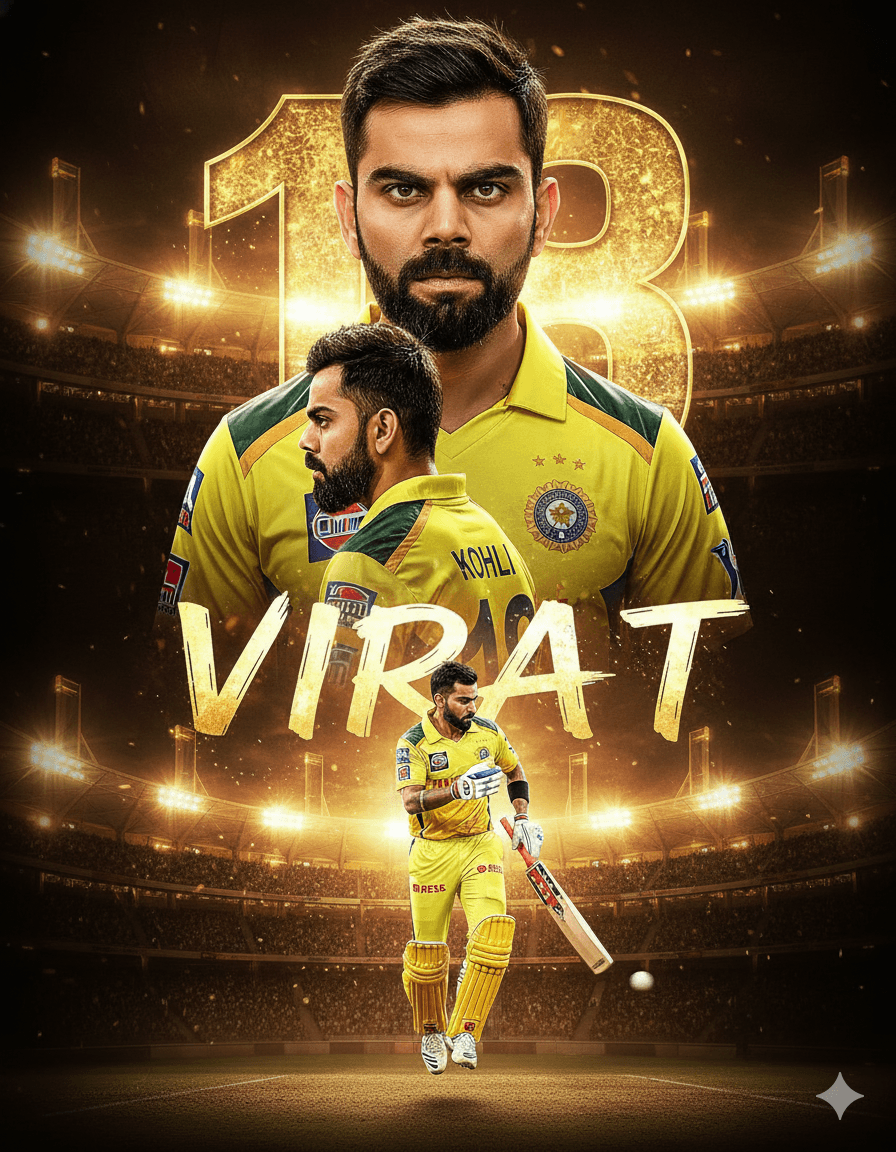
This prompt creates a cinematic cricket poster showing the person in three perspectives: a close-up portrait in a yellow jersey, a side profile in the same jersey with a famous player's surname printed on the back, and a full-body shot. At the bottom, a dynamic action scene shows the player performing a shot with motion blur, and the glowing stadium background displays a well-known jersey number and first name. These details tie the poster directly to a real cricketer's identity and a franchise colour scheme, so it reads as a tribute to that player rather than an original design. It is best kept as a private fan creation. For a shareable version, replace the surname, number and name with the user's own, which turns it into a personalised sports poster suitable for club cricketers, birthday edits and team pages. The three-view layout is a strong format for showing personality and action in one image.
Lighting, colour and composition
Stadium floodlight glow with dramatic rim lighting on each pose. The palette is bright yellow, blue and glowing stadium whites. Three portraits are arranged across the upper area, with the action scene spanning the bottom and the lit number and name in the background.
Ways to make it your own
- Replace the player's name and number with your own name and favourite number.
- Change the yellow jersey to your club's colours for a team poster.
- Specify the shot type in the brackets so the action pose is clear.
Best for
Trending photo ideas and creative portrait inspiration.
Suggested framing
Use the aspect ratio or framing described in the prompt, then adapt it for your intended platform.
Customization ideas
Adjust the clothing, background, lighting, colors and composition to match your own idea.
How to use
Copy the prompt, adapt it to your idea, and paste it into your preferred compatible AI tool. Follow that tool’s instructions for reference photos.
A few helpful answers.
What type of image does this prompt create?
In a compatible AI tool, this prompt is intended as a starting point for this prompt creates a cinematic cricket poster showing the person in three perspectives: a close-up portrait in a yellow jersey, a side profile in the same jersey with a famous player's surname printed on the back, and a full-body shot. At the bottom, a dynamic action scene shows the player performing a shot with motion blur, and the glowing stadium background displays a well-known jersey number and first name. These details tie the poster directly to a real cricketer's identity and a franchise colour scheme, so it reads as a tribute to that player rather than an original design. It is best kept as a private fan creation. For a shareable version, replace the surname, number and name with the user's own, which turns it into a personalised sports poster suitable for club cricketers, birthday edits and team pages. The three-view layout is a strong format for showing personality and action in one image. Results depend on the tool, settings and references you use.
Can I customize the clothing or background?
Yes. Replace the clothing, setting or colors in the prompt with your own choices. Keep descriptions consistent and adjust one detail at a time.
What aspect ratio works best?
Start with Use the aspect ratio or framing described in the prompt, then adapt it for your intended platform.. A 4:5 ratio works well for a portrait feed post. Adjust the crop for your intended platform and your tool’s available settings.
Does Prompt King generate the image?
No. Prompt King helps users discover and copy prompts that can be used with compatible AI tools.
Can I use this for social media ideas?
Yes. Use it as creative inspiration and customize the result for your audience. Use photos you have permission to upload, and check your chosen tool’s terms before publishing.




