
Stadium Selfie With a Star Cricketer
AI Photo Prompt
Want more trending photo prompts? Discover them in the Prompt King Android app on Google Play.
About this prompt
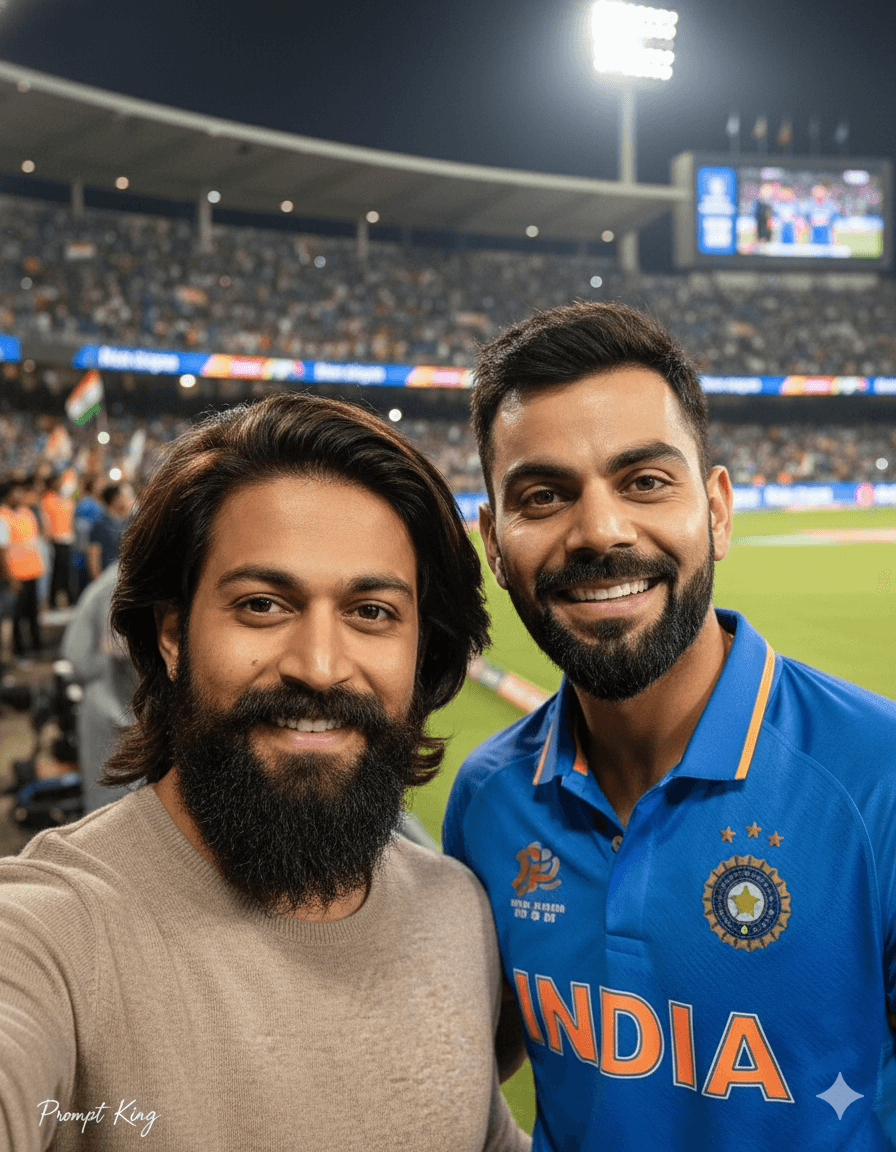
This prompt creates a cinematic selfie of a young man, keeping his exact face and hairstyle, standing beside a famous Indian cricketer inside a packed stadium during a live match. Both smile naturally at the camera with faces close together, as if posing for a real fan selfie. The background shows bright stadium floodlights, a cheering crowd waving Indian flags and a slightly blurred audience for depth. Because the image places the user next to a real, identifiable sports star in a believable setting, it can easily be mistaken for a genuine photo and uses that person's likeness without consent. It is best kept as a private fan keepsake. For a version that is fine to share, swap the cricketer for a fictional teammate or a friend, or show the user alone taking a selfie in the stands with the floodlights and flags behind. That still captures the energy of a live match day and suits sports fan posts and match-day status updates.
Lighting, colour and composition
Bright stadium floodlights from above with natural fill on the faces and a softly blurred crowd. The palette is cricket blue, tricolour flag accents and warm floodlight whites. Two faces sit close together in selfie framing in the foreground, with the crowd filling the background.
Ways to make it your own
- Replace the real cricketer with a friend or fictional player for a shareable selfie.
- Show the user alone in the stands with flags for a solo match-day post.
- Use a 9:16 frame for stories to include more of the crowd.
Best for
Trending photo ideas and creative portrait inspiration.
Suggested framing
Use the aspect ratio or framing described in the prompt, then adapt it for your intended platform.
Customization ideas
Adjust the clothing, background, lighting, colors and composition to match your own idea.
How to use
Copy the prompt, adapt it to your idea, and paste it into your preferred compatible AI tool. Follow that tool’s instructions for reference photos.
A few helpful answers.
What type of image does this prompt create?
In a compatible AI tool, this prompt is intended as a starting point for this prompt creates a cinematic selfie of a young man, keeping his exact face and hairstyle, standing beside a famous Indian cricketer inside a packed stadium during a live match. Both smile naturally at the camera with faces close together, as if posing for a real fan selfie. The background shows bright stadium floodlights, a cheering crowd waving Indian flags and a slightly blurred audience for depth. Because the image places the user next to a real, identifiable sports star in a believable setting, it can easily be mistaken for a genuine photo and uses that person's likeness without consent. It is best kept as a private fan keepsake. For a version that is fine to share, swap the cricketer for a fictional teammate or a friend, or show the user alone taking a selfie in the stands with the floodlights and flags behind. That still captures the energy of a live match day and suits sports fan posts and match-day status updates. Results depend on the tool, settings and references you use.
Can I customize the clothing or background?
Yes. Replace the clothing, setting or colors in the prompt with your own choices. Keep descriptions consistent and adjust one detail at a time.
What aspect ratio works best?
Start with Use the aspect ratio or framing described in the prompt, then adapt it for your intended platform.. A 4:5 ratio works well for a portrait feed post. Adjust the crop for your intended platform and your tool’s available settings.
Does Prompt King generate the image?
No. Prompt King helps users discover and copy prompts that can be used with compatible AI tools.
Can I use this for social media ideas?
Yes. Use it as creative inspiration and customize the result for your audience. Use photos you have permission to upload, and check your chosen tool’s terms before publishing.




