
Skydiving Freefall Selfie With the Indian Flag
AI Photo Prompt
Want more trending photo prompts? Discover them in the Prompt King Android app on Google Play.
About this prompt
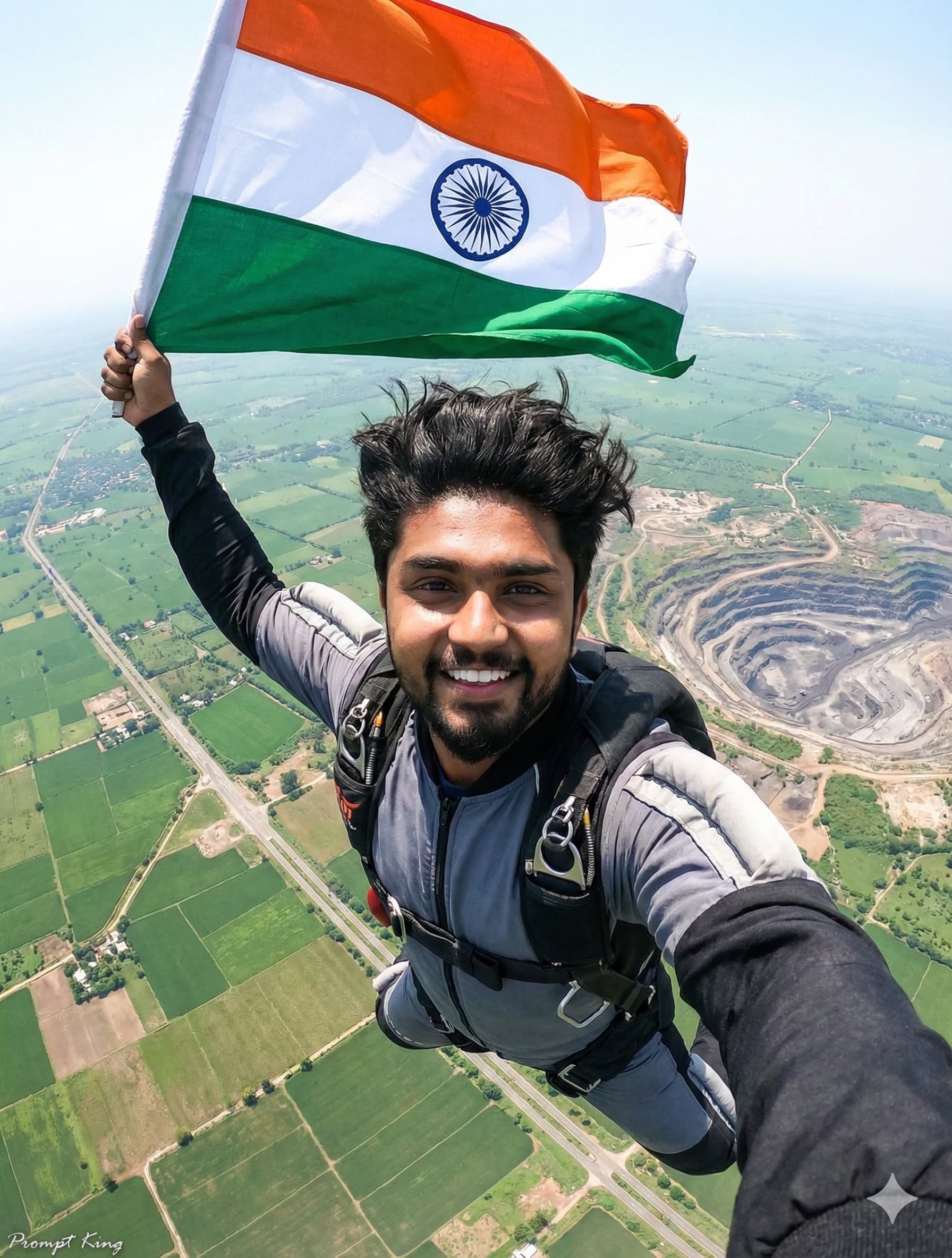
This prompt creates a dynamic, wide-angle action shot of a young Indian man in mid-skydive freefall. He smiles widely with pure excitement and looks straight at the camera, as if taking a selfie in the air. He has tousled dark hair and wears a grey and black professional skydiving suit with a harness. High above his head, he holds a large Indian national flag that billows strongly in the wind. The background is a vast expanse of clear blue sky, with a detailed aerial view of patchwork green farmland, roads and a quarry far below. The prompt asks for an extreme perspective, bright sunlight, a high-speed shutter effect and cinematic hyperrealism, along with strict preservation of facial identity from the reference image. The result feels thrilling and celebratory, combining patriotism with adventure sport. This style suits young men and adventure lovers looking for an unusual Republic Day or Independence Day post, or anyone who wants a bold, eye-catching profile picture with a national theme. Upload a clear, smiling reference photo for the best match, since the expression plays a big part in the energy of this image.
Lighting, colour and composition
Bright, direct sunlight gives crisp highlights and a clean, high-energy look. The palette is dominated by sky blue and patchwork greens, with the saffron, white and green flag as the strongest colour block. An extreme wide-angle selfie perspective places the face close to the lens with the flag and land stretching behind.
Ways to make it your own
- Add a second skydiver in the background for a tandem jump scene.
- Use a sunset sky for warmer colours and longer shadows across the land below.
- Switch to a 9:16 frame to emphasise the vertical drop for stories.
Best for
Trending photo ideas and creative portrait inspiration.
Suggested framing
Use the aspect ratio or framing described in the prompt, then adapt it for your intended platform.
Customization ideas
Adjust the clothing, background, lighting, colors and composition to match your own idea.
How to use
Copy the prompt, adapt it to your idea, and paste it into your preferred compatible AI tool. Follow that tool’s instructions for reference photos.
A few helpful answers.
What type of image does this prompt create?
In a compatible AI tool, this prompt is intended as a starting point for this prompt creates a dynamic, wide-angle action shot of a young Indian man in mid-skydive freefall. He smiles widely with pure excitement and looks straight at the camera, as if taking a selfie in the air. He has tousled dark hair and wears a grey and black professional skydiving suit with a harness. High above his head, he holds a large Indian national flag that billows strongly in the wind. The background is a vast expanse of clear blue sky, with a detailed aerial view of patchwork green farmland, roads and a quarry far below. The prompt asks for an extreme perspective, bright sunlight, a high-speed shutter effect and cinematic hyperrealism, along with strict preservation of facial identity from the reference image. The result feels thrilling and celebratory, combining patriotism with adventure sport. This style suits young men and adventure lovers looking for an unusual Republic Day or Independence Day post, or anyone who wants a bold, eye-catching profile picture with a national theme. Upload a clear, smiling reference photo for the best match, since the expression plays a big part in the energy of this image. Results depend on the tool, settings and references you use.
Can I customize the clothing or background?
Yes. Replace the clothing, setting or colors in the prompt with your own choices. Keep descriptions consistent and adjust one detail at a time.
What aspect ratio works best?
Start with Use the aspect ratio or framing described in the prompt, then adapt it for your intended platform.. A 4:5 ratio works well for a portrait feed post. Adjust the crop for your intended platform and your tool’s available settings.
Does Prompt King generate the image?
No. Prompt King helps users discover and copy prompts that can be used with compatible AI tools.
Can I use this for social media ideas?
Yes. Use it as creative inspiration and customize the result for your audience. Use photos you have permission to upload, and check your chosen tool’s terms before publishing.




