
Running With a Giant Karnataka Flag in Street Rally
AI Photo Prompt
Want more trending photo prompts? Discover them in the Prompt King Android app on Google Play.
About this prompt
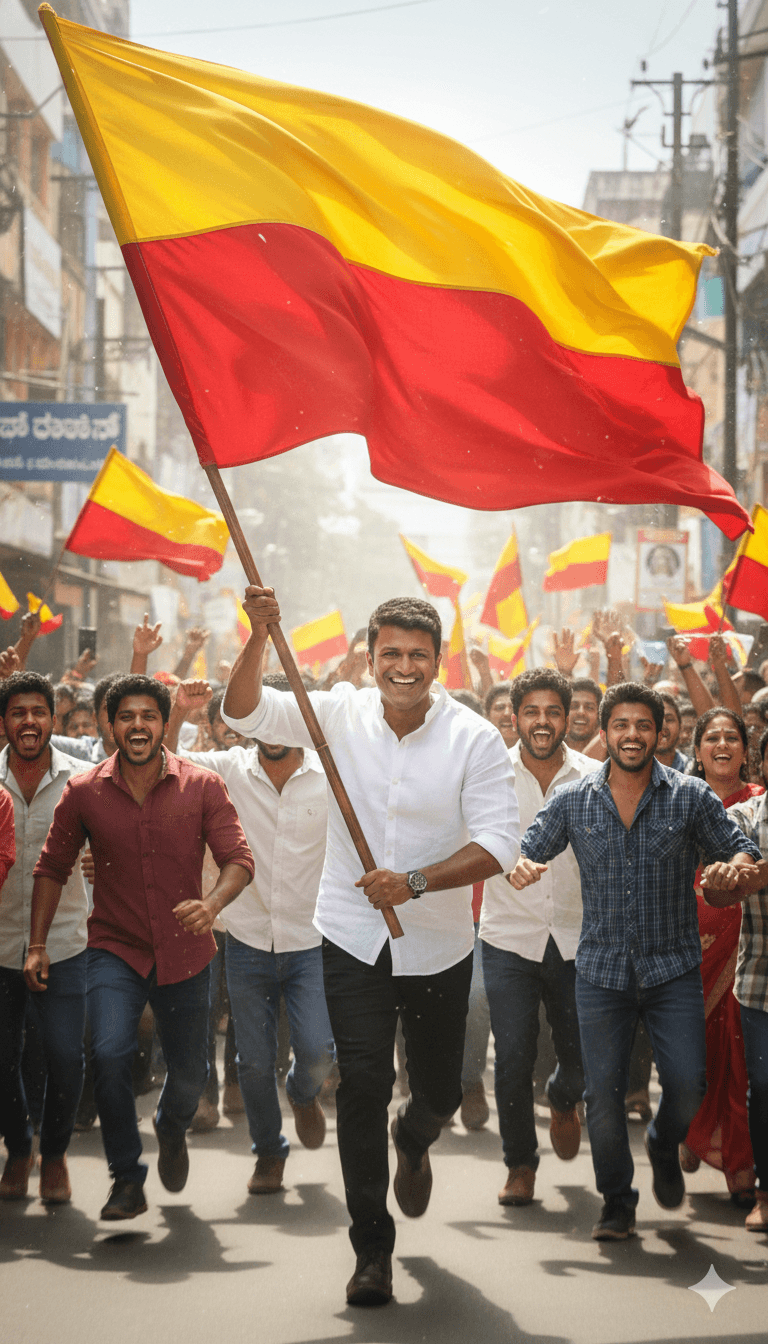
This action prompt captures a young man running at the front of a festive street rally, holding a large plain yellow-over-red Karnataka flag. The flag ripples in the wind and glows in bright afternoon sunlight, adding strong motion to the frame. Behind him, a group of young men join the run, smiling and cheering, while crowds on both sides of the street wave smaller flags and clap. The prompt uses a vertical 9:16 aspect ratio, which makes it ready for Instagram Reels covers, WhatsApp status updates and YouTube Shorts thumbnails. The face is requested to match the uploaded reference closely, so a clear, front-facing photo works best. The image suits Kannada Rajyotsava on November 1, college fest promotions, cultural pride posts and community run events. Because the scene includes motion and many people, results can vary; generating a few versions and picking the sharpest face is a practical approach. The mood is energetic and celebratory rather than formal, making it a good contrast to standing portrait prompts in the same theme. A motion-capture feel is described, so expect some blur in the flag and background figures.
Lighting, colour and composition
Bright afternoon sun creates high contrast and glowing highlights on the flag fabric. The yellow and red flag dominates the upper frame, balanced by colourful crowds on either side. The vertical 9:16 composition uses a leading line down the street, with the runner in sharp focus and slight motion blur behind.
Ways to make it your own
- Change the time to golden hour for warmer light and longer shadows on the street.
- Add a festive arch with 'Kannada Rajyotsava' text over the street for a greeting card version.
- Ask for a lower camera angle to make the flag appear larger and more dramatic.
Best for
Trending photo ideas and creative portrait inspiration.
Suggested framing
Use the aspect ratio or framing described in the prompt, then adapt it for your intended platform.
Customization ideas
Adjust the clothing, background, lighting, colors and composition to match your own idea.
How to use
Copy the prompt, adapt it to your idea, and paste it into your preferred compatible AI tool. Follow that tool’s instructions for reference photos.
A few helpful answers.
What type of image does this prompt create?
In a compatible AI tool, this prompt is intended as a starting point for this action prompt captures a young man running at the front of a festive street rally, holding a large plain yellow-over-red Karnataka flag. The flag ripples in the wind and glows in bright afternoon sunlight, adding strong motion to the frame. Behind him, a group of young men join the run, smiling and cheering, while crowds on both sides of the street wave smaller flags and clap. The prompt uses a vertical 9:16 aspect ratio, which makes it ready for Instagram Reels covers, WhatsApp status updates and YouTube Shorts thumbnails. The face is requested to match the uploaded reference closely, so a clear, front-facing photo works best. The image suits Kannada Rajyotsava on November 1, college fest promotions, cultural pride posts and community run events. Because the scene includes motion and many people, results can vary; generating a few versions and picking the sharpest face is a practical approach. The mood is energetic and celebratory rather than formal, making it a good contrast to standing portrait prompts in the same theme. A motion-capture feel is described, so expect some blur in the flag and background figures. Results depend on the tool, settings and references you use.
Can I customize the clothing or background?
Yes. Replace the clothing, setting or colors in the prompt with your own choices. Keep descriptions consistent and adjust one detail at a time.
What aspect ratio works best?
Start with Use the aspect ratio or framing described in the prompt, then adapt it for your intended platform.. A 4:5 ratio works well for a portrait feed post. Adjust the crop for your intended platform and your tool’s available settings.
Does Prompt King generate the image?
No. Prompt King helps users discover and copy prompts that can be used with compatible AI tools.
Can I use this for social media ideas?
Yes. Use it as creative inspiration and customize the result for your audience. Use photos you have permission to upload, and check your chosen tool’s terms before publishing.




