
Red Gown Studio Portrait Holding Fresh Roses
AI Photo Prompt
Want more trending photo prompts? Discover them in the Prompt King Android app on Google Play.
About this prompt
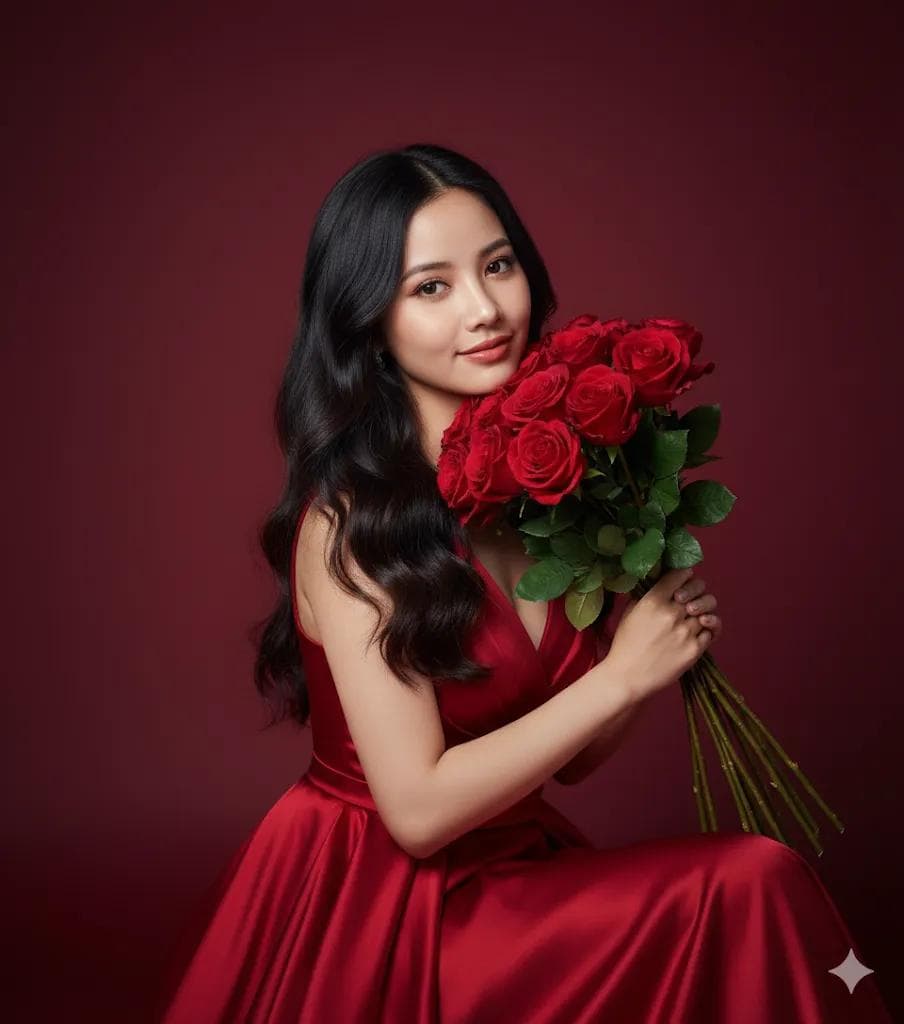
This short, effective prompt creates a romantic studio portrait from your uploaded photo. A woman in a flowing red gown sits gracefully, holding a bunch of fresh red roses close to her face. Her long, wavy dark hair and soft, elegant smile complete a classic glamour look. The background is a smooth gradient of deep red that matches the gown and flowers, so the entire frame is built from a single colour family. Studio lighting gives a polished, cinematic finish with high-resolution, realistic detail in the petals, fabric folds and hair. The tonal, all-red styling is a popular choice for Valentine's Day, anniversaries and birthdays, and the clean backdrop means the image can easily be turned into a card or poster with added text. It also works as a confident profile picture or a cover image for a romance-themed reading list or playlist. Because the composition depends heavily on colour harmony, it is a useful prompt for anyone experimenting with monochromatic portraits, where shading and texture carry the image instead of contrasting colours. A gentle expression keeps the mood warm rather than dramatic.
Lighting, colour and composition
Soft studio key light shapes the face while the red gradient backdrop falls off gently into darker tones. The palette is monochromatic: crimson, scarlet and deep wine, with skin tones as the only contrast. A seated, medium close-up composition keeps roses and face together at the centre of the frame.
Ways to make it your own
- Change the whole palette to blush pink or ivory for a softer bridal-style portrait.
- Swap roses for red tulips or peonies while keeping the tonal studio backdrop.
- Use a 4:5 crop and leave headroom if you plan to add greeting text.
Best for
Trending photo ideas and creative portrait inspiration.
Suggested framing
Use the aspect ratio or framing described in the prompt, then adapt it for your intended platform.
Customization ideas
Adjust the clothing, background, lighting, colors and composition to match your own idea.
How to use
Copy the prompt, adapt it to your idea, and paste it into your preferred compatible AI tool. Follow that tool’s instructions for reference photos.
A few helpful answers.
What type of image does this prompt create?
In a compatible AI tool, this prompt is intended as a starting point for this short, effective prompt creates a romantic studio portrait from your uploaded photo. A woman in a flowing red gown sits gracefully, holding a bunch of fresh red roses close to her face. Her long, wavy dark hair and soft, elegant smile complete a classic glamour look. The background is a smooth gradient of deep red that matches the gown and flowers, so the entire frame is built from a single colour family. Studio lighting gives a polished, cinematic finish with high-resolution, realistic detail in the petals, fabric folds and hair. The tonal, all-red styling is a popular choice for Valentine's Day, anniversaries and birthdays, and the clean backdrop means the image can easily be turned into a card or poster with added text. It also works as a confident profile picture or a cover image for a romance-themed reading list or playlist. Because the composition depends heavily on colour harmony, it is a useful prompt for anyone experimenting with monochromatic portraits, where shading and texture carry the image instead of contrasting colours. A gentle expression keeps the mood warm rather than dramatic. Results depend on the tool, settings and references you use.
Can I customize the clothing or background?
Yes. Replace the clothing, setting or colors in the prompt with your own choices. Keep descriptions consistent and adjust one detail at a time.
What aspect ratio works best?
Start with Use the aspect ratio or framing described in the prompt, then adapt it for your intended platform.. A 4:5 ratio works well for a portrait feed post. Adjust the crop for your intended platform and your tool’s available settings.
Does Prompt King generate the image?
No. Prompt King helps users discover and copy prompts that can be used with compatible AI tools.
Can I use this for social media ideas?
Yes. Use it as creative inspiration and customize the result for your audience. Use photos you have permission to upload, and check your chosen tool’s terms before publishing.




