
Rajyotsava Street Celebration Holding a Framed Tribute Photo
AI Photo Prompt
Want more trending photo prompts? Discover them in the Prompt King Android app on Google Play.
About this prompt
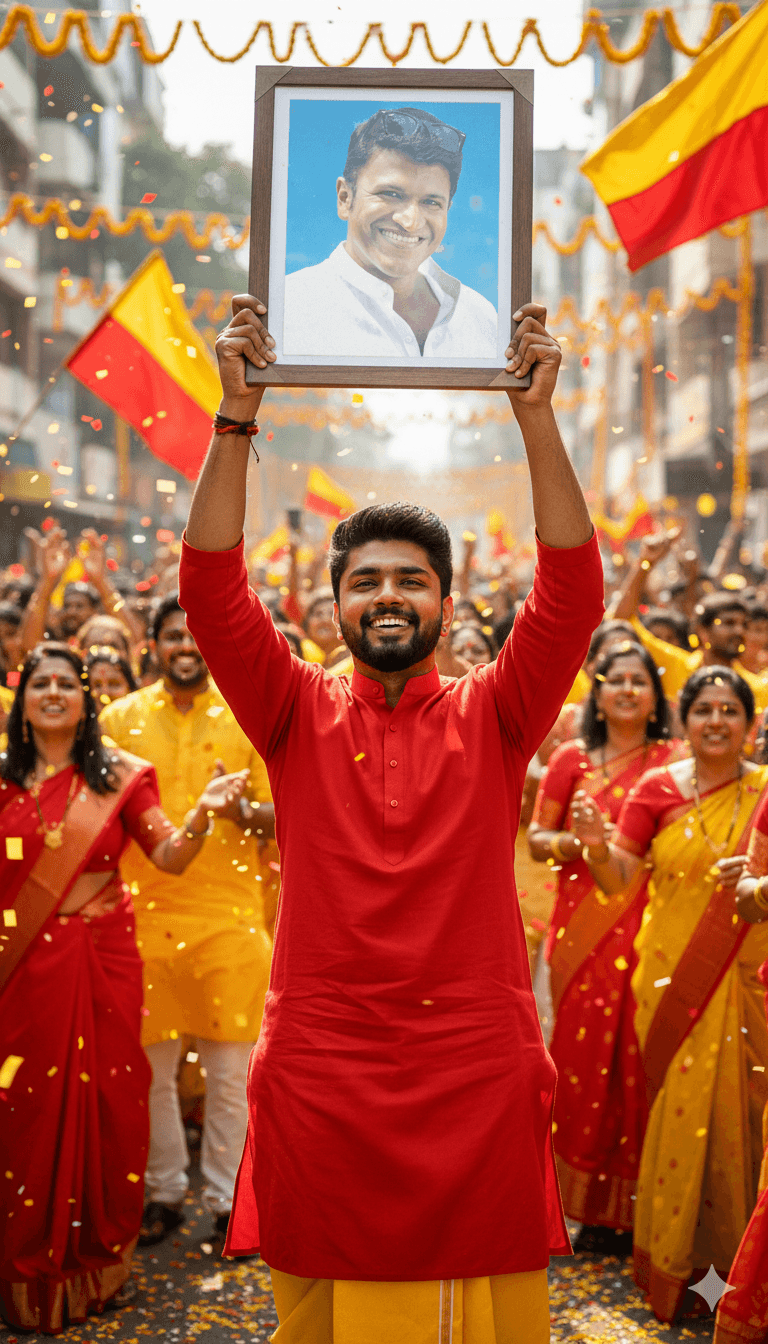
This prompt depicts a man standing proudly in the middle of a festive Karnataka Rajyotsava street celebration, holding a framed photograph high above his head with both hands. The original version is built around a tribute to a well-known Kannada film actor, using a second reference image for the face inside the frame, with realistic glass reflections on the photo. Around him, people carry plain yellow and red Karnataka flags, and more flags line the street in the background, giving a sense of crowds and community pride. Bright daylight lights the scene, and the subject's face is meant to match the uploaded reference closely. The image is suited to Rajyotsava tributes, fan club remembrance posts and community celebration albums. Because it depends on the likeness of a real public figure, it is best used for personal, non-commercial tribute purposes, and you may prefer to replace the framed photo with a family elder, a teacher or a map of Karnataka. The multi-reference structure means you need clear images for each person in the scene. Expect a busy, emotional composition centred on the raised frame.
Lighting, colour and composition
Bright daylight gives the street scene crisp detail and lively colour. Yellow and red flags dominate the palette, with the framed photo creating a focal point above the subject's head. The centred composition uses the raised arms to lead the eye upward, while the crowd forms a softly blurred, festive background.
Ways to make it your own
- Replace the framed photo with a Karnataka map or the Bhuvaneshwari image for a neutral tribute.
- Use a 4:5 frame so the raised frame and face both fit comfortably.
- Add marigold garlands on the frame for a more traditional tribute feel.
Best for
Trending photo ideas and creative portrait inspiration.
Suggested framing
Use the aspect ratio or framing described in the prompt, then adapt it for your intended platform.
Customization ideas
Adjust the clothing, background, lighting, colors and composition to match your own idea.
How to use
Copy the prompt, adapt it to your idea, and paste it into your preferred compatible AI tool. Follow that tool’s instructions for reference photos.
A few helpful answers.
What type of image does this prompt create?
In a compatible AI tool, this prompt is intended as a starting point for this prompt depicts a man standing proudly in the middle of a festive Karnataka Rajyotsava street celebration, holding a framed photograph high above his head with both hands. The original version is built around a tribute to a well-known Kannada film actor, using a second reference image for the face inside the frame, with realistic glass reflections on the photo. Around him, people carry plain yellow and red Karnataka flags, and more flags line the street in the background, giving a sense of crowds and community pride. Bright daylight lights the scene, and the subject's face is meant to match the uploaded reference closely. The image is suited to Rajyotsava tributes, fan club remembrance posts and community celebration albums. Because it depends on the likeness of a real public figure, it is best used for personal, non-commercial tribute purposes, and you may prefer to replace the framed photo with a family elder, a teacher or a map of Karnataka. The multi-reference structure means you need clear images for each person in the scene. Expect a busy, emotional composition centred on the raised frame. Results depend on the tool, settings and references you use.
Can I customize the clothing or background?
Yes. Replace the clothing, setting or colors in the prompt with your own choices. Keep descriptions consistent and adjust one detail at a time.
What aspect ratio works best?
Start with Use the aspect ratio or framing described in the prompt, then adapt it for your intended platform.. A 4:5 ratio works well for a portrait feed post. Adjust the crop for your intended platform and your tool’s available settings.
Does Prompt King generate the image?
No. Prompt King helps users discover and copy prompts that can be used with compatible AI tools.
Can I use this for social media ideas?
Yes. Use it as creative inspiration and customize the result for your audience. Use photos you have permission to upload, and check your chosen tool’s terms before publishing.




