
Rajyotsava Rally Crowd Portrait With Waving Leader Pose
AI Photo Prompt
Want more trending photo prompts? Discover them in the Prompt King Android app on Google Play.
About this prompt
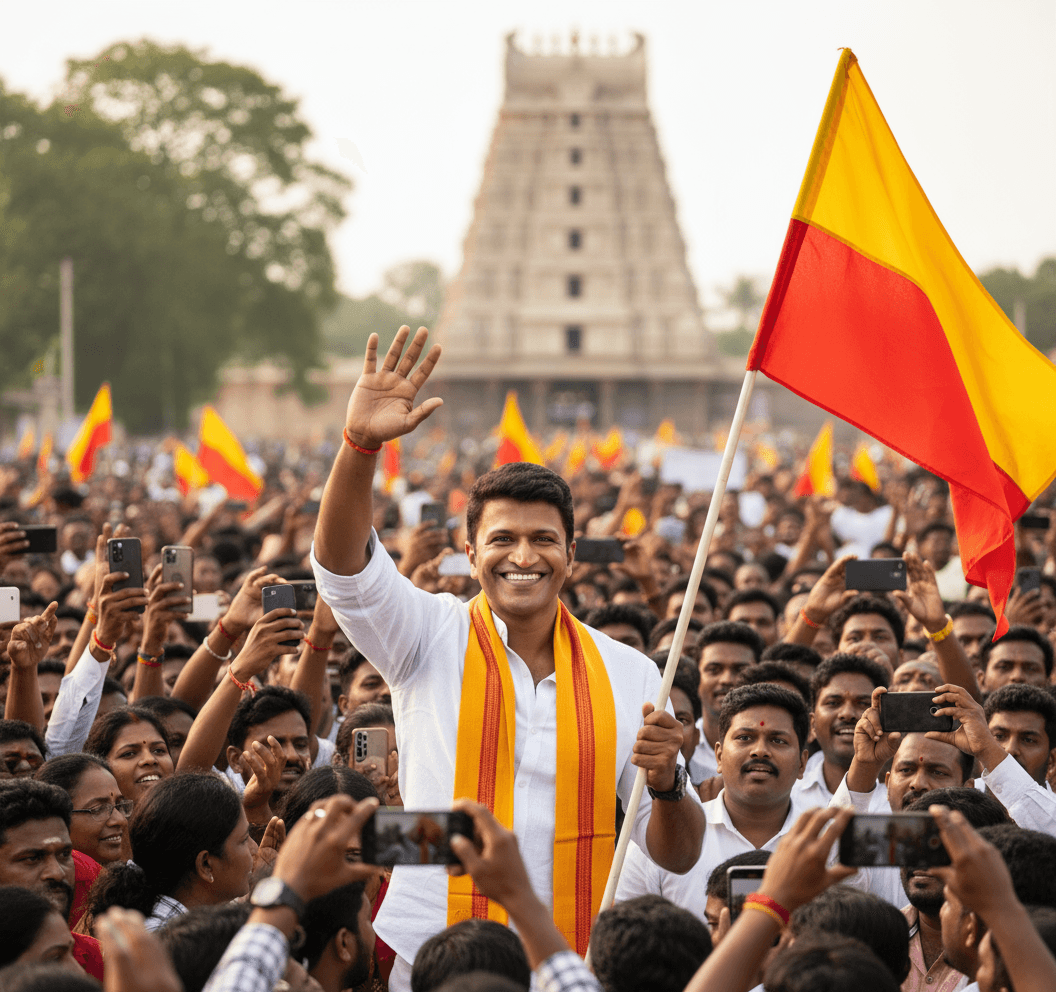
This prompt places a young man at the centre of a large crowd during a Kannada Rajyotsava rally in Karnataka. He smiles and waves with one hand while holding a flag in the other, dressed in a crisp white shirt with a bright yellow and red scarf draped around his neck. People around him raise smartphones to photograph him, which gives the scene the energy of a public event where he is the focus of attention. Warm natural daylight lights the scene, and a shallow depth of field keeps him sharp while the crowd and background softly blur. The prompt references a temple setting, adding a sense of place and local identity. It suits Karnataka Rajyotsava greetings on November 1, community event posters, local association posts and festival profile pictures. You can use a generic flag or the plain yellow and red Karnataka flag rather than any specific organisation's symbol. Because the crowd scene is busy, a clear front-facing reference photo helps the subject stand out. The image works well in a vertical format for social media stories and in a horizontal format for banners.
Lighting, colour and composition
Warm, natural daylight with soft shadows gives an authentic event feel. Yellow and red from the scarf and flag stand out against the white shirt and the varied colours of the crowd. Shallow depth of field isolates the subject in the foreground, while raised phones in the background add depth and lively motion.
Ways to make it your own
- Use the plain yellow-over-red Karnataka flag instead of a party flag for a neutral festival image.
- Add a 'Happy Kannada Rajyotsava' banner in the background for a ready-made greeting.
- Switch to a 16:9 frame to fit a Facebook cover or event banner.
Best for
Trending photo ideas and creative portrait inspiration.
Suggested framing
Use the aspect ratio or framing described in the prompt, then adapt it for your intended platform.
Customization ideas
Adjust the clothing, background, lighting, colors and composition to match your own idea.
How to use
Copy the prompt, adapt it to your idea, and paste it into your preferred compatible AI tool. Follow that tool’s instructions for reference photos.
A few helpful answers.
What type of image does this prompt create?
In a compatible AI tool, this prompt is intended as a starting point for this prompt places a young man at the centre of a large crowd during a Kannada Rajyotsava rally in Karnataka. He smiles and waves with one hand while holding a flag in the other, dressed in a crisp white shirt with a bright yellow and red scarf draped around his neck. People around him raise smartphones to photograph him, which gives the scene the energy of a public event where he is the focus of attention. Warm natural daylight lights the scene, and a shallow depth of field keeps him sharp while the crowd and background softly blur. The prompt references a temple setting, adding a sense of place and local identity. It suits Karnataka Rajyotsava greetings on November 1, community event posters, local association posts and festival profile pictures. You can use a generic flag or the plain yellow and red Karnataka flag rather than any specific organisation's symbol. Because the crowd scene is busy, a clear front-facing reference photo helps the subject stand out. The image works well in a vertical format for social media stories and in a horizontal format for banners. Results depend on the tool, settings and references you use.
Can I customize the clothing or background?
Yes. Replace the clothing, setting or colors in the prompt with your own choices. Keep descriptions consistent and adjust one detail at a time.
What aspect ratio works best?
Start with Use the aspect ratio or framing described in the prompt, then adapt it for your intended platform.. A 4:5 ratio works well for a portrait feed post. Adjust the crop for your intended platform and your tool’s available settings.
Does Prompt King generate the image?
No. Prompt King helps users discover and copy prompts that can be used with compatible AI tools.
Can I use this for social media ideas?
Yes. Use it as creative inspiration and customize the result for your audience. Use photos you have permission to upload, and check your chosen tool’s terms before publishing.




