
Purple Oversized Shirt Side Profile Street Portrait
AI Photo Prompt
Want more trending photo prompts? Discover them in the Prompt King Android app on Google Play.
About this prompt
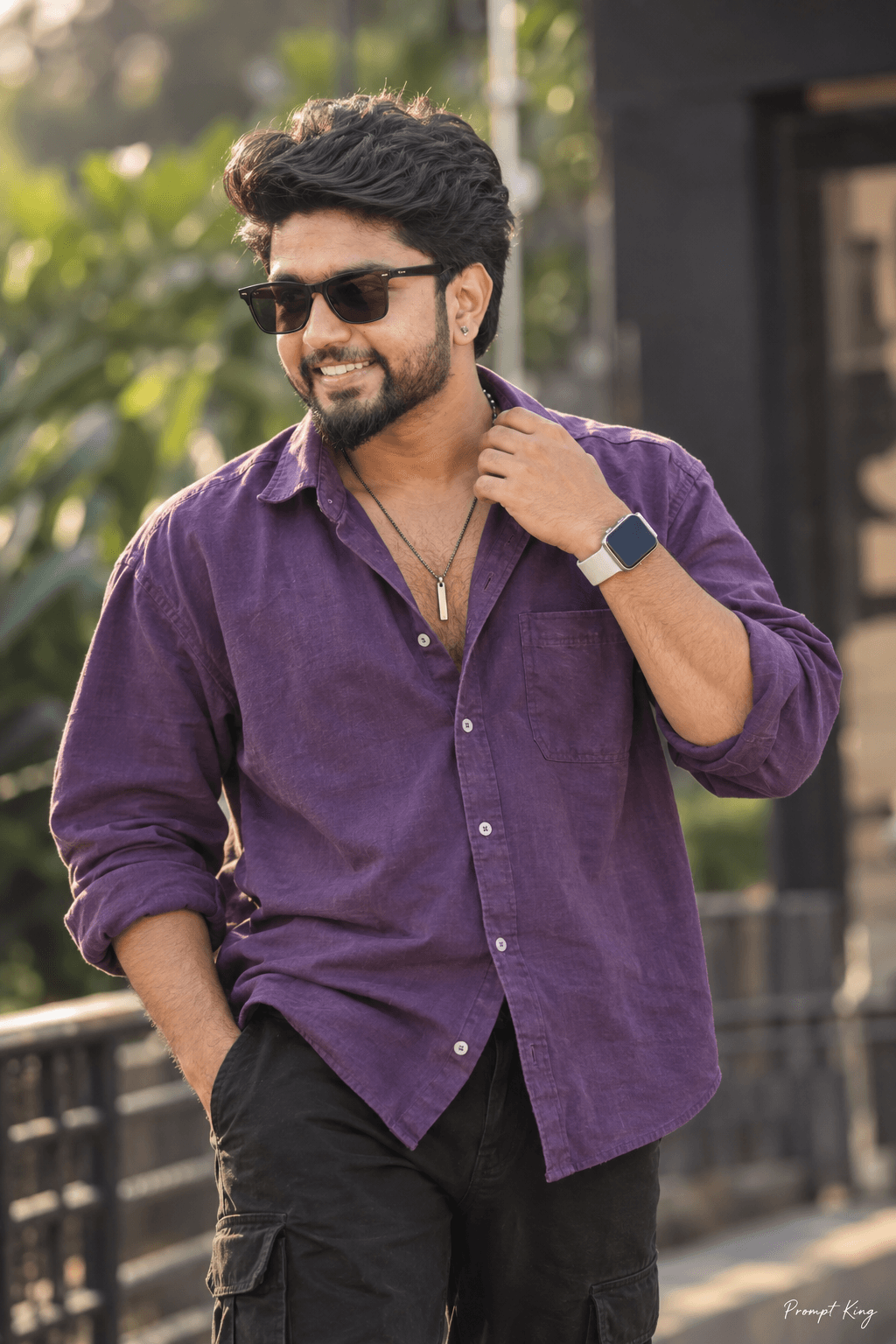
This prompt creates a stylish outdoor portrait of a young man with messy, voluminous hair, captured with a focus on his side profile. He wears an oversized purple shirt with beige jeans, a vertical bar pendant necklace, a black-and-white smartwatch and sunglasses, and one hand touches his hair in a casual, confident pose. The background is a lush, softly blurred setting with an urban feel and dark tones, which keeps the attention on the subject. Cinematic lighting adds dimension to the face and fabric, and the overall finish aims for a sharp, realistic DSLR look. The prompt asks the tool to use your uploaded photo for the face so the likeness stays accurate. This look is easy to wear and works for everyday social posts, a fresh profile picture, a birthday image, or a casual fashion sample for a portfolio. It is particularly suited to people who like bold shirt colours and relaxed streetwear. For the closest result, upload a clear side or three-quarter photo, since the prompt is built around a side-face angle rather than a straight-on view.
Lighting, colour and composition
Directional cinematic light from one side sculpts the profile and adds sheen to the hair. The palette pairs saturated purple with beige and black against muted green and dark background tones. A close side-angle crop with a strongly blurred background isolates the subject and gives a magazine-style feel.
Ways to make it your own
- Change the shirt colour to rust orange or olive green for a different seasonal palette.
- Ask for a front-facing angle if your reference photo is taken straight on.
- Replace the urban greenery with a city street at dusk for a nighttime variation.
Best for
Trending photo ideas and creative portrait inspiration.
Suggested framing
Use the aspect ratio or framing described in the prompt, then adapt it for your intended platform.
Customization ideas
Adjust the clothing, background, lighting, colors and composition to match your own idea.
How to use
Copy the prompt, adapt it to your idea, and paste it into your preferred compatible AI tool. Follow that tool’s instructions for reference photos.
A few helpful answers.
What type of image does this prompt create?
In a compatible AI tool, this prompt is intended as a starting point for this prompt creates a stylish outdoor portrait of a young man with messy, voluminous hair, captured with a focus on his side profile. He wears an oversized purple shirt with beige jeans, a vertical bar pendant necklace, a black-and-white smartwatch and sunglasses, and one hand touches his hair in a casual, confident pose. The background is a lush, softly blurred setting with an urban feel and dark tones, which keeps the attention on the subject. Cinematic lighting adds dimension to the face and fabric, and the overall finish aims for a sharp, realistic DSLR look. The prompt asks the tool to use your uploaded photo for the face so the likeness stays accurate. This look is easy to wear and works for everyday social posts, a fresh profile picture, a birthday image, or a casual fashion sample for a portfolio. It is particularly suited to people who like bold shirt colours and relaxed streetwear. For the closest result, upload a clear side or three-quarter photo, since the prompt is built around a side-face angle rather than a straight-on view. Results depend on the tool, settings and references you use.
Can I customize the clothing or background?
Yes. Replace the clothing, setting or colors in the prompt with your own choices. Keep descriptions consistent and adjust one detail at a time.
What aspect ratio works best?
Start with Use the aspect ratio or framing described in the prompt, then adapt it for your intended platform.. A 4:5 ratio works well for a portrait feed post. Adjust the crop for your intended platform and your tool’s available settings.
Does Prompt King generate the image?
No. Prompt King helps users discover and copy prompts that can be used with compatible AI tools.
Can I use this for social media ideas?
Yes. Use it as creative inspiration and customize the result for your audience. Use photos you have permission to upload, and check your chosen tool’s terms before publishing.




