
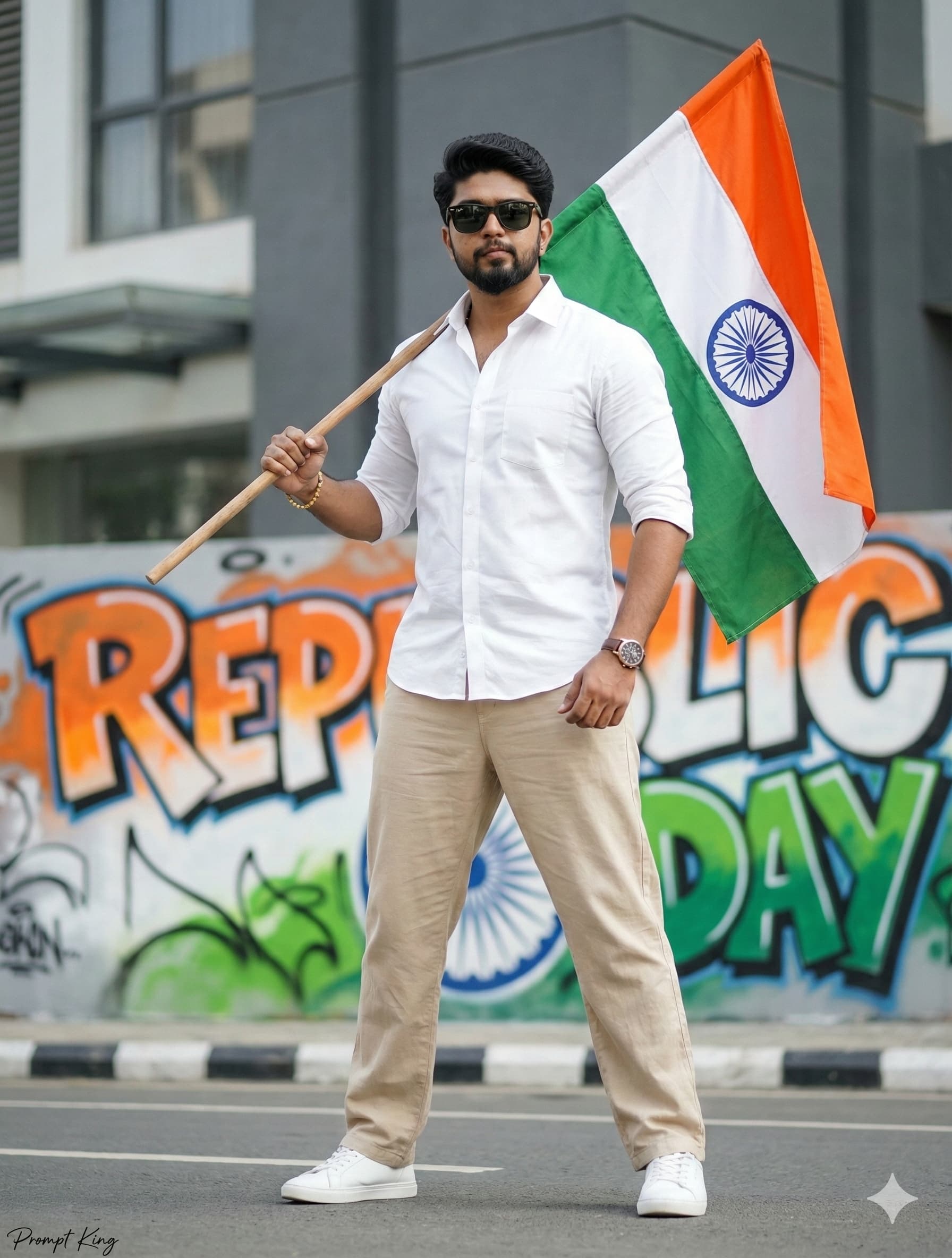
Power Pose by a Republic Day Graffiti Wall
AI Photo Prompt
Want more trending photo prompts? Discover them in the Prompt King Android app on Google Play.
About this prompt
This prompt creates a stylish, modern Republic Day portrait of an Indian man standing confidently in a strong power pose on an urban street, legs slightly apart and chest out. He wears a fitted white designer shirt with rolled-up sleeves, loose beige cotton pants, clean white sneakers and sunglasses, along with a small golden bracelet on his right wrist and a premium watch on his left. His hair is neatly styled and his beard well groomed. He holds the Indian flag on a stick resting on his shoulder. Behind him, a vibrant graffiti wall displays 'REPUBLIC DAY' in bold saffron, white and green street-art letters, with the Ashoka Chakra integrated into the design. The prompt calls for a cinematic low-angle hero shot with soft daylight, shallow depth of field and an ultra-realistic fashion-photography look, plus a negative prompt to keep the face unaltered and the sunglasses in place. This style suits young men who prefer a contemporary, streetwear take on patriotism for Republic Day on 26 January. It also works as a bold profile picture. Upload a sharp front-facing reference photo; the low angle looks best with a reference taken at eye level.
Lighting, colour and composition
Soft daylight with a low camera angle gives a heroic, fashion-editorial feel. The palette pairs crisp white and beige clothing with bright saffron, white and green graffiti. The subject stands centred in a wide stance, with the flag over his shoulder adding a diagonal line and the colourful wall filling the background.
Ways to make it your own
- Change the graffiti text to 'Jai Hind' or 'Independence Day' for other occasions.
- Swap the white shirt for a light khadi kurta for a traditional-meets-street look.
- Remove the sunglasses from the negative prompt if you want your eyes visible.
Best for
Trending photo ideas and creative portrait inspiration.
Suggested framing
Use the aspect ratio or framing described in the prompt, then adapt it for your intended platform.
Customization ideas
Adjust the clothing, background, lighting, colors and composition to match your own idea.
How to use
Copy the prompt, adapt it to your idea, and paste it into your preferred compatible AI tool. Follow that tool’s instructions for reference photos.
A few helpful answers.
What type of image does this prompt create?
In a compatible AI tool, this prompt is intended as a starting point for this prompt creates a stylish, modern Republic Day portrait of an Indian man standing confidently in a strong power pose on an urban street, legs slightly apart and chest out. He wears a fitted white designer shirt with rolled-up sleeves, loose beige cotton pants, clean white sneakers and sunglasses, along with a small golden bracelet on his right wrist and a premium watch on his left. His hair is neatly styled and his beard well groomed. He holds the Indian flag on a stick resting on his shoulder. Behind him, a vibrant graffiti wall displays 'REPUBLIC DAY' in bold saffron, white and green street-art letters, with the Ashoka Chakra integrated into the design. The prompt calls for a cinematic low-angle hero shot with soft daylight, shallow depth of field and an ultra-realistic fashion-photography look, plus a negative prompt to keep the face unaltered and the sunglasses in place. This style suits young men who prefer a contemporary, streetwear take on patriotism for Republic Day on 26 January. It also works as a bold profile picture. Upload a sharp front-facing reference photo; the low angle looks best with a reference taken at eye level. Results depend on the tool, settings and references you use.
Can I customize the clothing or background?
Yes. Replace the clothing, setting or colors in the prompt with your own choices. Keep descriptions consistent and adjust one detail at a time.
What aspect ratio works best?
Start with Use the aspect ratio or framing described in the prompt, then adapt it for your intended platform.. A 4:5 ratio works well for a portrait feed post. Adjust the crop for your intended platform and your tool’s available settings.
Does Prompt King generate the image?
No. Prompt King helps users discover and copy prompts that can be used with compatible AI tools.
Can I use this for social media ideas?
Yes. Use it as creative inspiration and customize the result for your audience. Use photos you have permission to upload, and check your chosen tool’s terms before publishing.




