
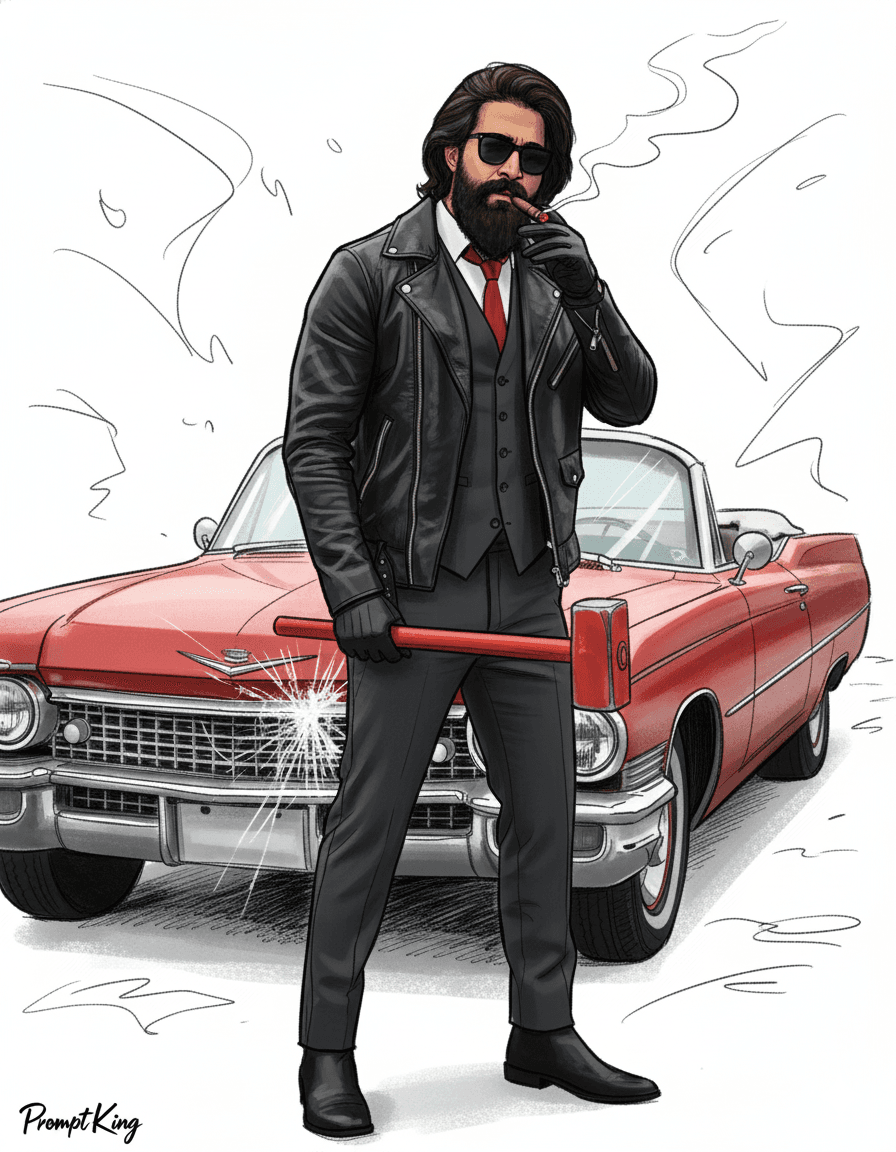
Playful Ink Sketch Cartoon Caricature on White
AI Photo Prompt
Want more trending photo prompts? Discover them in the Prompt King Android app on Google Play.
About this prompt
This prompt turns a photo into a funny sketch cartoon, drawn digitally with expressive ink-style outlines and exaggerated yet recognisable facial features. Vivid digital colours are applied with subtle shading and light hatching, and the background is clean white with a few gestural marks suggesting movement. The style feels lively, energetic and hand-drawn, similar to comic pen-and-ink art, with a playful caricature tone. The prompt asks for the face to stay accurate to the reference image so the person remains easy to recognise despite the exaggeration. A painted signature is integrated in the bottom-left corner. This style is a good fit for fun profile pictures, birthday caricatures, office farewell cards, stickers, mug or t-shirt prints, and social media posts where you want humour rather than realism. It works with most clear face photos, including group-friendly headshots, and the white background makes it easy to cut out and reuse the cartoon elsewhere.
Lighting, colour and composition
Flat, even lighting suits the illustration, with depth from ink shading and hatching. The palette is vivid digital colour against clean white. The head and shoulders are centred and slightly enlarged, with gestural motion lines around them and a signature placed in the bottom-left corner.
Ways to make it your own
- Change the white background to a solid pastel colour for a sticker-style look.
- Ask for a hobby prop, such as a cricket bat or guitar, to personalise the caricature.
- Remove the signature line if you plan to print it as a gift.
Best for
Trending photo ideas and creative portrait inspiration.
Suggested framing
Use the aspect ratio or framing described in the prompt, then adapt it for your intended platform.
Customization ideas
Adjust the clothing, background, lighting, colors and composition to match your own idea.
How to use
Copy the prompt, adapt it to your idea, and paste it into your preferred compatible AI tool. Follow that tool’s instructions for reference photos.
A few helpful answers.
What type of image does this prompt create?
In a compatible AI tool, this prompt is intended as a starting point for this prompt turns a photo into a funny sketch cartoon, drawn digitally with expressive ink-style outlines and exaggerated yet recognisable facial features. Vivid digital colours are applied with subtle shading and light hatching, and the background is clean white with a few gestural marks suggesting movement. The style feels lively, energetic and hand-drawn, similar to comic pen-and-ink art, with a playful caricature tone. The prompt asks for the face to stay accurate to the reference image so the person remains easy to recognise despite the exaggeration. A painted signature is integrated in the bottom-left corner. This style is a good fit for fun profile pictures, birthday caricatures, office farewell cards, stickers, mug or t-shirt prints, and social media posts where you want humour rather than realism. It works with most clear face photos, including group-friendly headshots, and the white background makes it easy to cut out and reuse the cartoon elsewhere. Results depend on the tool, settings and references you use.
Can I customize the clothing or background?
Yes. Replace the clothing, setting or colors in the prompt with your own choices. Keep descriptions consistent and adjust one detail at a time.
What aspect ratio works best?
Start with Use the aspect ratio or framing described in the prompt, then adapt it for your intended platform.. A 4:5 ratio works well for a portrait feed post. Adjust the crop for your intended platform and your tool’s available settings.
Does Prompt King generate the image?
No. Prompt King helps users discover and copy prompts that can be used with compatible AI tools.
Can I use this for social media ideas?
Yes. Use it as creative inspiration and customize the result for your audience. Use photos you have permission to upload, and check your chosen tool’s terms before publishing.




