
Pencil Line Sketch Portrait on a Notebook Page
AI Photo Prompt
Want more trending photo prompts? Discover them in the Prompt King Android app on Google Play.
About this prompt
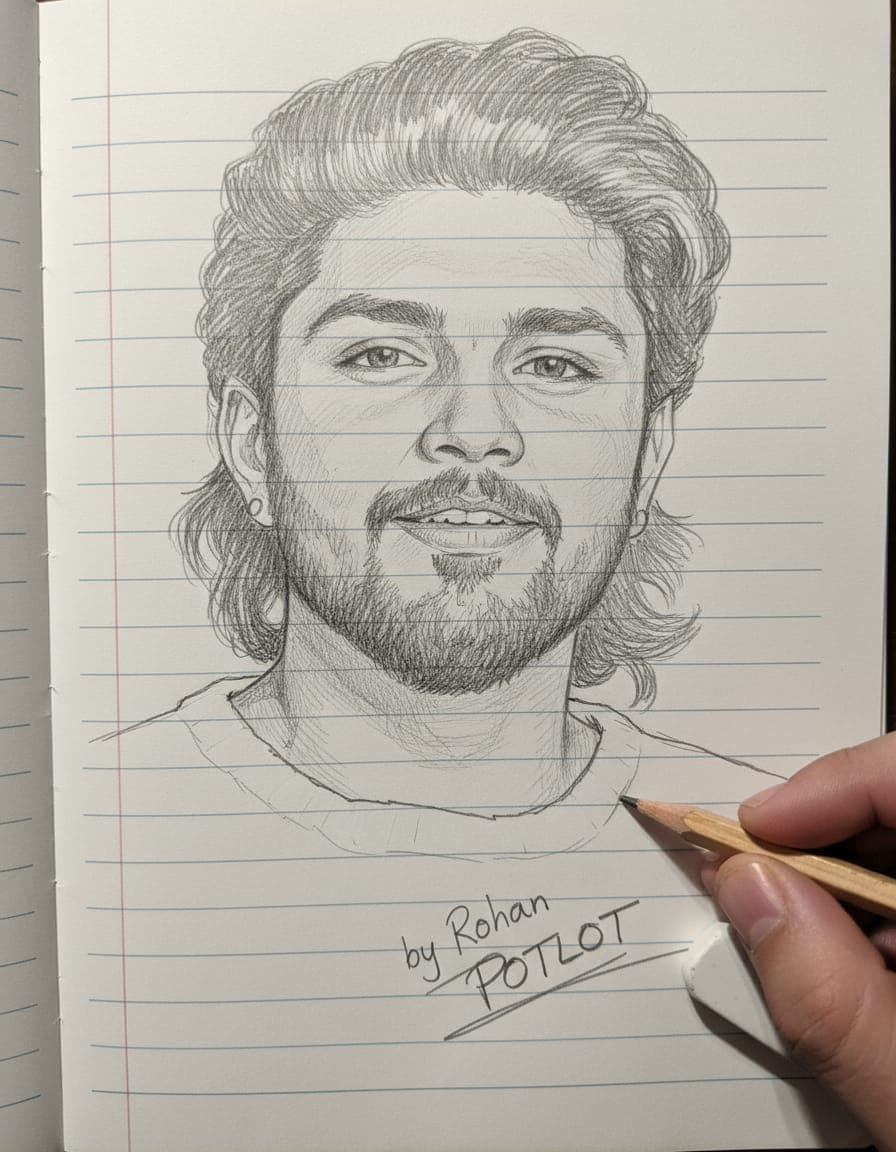
This prompt turns your photo into a pencil line drawing on a notebook page, showing the artwork as if it is still being made. The face is drawn in a photo-style sketch with intricate detail, matching the features of the uploaded image, using clean graphite lines on white paper. A hand appears in the frame, with the right fingers holding a pencil and an eraser, which adds a sense of the artist at work. A handwritten-style signature is sketched into the page with light scratch marks, giving it an authentic artist's touch. The background is kept simple so the sketch stays the focus. This style is popular for artistic profile pictures, gifts for parents or partners, Teachers' Day and Father's or Mother's Day posts, and for anyone who likes a hand-drawn look rather than a photo. It also works well as a way to show a portrait in a creative, nostalgic format. Use a clear, well-lit front-facing photo for the best detail in the sketch. You can change the signature text to your own name or the name of the person receiving the drawing.
Lighting, colour and composition
Neutral, soft lighting keeps the white page clean with gentle shadows from the hand. A monochrome graphite palette on white paper gives a classic sketchbook look. The composition centres the drawn face on the notebook page, with the hand, pencil and eraser entering from the right side.
Ways to make it your own
- Change the signature text to your own name or the recipient's name.
- Ask for coloured pencils instead of graphite for a softer, warmer drawing.
- Add a coffee mug or spiral binding to make the desk scene more realistic.
Best for
Trending photo ideas and creative portrait inspiration.
Suggested framing
Use the aspect ratio or framing described in the prompt, then adapt it for your intended platform.
Customization ideas
Adjust the clothing, background, lighting, colors and composition to match your own idea.
How to use
Copy the prompt, adapt it to your idea, and paste it into your preferred compatible AI tool. Follow that tool’s instructions for reference photos.
A few helpful answers.
What type of image does this prompt create?
In a compatible AI tool, this prompt is intended as a starting point for this prompt turns your photo into a pencil line drawing on a notebook page, showing the artwork as if it is still being made. The face is drawn in a photo-style sketch with intricate detail, matching the features of the uploaded image, using clean graphite lines on white paper. A hand appears in the frame, with the right fingers holding a pencil and an eraser, which adds a sense of the artist at work. A handwritten-style signature is sketched into the page with light scratch marks, giving it an authentic artist's touch. The background is kept simple so the sketch stays the focus. This style is popular for artistic profile pictures, gifts for parents or partners, Teachers' Day and Father's or Mother's Day posts, and for anyone who likes a hand-drawn look rather than a photo. It also works well as a way to show a portrait in a creative, nostalgic format. Use a clear, well-lit front-facing photo for the best detail in the sketch. You can change the signature text to your own name or the name of the person receiving the drawing. Results depend on the tool, settings and references you use.
Can I customize the clothing or background?
Yes. Replace the clothing, setting or colors in the prompt with your own choices. Keep descriptions consistent and adjust one detail at a time.
What aspect ratio works best?
Start with Use the aspect ratio or framing described in the prompt, then adapt it for your intended platform.. A 4:5 ratio works well for a portrait feed post. Adjust the crop for your intended platform and your tool’s available settings.
Does Prompt King generate the image?
No. Prompt King helps users discover and copy prompts that can be used with compatible AI tools.
Can I use this for social media ideas?
Yes. Use it as creative inspiration and customize the result for your audience. Use photos you have permission to upload, and check your chosen tool’s terms before publishing.




