
Om Mahakal Kurta Devotee Before a Giant Shiva Statue
AI Photo Prompt
Want more trending photo prompts? Discover them in the Prompt King Android app on Google Play.
About this prompt
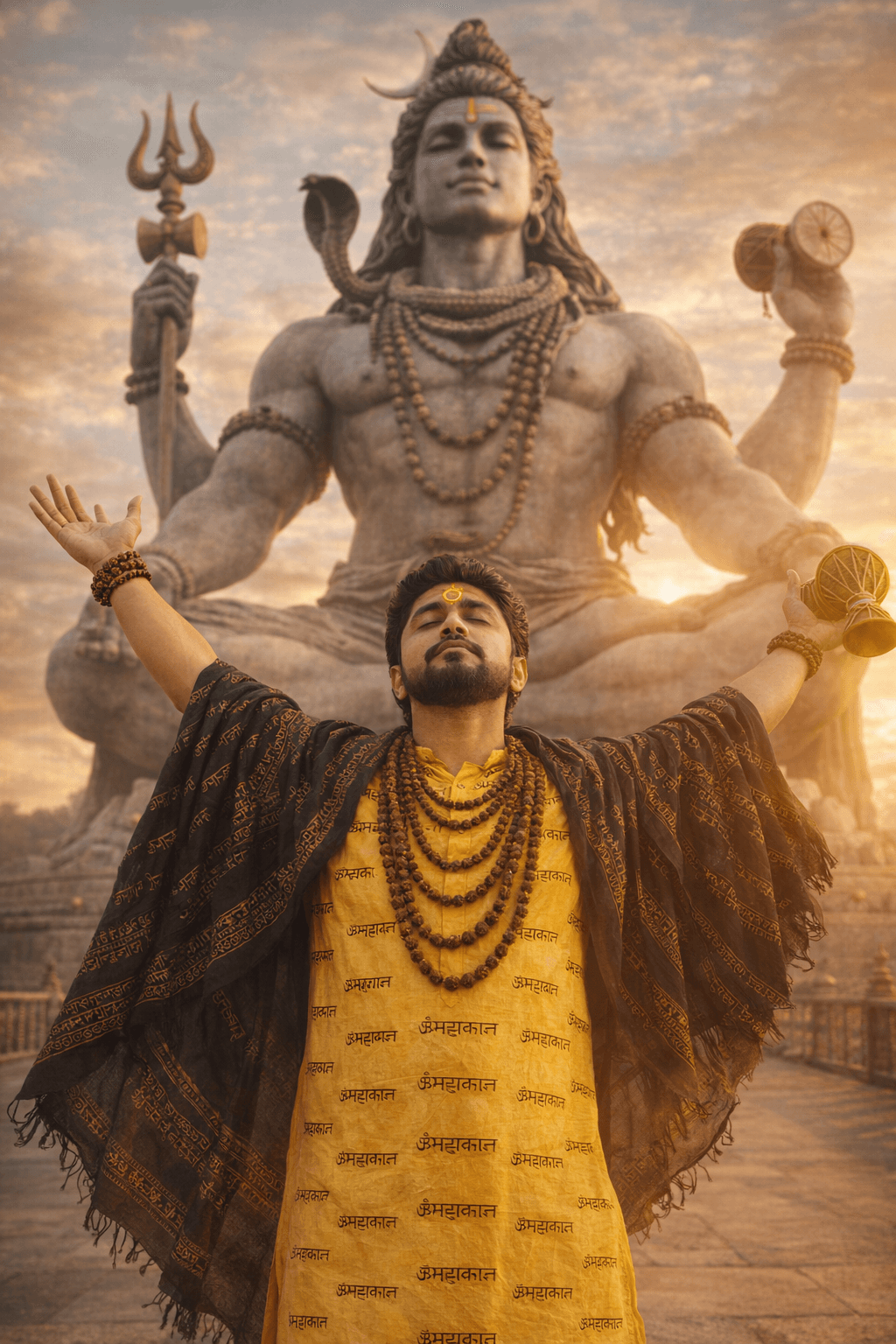
This prompt creates a devotional cinematic portrait of a young Indian man standing in front of a giant Lord Shiva statue at an outdoor temple. He is centred in the frame with both arms stretched wide and upward in surrender, eyes closed and face lifted towards the sky in deep devotion. He wears a yellow kurta printed repeatedly with Mahakal text, layered with several rudraksha malas, and a black shawl with Sanskrit script patterns draped over his shoulders and arms, flowing outward. He holds a small damru and wears rudraksha bracelets, and a bright yellow tilak shows on his forehead. Behind him towers a massive stone statue of Shiva in a powerful seated pose with trishul and damru, flowing hair and detailed form. The sky is golden-blue with soft clouds, and temple railings and stone flooring sit in the foreground. A slightly low camera angle adds epic scale. It suits Shravan, Maha Shivaratri and Mahakal devotion posts, and men wanting an uplifting bhakti portrait.
Lighting, colour and composition
Natural daylight with warm highlights and balanced shadows gives a bright, uplifting look. The palette mixes golden yellow, black shawl tones, grey stone and soft blue sky. A slightly low, centred angle aligns the devotee and statue vertically for a majestic, symmetrical frame.
Ways to make it your own
- Fix the kurta text spelling in the prompt so the Mahakal print renders correctly.
- Use a sunset sky with orange tones for a warmer and more dramatic background.
- Replace the damru with a folded-hands pose for a quieter, prayerful version.
Best for
Trending photo ideas and creative portrait inspiration.
Suggested framing
Use the aspect ratio or framing described in the prompt, then adapt it for your intended platform.
Customization ideas
Adjust the clothing, background, lighting, colors and composition to match your own idea.
How to use
Copy the prompt, adapt it to your idea, and paste it into your preferred compatible AI tool. Follow that tool’s instructions for reference photos.
A few helpful answers.
What type of image does this prompt create?
In a compatible AI tool, this prompt is intended as a starting point for this prompt creates a devotional cinematic portrait of a young Indian man standing in front of a giant Lord Shiva statue at an outdoor temple. He is centred in the frame with both arms stretched wide and upward in surrender, eyes closed and face lifted towards the sky in deep devotion. He wears a yellow kurta printed repeatedly with Mahakal text, layered with several rudraksha malas, and a black shawl with Sanskrit script patterns draped over his shoulders and arms, flowing outward. He holds a small damru and wears rudraksha bracelets, and a bright yellow tilak shows on his forehead. Behind him towers a massive stone statue of Shiva in a powerful seated pose with trishul and damru, flowing hair and detailed form. The sky is golden-blue with soft clouds, and temple railings and stone flooring sit in the foreground. A slightly low camera angle adds epic scale. It suits Shravan, Maha Shivaratri and Mahakal devotion posts, and men wanting an uplifting bhakti portrait. Results depend on the tool, settings and references you use.
Can I customize the clothing or background?
Yes. Replace the clothing, setting or colors in the prompt with your own choices. Keep descriptions consistent and adjust one detail at a time.
What aspect ratio works best?
Start with Use the aspect ratio or framing described in the prompt, then adapt it for your intended platform.. A 4:5 ratio works well for a portrait feed post. Adjust the crop for your intended platform and your tool’s available settings.
Does Prompt King generate the image?
No. Prompt King helps users discover and copy prompts that can be used with compatible AI tools.
Can I use this for social media ideas?
Yes. Use it as creative inspiration and customize the result for your audience. Use photos you have permission to upload, and check your chosen tool’s terms before publishing.




