
Night Airport Corridor Selfie With a Celebrity Walk
AI Photo Prompt
Want more trending photo prompts? Discover them in the Prompt King Android app on Google Play.
About this prompt
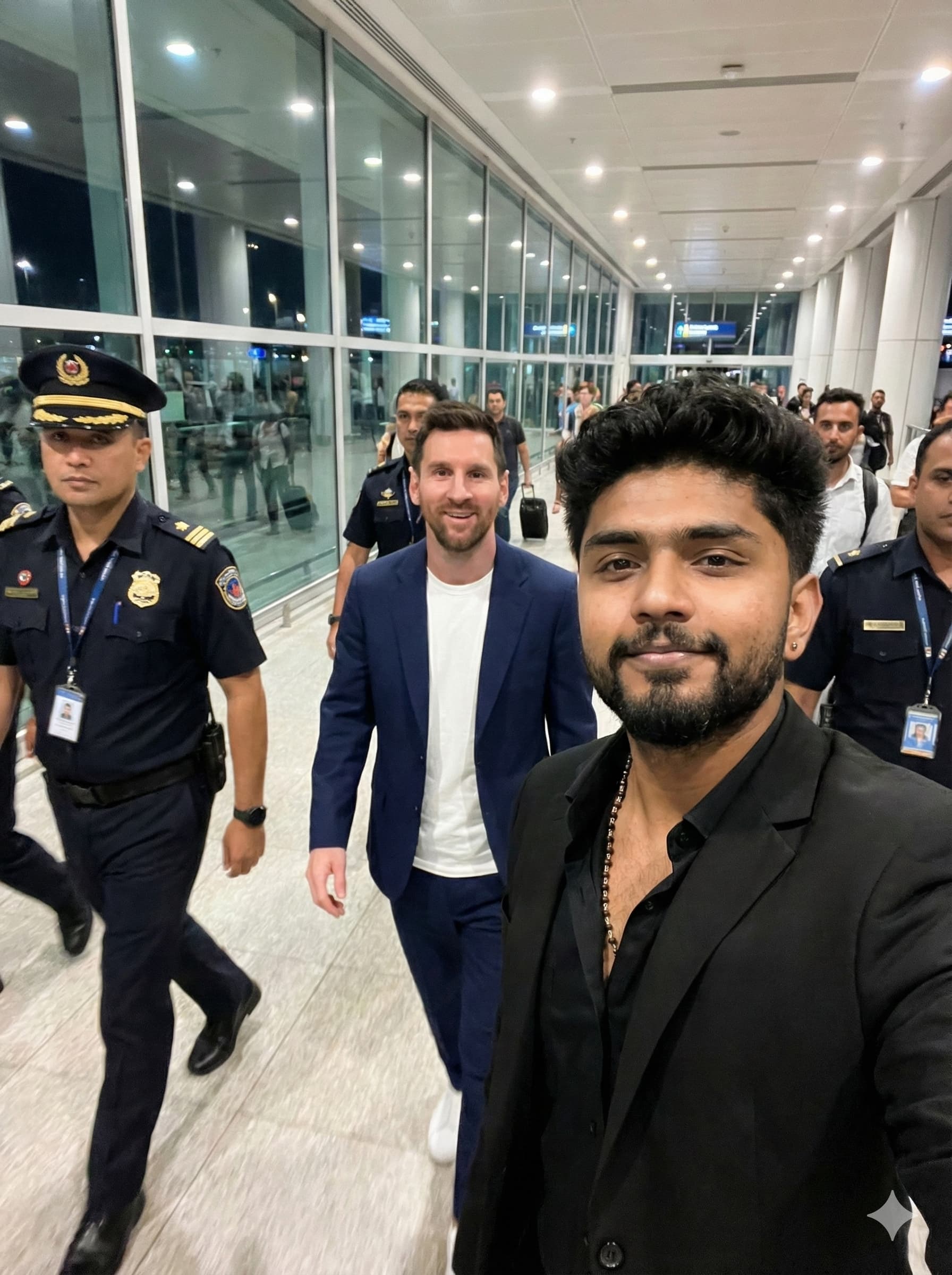
This prompt describes a candid, high-resolution selfie in a modern airport corridor at night, with bright white ceiling lights and glass walls lining the left side. In the foreground, a young man from your uploaded photo, with a soft, charming smile and a black blazer over a black shirt, holds the camera. Directly behind him, a named international footballer walks forward in a navy suit with a white crew-neck T-shirt, looking at the camera with a friendly smile. Several airport security officers in dark uniforms surround them, one in a peaked cap, and everyone is caught mid-stride with natural motion blur. The style is documentary, with realistic colours, an eye-level angle and shallow depth of field keeping both men sharp. Because it fabricates an encounter with a real person, the image could be taken as genuine and may raise likeness issues, so it is best kept private or rewritten. A good alternative uses the same airport night setting with a fictional traveller or a friend behind you, which keeps the glamorous arrival mood without using a real identity.
Lighting, colour and composition
Cool white overhead fluorescent light gives a clean, modern airport look with reflections on glass walls. The palette is black and navy clothing, white lighting and grey floors with dark uniforms. An eye-level selfie composition places the subject in the foreground with a second figure and guards mid-stride behind.
Ways to make it your own
- Replace the named footballer with a friend or fictional traveller for an original image.
- Change the blazer to a travel hoodie for a more casual airport look.
- Add a rolling suitcase in the foreground to strengthen the travel story.
Best for
Trending photo ideas and creative portrait inspiration.
Suggested framing
Use the aspect ratio or framing described in the prompt, then adapt it for your intended platform.
Customization ideas
Adjust the clothing, background, lighting, colors and composition to match your own idea.
How to use
Copy the prompt, adapt it to your idea, and paste it into your preferred compatible AI tool. Follow that tool’s instructions for reference photos.
A few helpful answers.
What type of image does this prompt create?
In a compatible AI tool, this prompt is intended as a starting point for this prompt describes a candid, high-resolution selfie in a modern airport corridor at night, with bright white ceiling lights and glass walls lining the left side. In the foreground, a young man from your uploaded photo, with a soft, charming smile and a black blazer over a black shirt, holds the camera. Directly behind him, a named international footballer walks forward in a navy suit with a white crew-neck T-shirt, looking at the camera with a friendly smile. Several airport security officers in dark uniforms surround them, one in a peaked cap, and everyone is caught mid-stride with natural motion blur. The style is documentary, with realistic colours, an eye-level angle and shallow depth of field keeping both men sharp. Because it fabricates an encounter with a real person, the image could be taken as genuine and may raise likeness issues, so it is best kept private or rewritten. A good alternative uses the same airport night setting with a fictional traveller or a friend behind you, which keeps the glamorous arrival mood without using a real identity. Results depend on the tool, settings and references you use.
Can I customize the clothing or background?
Yes. Replace the clothing, setting or colors in the prompt with your own choices. Keep descriptions consistent and adjust one detail at a time.
What aspect ratio works best?
Start with Use the aspect ratio or framing described in the prompt, then adapt it for your intended platform.. A 4:5 ratio works well for a portrait feed post. Adjust the crop for your intended platform and your tool’s available settings.
Does Prompt King generate the image?
No. Prompt King helps users discover and copy prompts that can be used with compatible AI tools.
Can I use this for social media ideas?
Yes. Use it as creative inspiration and customize the result for your audience. Use photos you have permission to upload, and check your chosen tool’s terms before publishing.




