
Nehru Jacket Display Picture With Name In Gold Circle
AI Photo Prompt
Want more trending photo prompts? Discover them in the Prompt King Android app on Google Play.
About this prompt
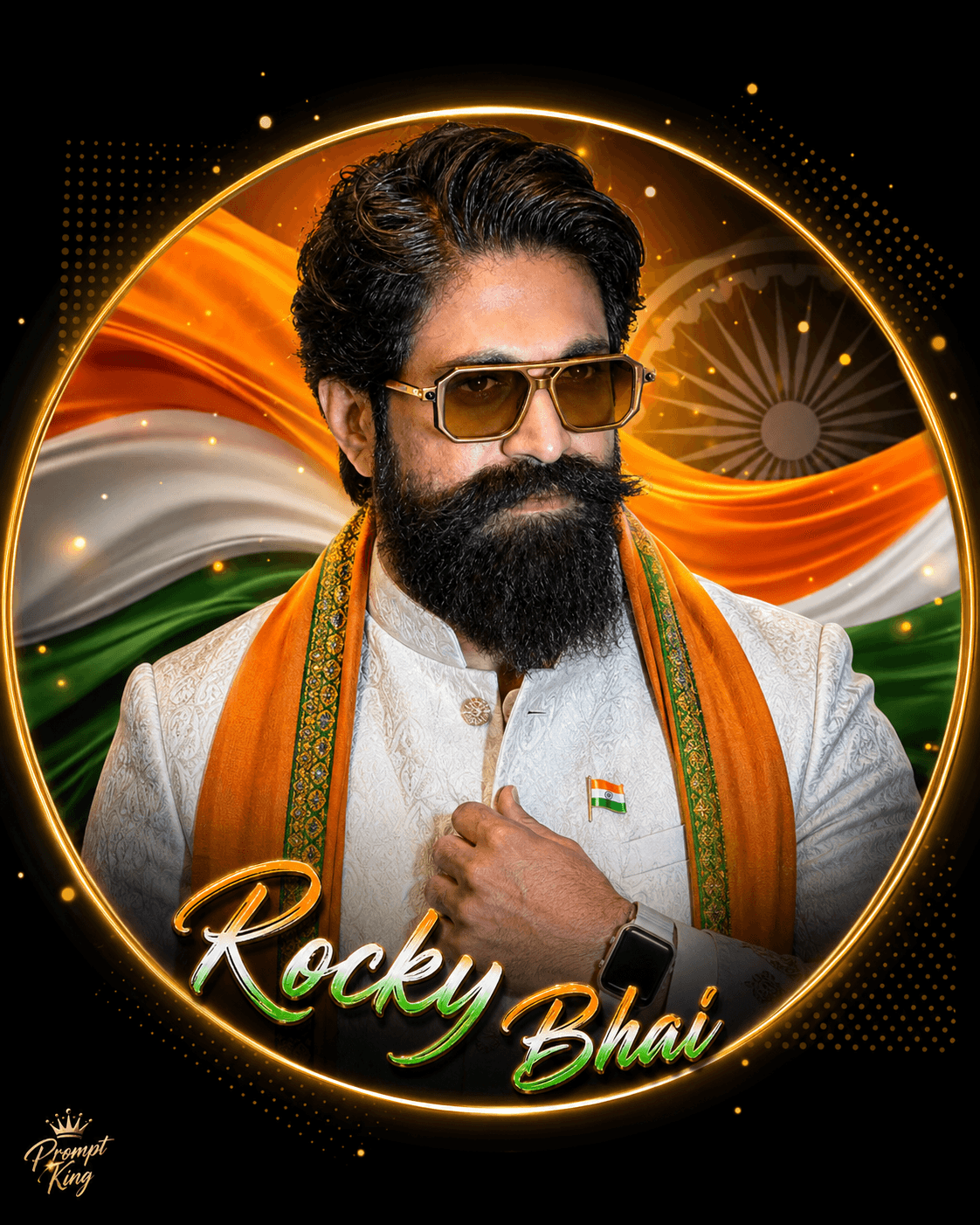
This prompt creates a premium Independence Day display picture for men in a 4:5 portrait ratio. The subject appears chest-up inside a centred glowing circular frame on a matte black background, looking at the camera with a soft, confident smile while one hand adjusts a saffron stole or lightly touches the jacket collar. The outfit is a white embroidered kurta with a Nehru jacket in white or deep navy, a flowing saffron silk stole with a green embroidered border, and a small Indian flag lapel pin, with gold-framed butterfly sunglasses and a silver smartwatch. Inside the circle are flowing tricolour silk waves, a soft semi-transparent Ashoka Chakra, a thin gold ring, minimal dotted graphics, a warm orange glow and floating gold particles. Your name appears in large handwritten lettering inside the circle, using a tricolour metallic gradient with a gold outline. The prompt keeps your face exactly as in your uploaded photo and asks for perfect symmetry. It suits Independence Day and Republic Day profile pictures and personal greeting posts.
Lighting, colour and composition
Soft cinematic face lighting with a golden rim light gives a polished glow against the matte black backdrop. The palette mixes white, navy and saffron with tricolour waves and gold detailing. A perfectly symmetrical chest-up layout inside a circle, with the name below the face, suits round profile crops.
Ways to make it your own
- Replace [Your Name] with a short first name so the handwritten lettering stays readable.
- Remove the sunglasses so your eyes show clearly in the profile picture.
- Choose the navy Nehru jacket for stronger contrast against the white kurta.
Best for
Trending photo ideas and creative portrait inspiration.
Suggested framing
Use the aspect ratio or framing described in the prompt, then adapt it for your intended platform.
Customization ideas
Adjust the clothing, background, lighting, colors and composition to match your own idea.
How to use
Copy the prompt, adapt it to your idea, and paste it into your preferred compatible AI tool. Follow that tool’s instructions for reference photos.
A few helpful answers.
What type of image does this prompt create?
In a compatible AI tool, this prompt is intended as a starting point for this prompt creates a premium Independence Day display picture for men in a 4:5 portrait ratio. The subject appears chest-up inside a centred glowing circular frame on a matte black background, looking at the camera with a soft, confident smile while one hand adjusts a saffron stole or lightly touches the jacket collar. The outfit is a white embroidered kurta with a Nehru jacket in white or deep navy, a flowing saffron silk stole with a green embroidered border, and a small Indian flag lapel pin, with gold-framed butterfly sunglasses and a silver smartwatch. Inside the circle are flowing tricolour silk waves, a soft semi-transparent Ashoka Chakra, a thin gold ring, minimal dotted graphics, a warm orange glow and floating gold particles. Your name appears in large handwritten lettering inside the circle, using a tricolour metallic gradient with a gold outline. The prompt keeps your face exactly as in your uploaded photo and asks for perfect symmetry. It suits Independence Day and Republic Day profile pictures and personal greeting posts. Results depend on the tool, settings and references you use.
Can I customize the clothing or background?
Yes. Replace the clothing, setting or colors in the prompt with your own choices. Keep descriptions consistent and adjust one detail at a time.
What aspect ratio works best?
Start with Use the aspect ratio or framing described in the prompt, then adapt it for your intended platform.. A 4:5 ratio works well for a portrait feed post. Adjust the crop for your intended platform and your tool’s available settings.
Does Prompt King generate the image?
No. Prompt King helps users discover and copy prompts that can be used with compatible AI tools.
Can I use this for social media ideas?
Yes. Use it as creative inspiration and customize the result for your audience. Use photos you have permission to upload, and check your chosen tool’s terms before publishing.




