
Monochrome Portrait With Divine Mahadev Silhouette
AI Photo Prompt
Want more trending photo prompts? Discover them in the Prompt King Android app on Google Play.
About this prompt
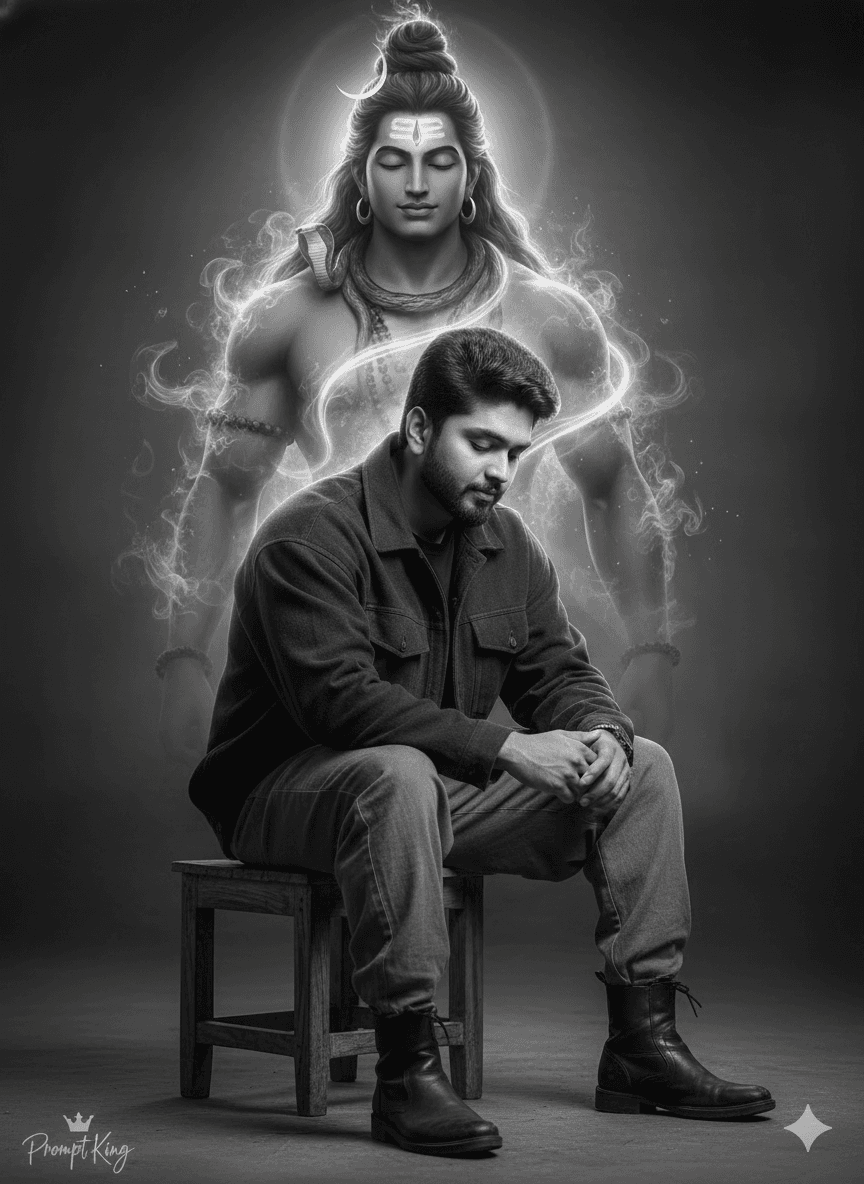
This prompt creates a cinematic black-and-white portrait combined with a respectful spiritual element. A man sits on a small wooden stool with his head slightly bowed in a calm, introspective pose. He wears a dark oversized jacket, loose rugged pants and black leather boots, and his facial structure, skin tone, beard, eyes and expression are kept exactly as in the uploaded photo. Emerging from behind his left shoulder is a subtle, semi-transparent silhouette of Lord Mahadev (Shiva), formed from sacred smoke and cosmic energy. The divine figure has a blue-grey tone, a closed third eye in meditation, long matted jata hair with the Ganga suggested as flowing light, and minimal jewellery. A soft divine glow surrounds the figure, creating a peaceful yet powerful presence that contrasts with the grounded human pose. The image is ultra-realistic with cinematic depth. This style suits devotees of Lord Shiva who want a spiritual portrait for Maha Shivaratri, Shravan month, Mondays or a devotional profile picture. It is calm and reverent rather than dramatic. Upload a clear reference photo; a seated pose with a slightly lowered head will blend most naturally.
Lighting, colour and composition
High-contrast monochrome lighting keeps the man grounded in deep shadow, while a soft ethereal glow lifts the divine silhouette. The palette is black, white and grey with a faint blue-grey tint on the smoke figure. The man sits low in frame, with the silhouette rising over his shoulder to fill the upper space.
Ways to make it your own
- Add a faint trishul or damru in the smoke for additional symbolic detail.
- Keep only the divine figure in soft colour for a selective-colour effect.
- Use a 9:16 ratio for a Maha Shivaratri status or phone wallpaper.
Best for
Trending photo ideas and creative portrait inspiration.
Suggested framing
Use the aspect ratio or framing described in the prompt, then adapt it for your intended platform.
Customization ideas
Adjust the clothing, background, lighting, colors and composition to match your own idea.
How to use
Copy the prompt, adapt it to your idea, and paste it into your preferred compatible AI tool. Follow that tool’s instructions for reference photos.
A few helpful answers.
What type of image does this prompt create?
In a compatible AI tool, this prompt is intended as a starting point for this prompt creates a cinematic black-and-white portrait combined with a respectful spiritual element. A man sits on a small wooden stool with his head slightly bowed in a calm, introspective pose. He wears a dark oversized jacket, loose rugged pants and black leather boots, and his facial structure, skin tone, beard, eyes and expression are kept exactly as in the uploaded photo. Emerging from behind his left shoulder is a subtle, semi-transparent silhouette of Lord Mahadev (Shiva), formed from sacred smoke and cosmic energy. The divine figure has a blue-grey tone, a closed third eye in meditation, long matted jata hair with the Ganga suggested as flowing light, and minimal jewellery. A soft divine glow surrounds the figure, creating a peaceful yet powerful presence that contrasts with the grounded human pose. The image is ultra-realistic with cinematic depth. This style suits devotees of Lord Shiva who want a spiritual portrait for Maha Shivaratri, Shravan month, Mondays or a devotional profile picture. It is calm and reverent rather than dramatic. Upload a clear reference photo; a seated pose with a slightly lowered head will blend most naturally. Results depend on the tool, settings and references you use.
Can I customize the clothing or background?
Yes. Replace the clothing, setting or colors in the prompt with your own choices. Keep descriptions consistent and adjust one detail at a time.
What aspect ratio works best?
Start with Use the aspect ratio or framing described in the prompt, then adapt it for your intended platform.. A 4:5 ratio works well for a portrait feed post. Adjust the crop for your intended platform and your tool’s available settings.
Does Prompt King generate the image?
No. Prompt King helps users discover and copy prompts that can be used with compatible AI tools.
Can I use this for social media ideas?
Yes. Use it as creative inspiration and customize the result for your audience. Use photos you have permission to upload, and check your chosen tool’s terms before publishing.




