
Monarch Butterfly at a Boho Wooden Window
AI Photo Prompt
Want more trending photo prompts? Discover them in the Prompt King Android app on Google Play.
About this prompt
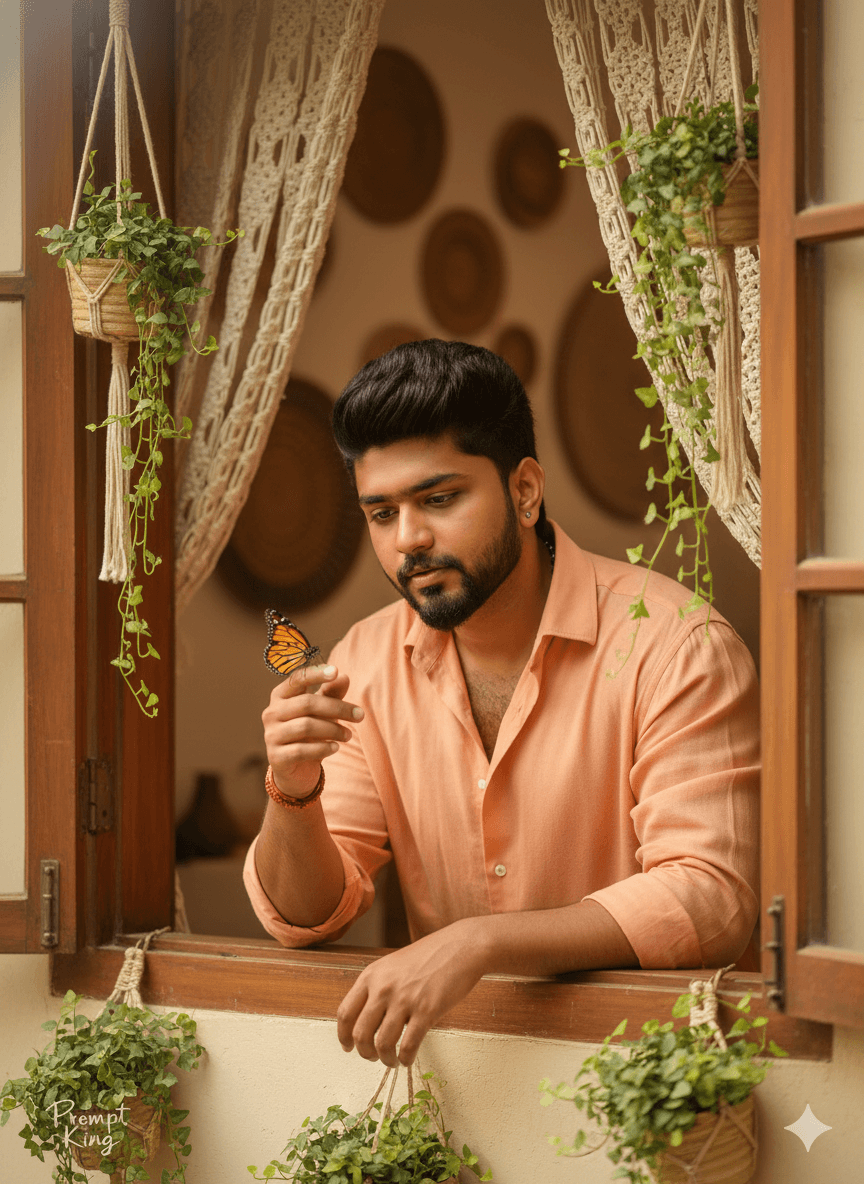
A gentle, hyper-realistic portrait of a young man with the same face and hairstyle as your reference photo, leaning out of an open wooden window. He holds a delicate monarch butterfly on his fingertip and looks at it with a calm, thoughtful expression. He wears a soft peach-orange button-down shirt with natural folds, a colour that echoes the butterfly's wings. The window is decorated with macramé curtains and hanging planters filled with trailing ivy, and behind him is a cosy boho interior with woven textures. Warm natural light and a golden-hour glow fill the scene, while soft focus and clean warm tones give it a dreamy, cinematic mood. This prompt offers a softer alternative to the many dramatic men's portraits, focusing on calm and nature rather than attitude. It suits a peaceful profile picture, a mental wellness or mindfulness post, a spring greeting, or a lifestyle blog image about slow living. The butterfly can be swapped for a small bird or flower, and the shirt colour can be adjusted to match while keeping the warm window setting.
Lighting, colour and composition
Warm golden-hour window light gives a soft glow on the face and fabric with gentle shadows. The palette is peach, orange and warm wood with green ivy and cream macramé. A medium close-up frames the subject within the window, with the butterfly at the fingertip forming a small, bright focal point.
Ways to make it your own
- Change the butterfly to a small sparrow or a single flower for a different nature detail.
- Swap the peach shirt for white linen to keep the palette light and airy.
- Use a 4:5 frame so the window, plants and butterfly all fit comfortably.
Best for
Trending photo ideas and creative portrait inspiration.
Suggested framing
Use the aspect ratio or framing described in the prompt, then adapt it for your intended platform.
Customization ideas
Adjust the clothing, background, lighting, colors and composition to match your own idea.
How to use
Copy the prompt, adapt it to your idea, and paste it into your preferred compatible AI tool. Follow that tool’s instructions for reference photos.
A few helpful answers.
What type of image does this prompt create?
In a compatible AI tool, this prompt is intended as a starting point for a gentle, hyper-realistic portrait of a young man with the same face and hairstyle as your reference photo, leaning out of an open wooden window. He holds a delicate monarch butterfly on his fingertip and looks at it with a calm, thoughtful expression. He wears a soft peach-orange button-down shirt with natural folds, a colour that echoes the butterfly's wings. The window is decorated with macramé curtains and hanging planters filled with trailing ivy, and behind him is a cosy boho interior with woven textures. Warm natural light and a golden-hour glow fill the scene, while soft focus and clean warm tones give it a dreamy, cinematic mood. This prompt offers a softer alternative to the many dramatic men's portraits, focusing on calm and nature rather than attitude. It suits a peaceful profile picture, a mental wellness or mindfulness post, a spring greeting, or a lifestyle blog image about slow living. The butterfly can be swapped for a small bird or flower, and the shirt colour can be adjusted to match while keeping the warm window setting. Results depend on the tool, settings and references you use.
Can I customize the clothing or background?
Yes. Replace the clothing, setting or colors in the prompt with your own choices. Keep descriptions consistent and adjust one detail at a time.
What aspect ratio works best?
Start with Use the aspect ratio or framing described in the prompt, then adapt it for your intended platform.. A 4:5 ratio works well for a portrait feed post. Adjust the crop for your intended platform and your tool’s available settings.
Does Prompt King generate the image?
No. Prompt King helps users discover and copy prompts that can be used with compatible AI tools.
Can I use this for social media ideas?
Yes. Use it as creative inspiration and customize the result for your audience. Use photos you have permission to upload, and check your chosen tool’s terms before publishing.




