
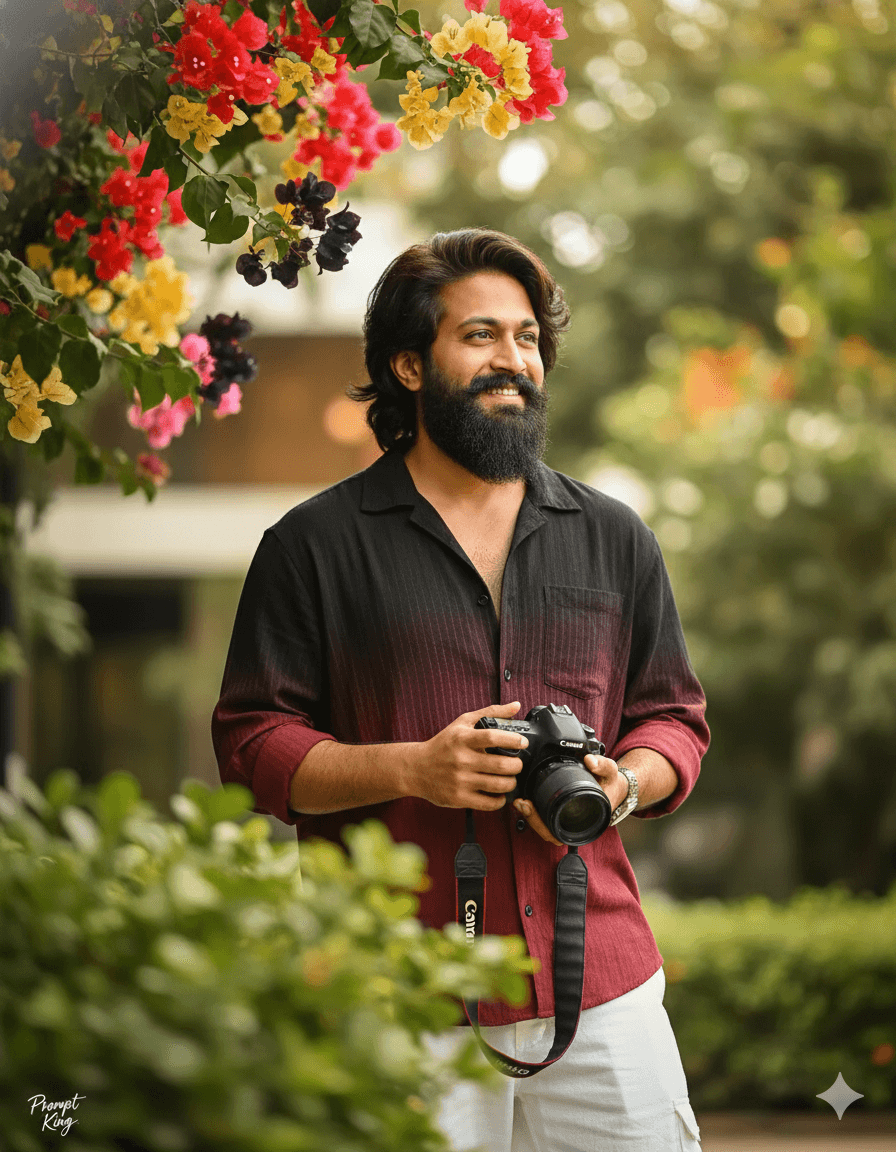
Maroon Gradient Shirt Portrait Framed by Bougainvillea
AI Photo Prompt
Want more trending photo prompts? Discover them in the Prompt King Android app on Google Play.
About this prompt
This prompt creates a cinematic dark green portrait of a stylish young man with a slightly messy dark hairstyle and a confident smile, using the uploaded photo for a full face match. He wears a loose black and maroon gradient shirt with white loose trousers and holds a Canon camera, giving him the look of a creative photographer. He looks thoughtfully off camera in a candid, high-key outdoor style. The composition is framed by a branch of red, pink, yellow and dark bougainvillea flowers in the upper left corner, with heavily blurred green leaves in the extreme foreground. A shallow depth of field produces soft bokeh, adding a dreamy quality. The overall green tone keeps the image calm, while the flowers bring bright spots of colour. This prompt suits photographers, creators and young men who want a polished but natural profile picture, Instagram post or portfolio cover. It pairs well with the similar black and white gradient shirt version for a matching set.
Lighting, colour and composition
Bright high-key outdoor light with a dark green grade and soft bokeh. The palette is deep green, maroon, black, white and multicoloured bougainvillea. The subject stands slightly off centre, bougainvillea in the upper left corner, and blurred leaves in the near foreground frame the shot.
Ways to make it your own
- Change the maroon gradient to navy or olive for a different shirt colour.
- Replace the camera with a book or coffee cup for an everyday version.
- Keep the bougainvillea framing and use a 4:5 crop for Instagram.
Best for
Trending photo ideas and creative portrait inspiration.
Suggested framing
Use the aspect ratio or framing described in the prompt, then adapt it for your intended platform.
Customization ideas
Adjust the clothing, background, lighting, colors and composition to match your own idea.
How to use
Copy the prompt, adapt it to your idea, and paste it into your preferred compatible AI tool. Follow that tool’s instructions for reference photos.
A few helpful answers.
What type of image does this prompt create?
In a compatible AI tool, this prompt is intended as a starting point for this prompt creates a cinematic dark green portrait of a stylish young man with a slightly messy dark hairstyle and a confident smile, using the uploaded photo for a full face match. He wears a loose black and maroon gradient shirt with white loose trousers and holds a Canon camera, giving him the look of a creative photographer. He looks thoughtfully off camera in a candid, high-key outdoor style. The composition is framed by a branch of red, pink, yellow and dark bougainvillea flowers in the upper left corner, with heavily blurred green leaves in the extreme foreground. A shallow depth of field produces soft bokeh, adding a dreamy quality. The overall green tone keeps the image calm, while the flowers bring bright spots of colour. This prompt suits photographers, creators and young men who want a polished but natural profile picture, Instagram post or portfolio cover. It pairs well with the similar black and white gradient shirt version for a matching set. Results depend on the tool, settings and references you use.
Can I customize the clothing or background?
Yes. Replace the clothing, setting or colors in the prompt with your own choices. Keep descriptions consistent and adjust one detail at a time.
What aspect ratio works best?
Start with Use the aspect ratio or framing described in the prompt, then adapt it for your intended platform.. A 4:5 ratio works well for a portrait feed post. Adjust the crop for your intended platform and your tool’s available settings.
Does Prompt King generate the image?
No. Prompt King helps users discover and copy prompts that can be used with compatible AI tools.
Can I use this for social media ideas?
Yes. Use it as creative inspiration and customize the result for your audience. Use photos you have permission to upload, and check your chosen tool’s terms before publishing.




