
Left Angle Backpack Walk With 365 Days Text
AI Photo Prompt
Want more trending photo prompts? Discover them in the Prompt King Android app on Google Play.
About this prompt
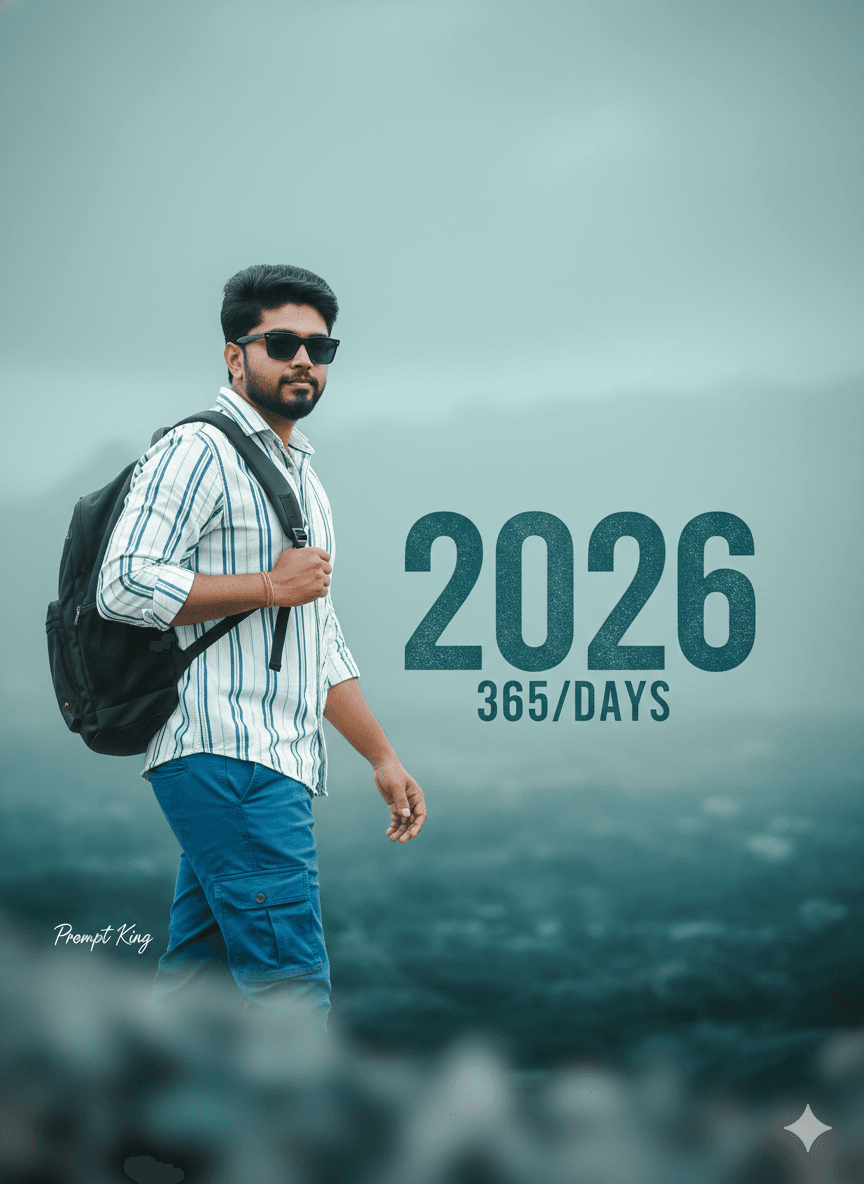
This prompt creates a cinematic new year poster that works for either a man or a woman from your uploaded photo. The subject wears sunglasses, a white and blue button-down shirt and blue cargo pants, carrying a black backpack in the left hand while walking confidently across a soft, blurred foreground. The background is a misty, ethereal landscape dominated by muted teal, blue and light grey. A large, bold, slightly distressed teal '2026' overlay appears with smaller text reading '365/DAYS' beneath it. The camera angle is specified from the left side, which shows the subject in a three-quarter walking view and adds a sense of direction. The lighting is soft and the image highly detailed, giving it the feel of a travel film poster. It is a flexible option for new year greetings, a 'year ahead' goal post, a travel plan announcement, or a cover image for a yearly vlog series. Since the outfit description is simple, you can easily swap in your own clothing, and the text can be adjusted to show a different year, a countdown or a personal motto.
Lighting, colour and composition
Soft, low-contrast lighting suits the foggy landscape and keeps skin tones natural. The palette is cool teal, blue and grey with white shirt highlights and a black backpack. A left-side camera angle shows the subject mid-stride in three-quarter view, while large stacked text forms a graphic anchor behind.
Ways to make it your own
- Change '365/DAYS' to a countdown such as '100 Days' for a goal or challenge post.
- Specify your own shirt colour so the outfit matches the photo you upload.
- Try a right-side camera angle for variety if you are making a matching pair of posters.
Best for
Trending photo ideas and creative portrait inspiration.
Suggested framing
Use the aspect ratio or framing described in the prompt, then adapt it for your intended platform.
Customization ideas
Adjust the clothing, background, lighting, colors and composition to match your own idea.
How to use
Copy the prompt, adapt it to your idea, and paste it into your preferred compatible AI tool. Follow that tool’s instructions for reference photos.
A few helpful answers.
What type of image does this prompt create?
In a compatible AI tool, this prompt is intended as a starting point for this prompt creates a cinematic new year poster that works for either a man or a woman from your uploaded photo. The subject wears sunglasses, a white and blue button-down shirt and blue cargo pants, carrying a black backpack in the left hand while walking confidently across a soft, blurred foreground. The background is a misty, ethereal landscape dominated by muted teal, blue and light grey. A large, bold, slightly distressed teal '2026' overlay appears with smaller text reading '365/DAYS' beneath it. The camera angle is specified from the left side, which shows the subject in a three-quarter walking view and adds a sense of direction. The lighting is soft and the image highly detailed, giving it the feel of a travel film poster. It is a flexible option for new year greetings, a 'year ahead' goal post, a travel plan announcement, or a cover image for a yearly vlog series. Since the outfit description is simple, you can easily swap in your own clothing, and the text can be adjusted to show a different year, a countdown or a personal motto. Results depend on the tool, settings and references you use.
Can I customize the clothing or background?
Yes. Replace the clothing, setting or colors in the prompt with your own choices. Keep descriptions consistent and adjust one detail at a time.
What aspect ratio works best?
Start with Use the aspect ratio or framing described in the prompt, then adapt it for your intended platform.. A 4:5 ratio works well for a portrait feed post. Adjust the crop for your intended platform and your tool’s available settings.
Does Prompt King generate the image?
No. Prompt King helps users discover and copy prompts that can be used with compatible AI tools.
Can I use this for social media ideas?
Yes. Use it as creative inspiration and customize the result for your audience. Use photos you have permission to upload, and check your chosen tool’s terms before publishing.




