
Divine Blue Hand With Flute Above Young Man
AI Photo Prompt
Want more trending photo prompts? Discover them in the Prompt King Android app on Google Play.
About this prompt
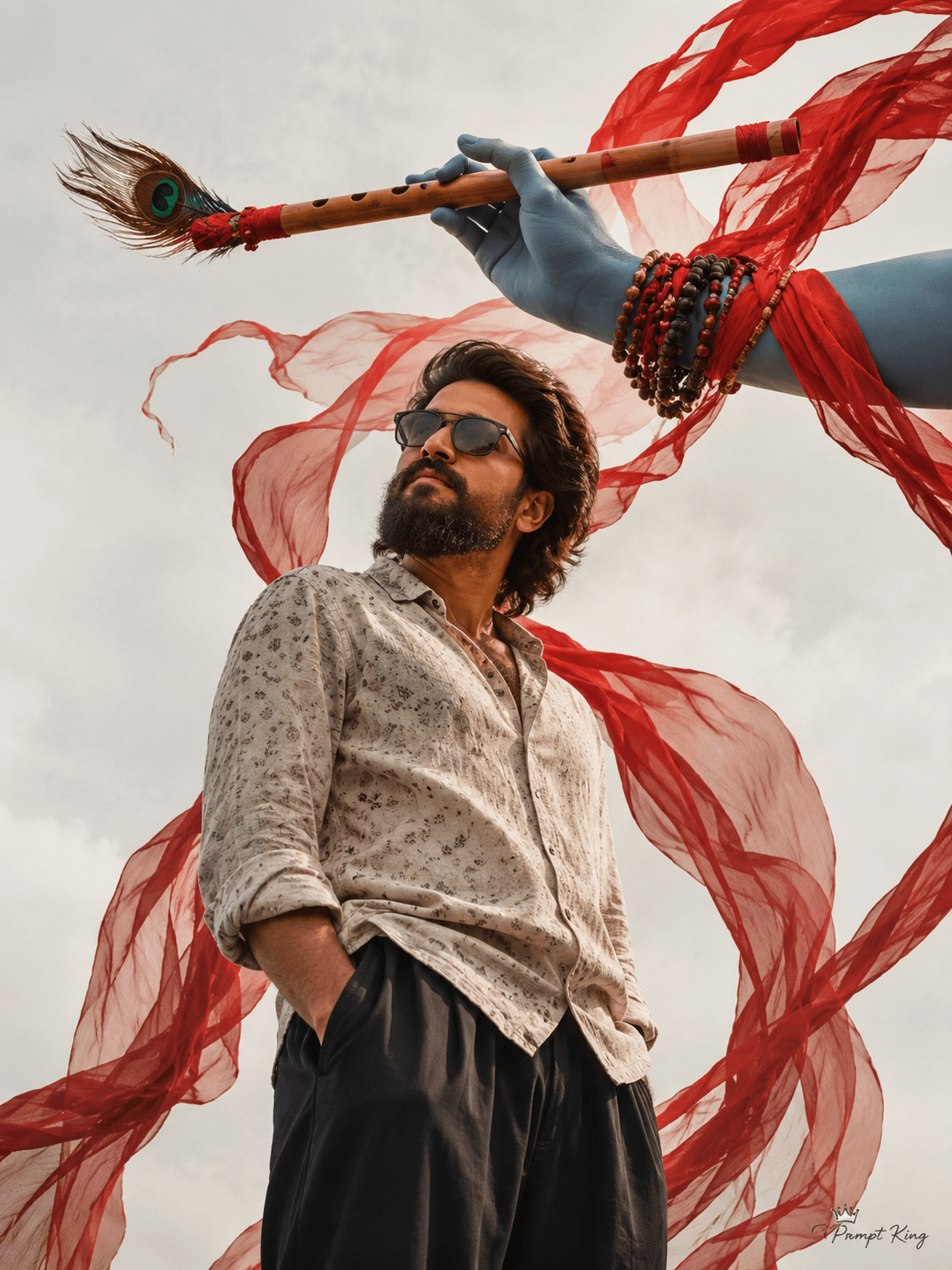
This prompt creates a low-angle, dramatic portrait of a young man with sunglasses, wearing a beige patterned shirt and black wide-leg pants. He stands with one hand in his pocket and his head tilted upward. Above him, a divine blue hand adorned with beads and red cloth wraps holds a wooden flute topped with a peacock feather, a respectful visual reference to Lord Krishna. Flowing red fabric ribbons swirl around both the flute and the man, adding strong movement to the frame. The setting is a clean white background with soft light, which keeps attention on the figure, the hand and the ribbons. The low camera angle makes the subject look tall and confident while the flute appears to bless him from above. Upload a clear photo so the face matches yours. This concept suits Janmashtami greetings, devotional social media posts, a spiritual-themed profile picture, or a creative edit for followers who enjoy mythology-inspired art. Keep the depiction respectful; it works best with modest, smart clothing that matches the devotional mood.
Lighting, colour and composition
Soft, even light on a white background keeps the scene clean and lets colours stand out. The palette is focused: divine blue, red ribbons, natural wood, peacock green and beige clothing. A strong low angle with the flute and hand above the subject creates a vertical, upward-looking composition.
Ways to make it your own
- Replace the white background with a sunrise sky for a warmer, more cinematic devotional mood.
- Change the outfit to a white kurta for a traditional Janmashtami look.
- Ask for gold ribbons instead of red to create a softer, festive palette.
Best for
Trending photo ideas and creative portrait inspiration.
Suggested framing
Use the aspect ratio or framing described in the prompt, then adapt it for your intended platform.
Customization ideas
Adjust the clothing, background, lighting, colors and composition to match your own idea.
How to use
Copy the prompt, adapt it to your idea, and paste it into your preferred compatible AI tool. Follow that tool’s instructions for reference photos.
A few helpful answers.
What type of image does this prompt create?
In a compatible AI tool, this prompt is intended as a starting point for this prompt creates a low-angle, dramatic portrait of a young man with sunglasses, wearing a beige patterned shirt and black wide-leg pants. He stands with one hand in his pocket and his head tilted upward. Above him, a divine blue hand adorned with beads and red cloth wraps holds a wooden flute topped with a peacock feather, a respectful visual reference to Lord Krishna. Flowing red fabric ribbons swirl around both the flute and the man, adding strong movement to the frame. The setting is a clean white background with soft light, which keeps attention on the figure, the hand and the ribbons. The low camera angle makes the subject look tall and confident while the flute appears to bless him from above. Upload a clear photo so the face matches yours. This concept suits Janmashtami greetings, devotional social media posts, a spiritual-themed profile picture, or a creative edit for followers who enjoy mythology-inspired art. Keep the depiction respectful; it works best with modest, smart clothing that matches the devotional mood. Results depend on the tool, settings and references you use.
Can I customize the clothing or background?
Yes. Replace the clothing, setting or colors in the prompt with your own choices. Keep descriptions consistent and adjust one detail at a time.
What aspect ratio works best?
Start with Use the aspect ratio or framing described in the prompt, then adapt it for your intended platform.. A 4:5 ratio works well for a portrait feed post. Adjust the crop for your intended platform and your tool’s available settings.
Does Prompt King generate the image?
No. Prompt King helps users discover and copy prompts that can be used with compatible AI tools.
Can I use this for social media ideas?
Yes. Use it as creative inspiration and customize the result for your audience. Use photos you have permission to upload, and check your chosen tool’s terms before publishing.




