
Daylight Stadium Selfie With Security Personnel
AI Photo Prompt
Want more trending photo prompts? Discover them in the Prompt King Android app on Google Play.
About this prompt
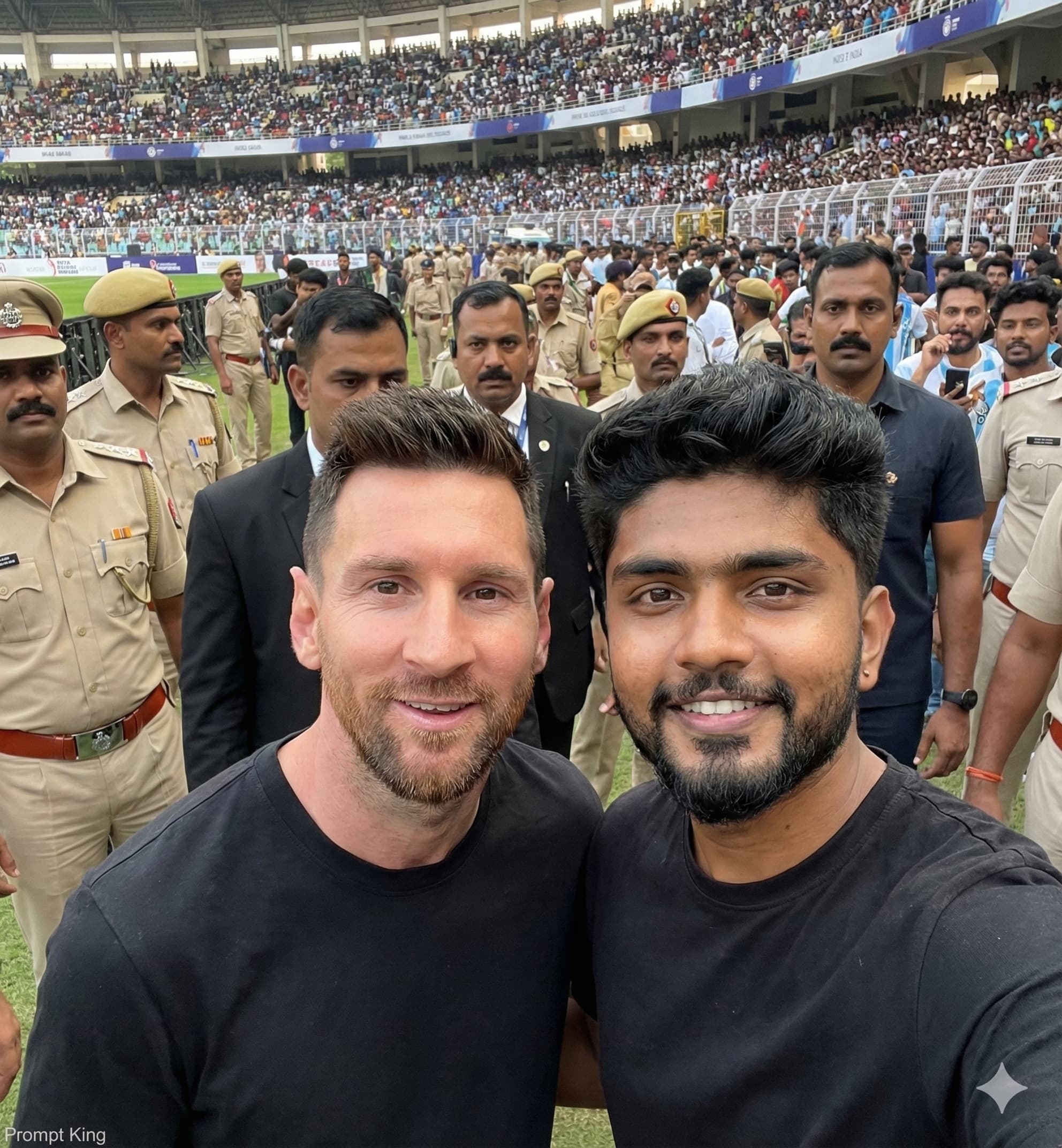
This prompt asks for a realistic arm's-length selfie of you standing next to a real, named footballer inside a large stadium. The player is described in a black casual T-shirt with short styled hair, a light beard and a friendly smile, while you also wear a black T-shirt. The selfie is taken from a slight top angle in natural daylight, like a real smartphone photo, and the background includes Indian police in khaki uniforms, black-suited security and a busy crowd filling the stands. The prompt specifies a 1400 by 1500 pixel output and asks for your face, skin tone and hairstyle to stay exactly the same as the uploaded photo. Because the scene invents a meeting with a real person, it could be mistaken for a genuine photo and may raise likeness concerns, so it is better kept private or reworked. To keep the idea, replace the named player with a fictional athlete or a friend in a jersey. The daylight stadium setting, security presence and selfie angle remain good references for sports fans planning match-day content.
Lighting, colour and composition
Natural daylight from above gives even, realistic lighting with soft shadows typical of phone selfies. The palette is black T-shirts, khaki uniforms and colourful stands under a bright sky. A slightly high-angle, close two-person selfie fills the frame, with security and crowd softly blurred behind.
Ways to make it your own
- Replace the named player with a friend in a team jersey for an original version.
- Change the outfits to matching team colours to make the match-day theme clearer.
- Use a 4:5 ratio instead of the custom pixel size for easier social sharing.
Best for
Trending photo ideas and creative portrait inspiration.
Suggested framing
Use the aspect ratio or framing described in the prompt, then adapt it for your intended platform.
Customization ideas
Adjust the clothing, background, lighting, colors and composition to match your own idea.
How to use
Copy the prompt, adapt it to your idea, and paste it into your preferred compatible AI tool. Follow that tool’s instructions for reference photos.
A few helpful answers.
What type of image does this prompt create?
In a compatible AI tool, this prompt is intended as a starting point for this prompt asks for a realistic arm's-length selfie of you standing next to a real, named footballer inside a large stadium. The player is described in a black casual T-shirt with short styled hair, a light beard and a friendly smile, while you also wear a black T-shirt. The selfie is taken from a slight top angle in natural daylight, like a real smartphone photo, and the background includes Indian police in khaki uniforms, black-suited security and a busy crowd filling the stands. The prompt specifies a 1400 by 1500 pixel output and asks for your face, skin tone and hairstyle to stay exactly the same as the uploaded photo. Because the scene invents a meeting with a real person, it could be mistaken for a genuine photo and may raise likeness concerns, so it is better kept private or reworked. To keep the idea, replace the named player with a fictional athlete or a friend in a jersey. The daylight stadium setting, security presence and selfie angle remain good references for sports fans planning match-day content. Results depend on the tool, settings and references you use.
Can I customize the clothing or background?
Yes. Replace the clothing, setting or colors in the prompt with your own choices. Keep descriptions consistent and adjust one detail at a time.
What aspect ratio works best?
Start with Use the aspect ratio or framing described in the prompt, then adapt it for your intended platform.. A 4:5 ratio works well for a portrait feed post. Adjust the crop for your intended platform and your tool’s available settings.
Does Prompt King generate the image?
No. Prompt King helps users discover and copy prompts that can be used with compatible AI tools.
Can I use this for social media ideas?
Yes. Use it as creative inspiration and customize the result for your audience. Use photos you have permission to upload, and check your chosen tool’s terms before publishing.




