
Crowd and Camera Flashes Star Moment Snapshot
AI Photo Prompt
Want more trending photo prompts? Discover them in the Prompt King Android app on Google Play.
About this prompt
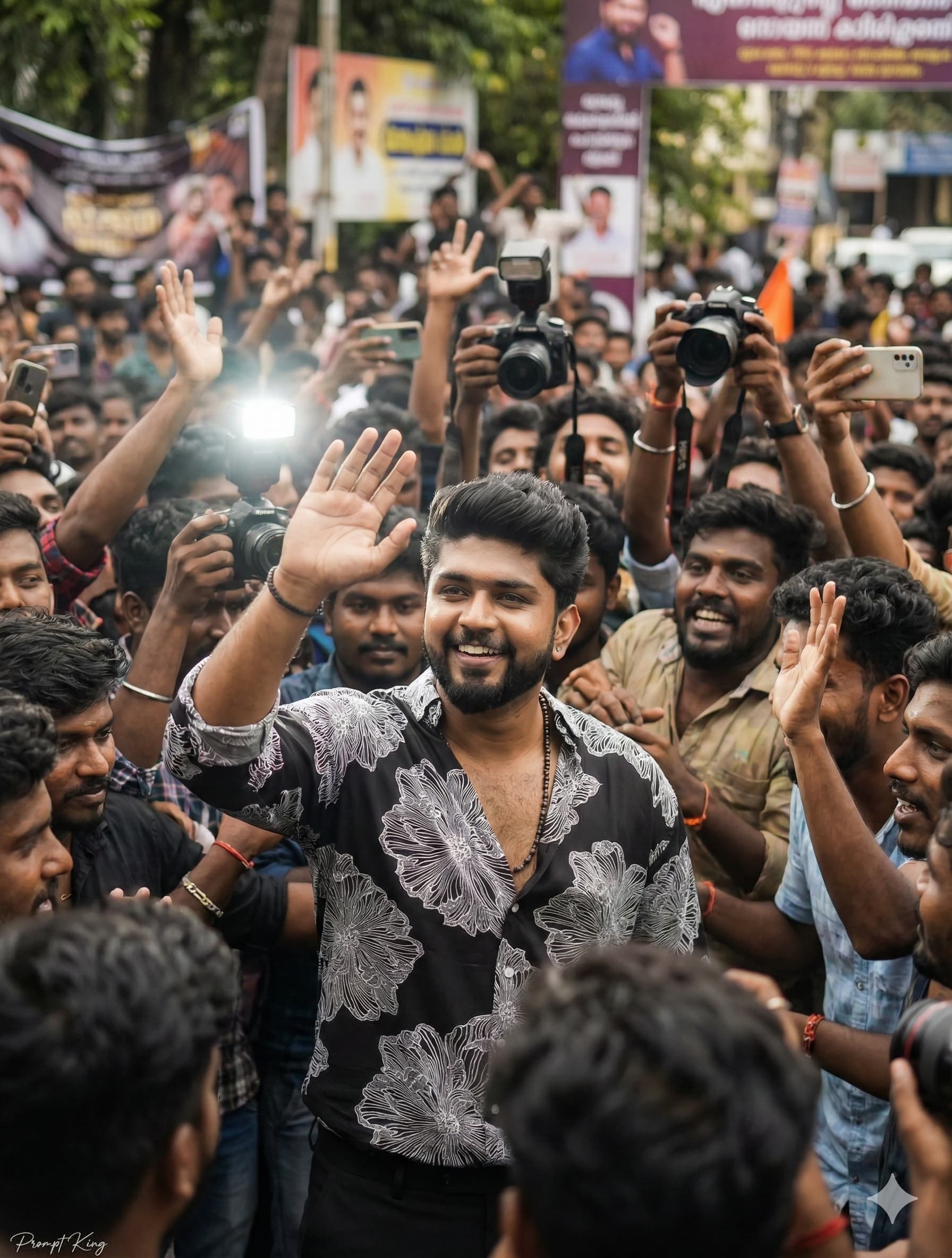
A playful, ultra-realistic candid photo that makes you look like a public figure for a day. The person from your reference photo stands in a crowded place, raising a hand to greet the audience while people around them hold cameras and phones to take pictures. The background is filled with fans and a little chaos, giving a true 'star sighting' atmosphere. The prompt asks for the shot to feel like a real-life captured moment, with natural lighting, sharp detail and an authentic, unstaged look. Since it describes an original character rather than any real celebrity, you are free to define the setting, outfit and crowd. Popular options include an airport arrival, a film premiere, a book launch or a sports event entrance. It suits a fun birthday post, a 'when I become famous' meme, a creator's milestone celebration, or a confident new profile picture. Adding details like sunglasses, a statement jacket or a security escort helps the image read more clearly. The concept also works for group content, such as friends posing as an entourage, if you describe multiple people.
Lighting, colour and composition
Natural daylight with occasional camera flash highlights gives a documentary, press-photo feel. The palette depends on the outfit but generally sits against busy, mixed-colour crowd tones. A medium shot keeps the subject sharp and centred while the surrounding crowd and cameras fill the edges with soft movement.
Ways to make it your own
- Describe a setting such as an airport arrival or premiere for a more specific scene.
- Add sunglasses and a statement jacket to make the subject stand out from the crowd.
- Request bright camera flashes in the background for a dramatic night-time version.
Best for
Trending photo ideas and creative portrait inspiration.
Suggested framing
Use the aspect ratio or framing described in the prompt, then adapt it for your intended platform.
Customization ideas
Adjust the clothing, background, lighting, colors and composition to match your own idea.
How to use
Copy the prompt, adapt it to your idea, and paste it into your preferred compatible AI tool. Follow that tool’s instructions for reference photos.
A few helpful answers.
What type of image does this prompt create?
In a compatible AI tool, this prompt is intended as a starting point for a playful, ultra-realistic candid photo that makes you look like a public figure for a day. The person from your reference photo stands in a crowded place, raising a hand to greet the audience while people around them hold cameras and phones to take pictures. The background is filled with fans and a little chaos, giving a true 'star sighting' atmosphere. The prompt asks for the shot to feel like a real-life captured moment, with natural lighting, sharp detail and an authentic, unstaged look. Since it describes an original character rather than any real celebrity, you are free to define the setting, outfit and crowd. Popular options include an airport arrival, a film premiere, a book launch or a sports event entrance. It suits a fun birthday post, a 'when I become famous' meme, a creator's milestone celebration, or a confident new profile picture. Adding details like sunglasses, a statement jacket or a security escort helps the image read more clearly. The concept also works for group content, such as friends posing as an entourage, if you describe multiple people. Results depend on the tool, settings and references you use.
Can I customize the clothing or background?
Yes. Replace the clothing, setting or colors in the prompt with your own choices. Keep descriptions consistent and adjust one detail at a time.
What aspect ratio works best?
Start with Use the aspect ratio or framing described in the prompt, then adapt it for your intended platform.. A 4:5 ratio works well for a portrait feed post. Adjust the crop for your intended platform and your tool’s available settings.
Does Prompt King generate the image?
No. Prompt King helps users discover and copy prompts that can be used with compatible AI tools.
Can I use this for social media ideas?
Yes. Use it as creative inspiration and customize the result for your audience. Use photos you have permission to upload, and check your chosen tool’s terms before publishing.




