
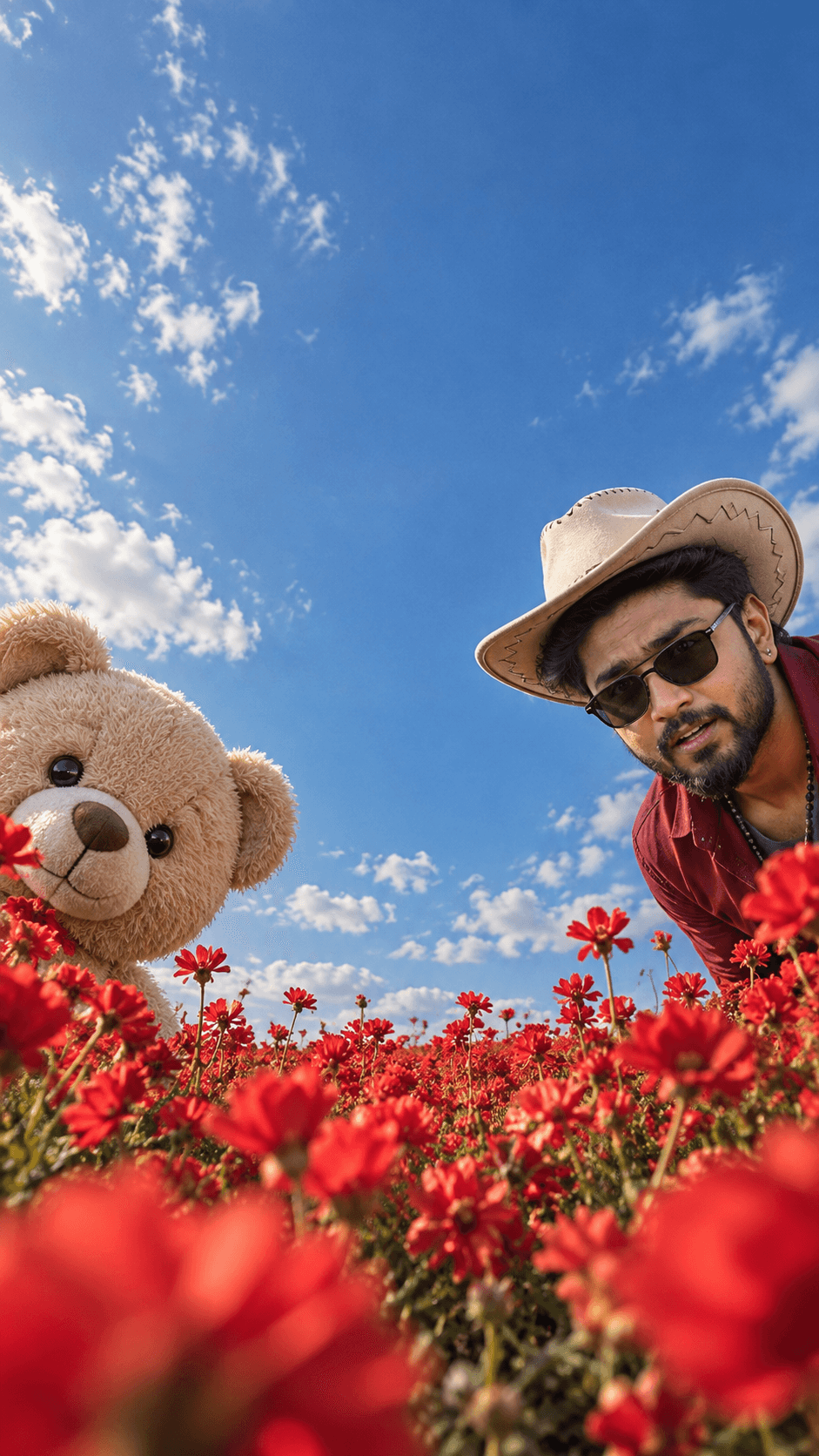
Crimson Flower Field With Peeking Teddy Bear
AI Photo Prompt
Want more trending photo prompts? Discover them in the Prompt King Android app on Google Play.
About this prompt
This prompt creates a playful, surreal fashion editorial shot from very low inside a vast field of vivid crimson-red flowers, looking slightly upward. On the far left edge, a large beige plush teddy bear peeks sideways into the frame, half hidden by flowers with only its head and a little of its body showing. On the far right, a stylish rugged man leans in from the opposite side wearing a cream cowboy hat, black sunglasses and deep red clothing, with a curious, surprised expression as if both have just discovered a hidden camera. A wide band of empty space separates the two, giving a bold asymmetrical layout. Crimson flowers dominate the lower foreground with natural blur, and a saturated cobalt-blue sky with scattered white clouds fills the top. The prompt pushes for extreme realism in skin, beard and eyes. The frame is vertical 9:16. This concept suits a fun birthday post, a Valentine's Day image, a quirky profile picture, or eye-catching social content. Upload a clear photo so the man's face matches yours.
Lighting, colour and composition
Bright, clear daylight from above gives saturated colour and crisp detail. The palette is strongly crimson, cobalt blue and white, with cream and beige from the hat and teddy bear. An extreme low angle and wide negative space between two figures on opposite edges create an unusual, editorial composition.
Ways to make it your own
- Swap the teddy bear for a puppy or a second person for a different playful story.
- Change the crimson flowers to yellow mustard fields for a warmer, rural look.
- Replace the cowboy hat with a cap or bare head if the hat does not suit your style.
Best for
Trending photo ideas and creative portrait inspiration.
Suggested framing
Use the aspect ratio or framing described in the prompt, then adapt it for your intended platform.
Customization ideas
Adjust the clothing, background, lighting, colors and composition to match your own idea.
How to use
Copy the prompt, adapt it to your idea, and paste it into your preferred compatible AI tool. Follow that tool’s instructions for reference photos.
A few helpful answers.
What type of image does this prompt create?
In a compatible AI tool, this prompt is intended as a starting point for this prompt creates a playful, surreal fashion editorial shot from very low inside a vast field of vivid crimson-red flowers, looking slightly upward. On the far left edge, a large beige plush teddy bear peeks sideways into the frame, half hidden by flowers with only its head and a little of its body showing. On the far right, a stylish rugged man leans in from the opposite side wearing a cream cowboy hat, black sunglasses and deep red clothing, with a curious, surprised expression as if both have just discovered a hidden camera. A wide band of empty space separates the two, giving a bold asymmetrical layout. Crimson flowers dominate the lower foreground with natural blur, and a saturated cobalt-blue sky with scattered white clouds fills the top. The prompt pushes for extreme realism in skin, beard and eyes. The frame is vertical 9:16. This concept suits a fun birthday post, a Valentine's Day image, a quirky profile picture, or eye-catching social content. Upload a clear photo so the man's face matches yours. Results depend on the tool, settings and references you use.
Can I customize the clothing or background?
Yes. Replace the clothing, setting or colors in the prompt with your own choices. Keep descriptions consistent and adjust one detail at a time.
What aspect ratio works best?
Start with Use the aspect ratio or framing described in the prompt, then adapt it for your intended platform.. A 4:5 ratio works well for a portrait feed post. Adjust the crop for your intended platform and your tool’s available settings.
Does Prompt King generate the image?
No. Prompt King helps users discover and copy prompts that can be used with compatible AI tools.
Can I use this for social media ideas?
Yes. Use it as creative inspiration and customize the result for your audience. Use photos you have permission to upload, and check your chosen tool’s terms before publishing.




