
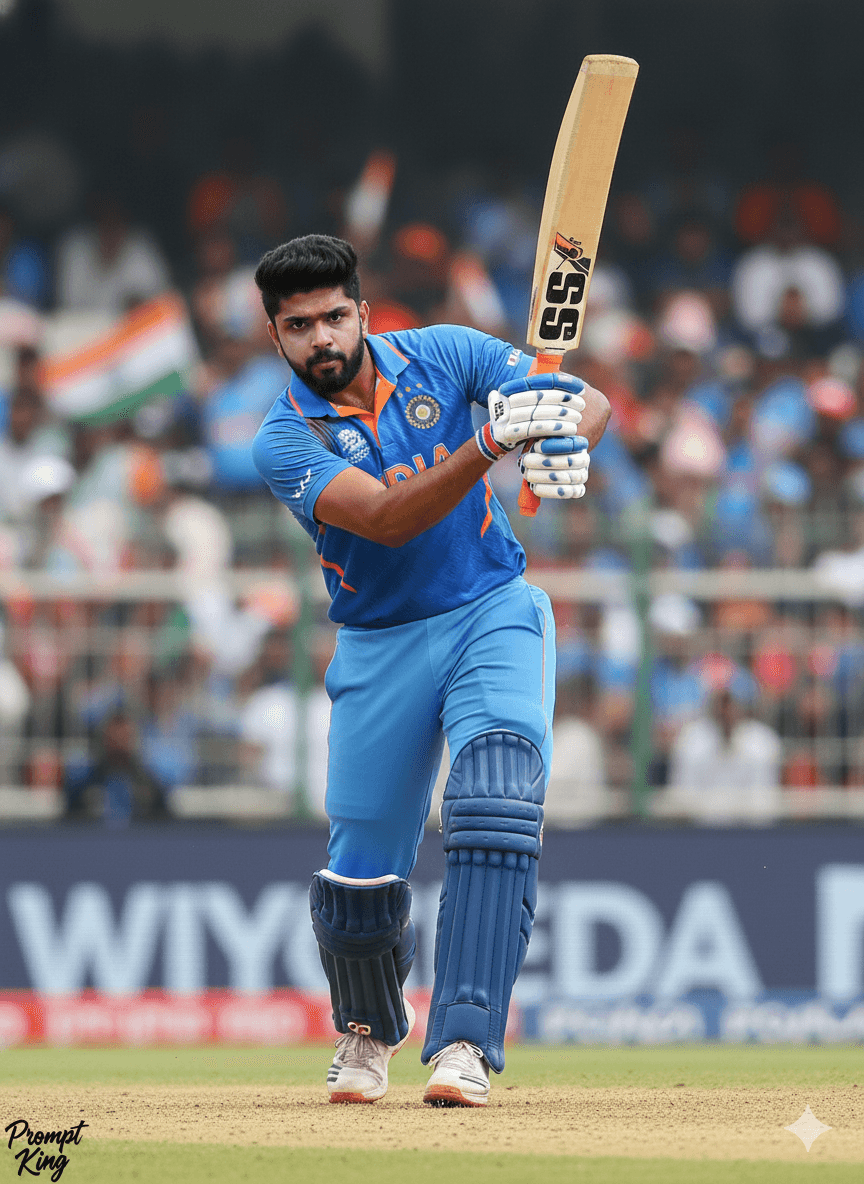
Cricket Batting Shot Portrait in National Team Kit
AI Photo Prompt
Want more trending photo prompts? Discover them in the Prompt King Android app on Google Play.
About this prompt
This prompt converts the person in a photo into an international cricket player wearing the official Indian team jersey, shown without a helmet so the face is clearly visible. The image captures him mid-shot, such as a straight drive, cover drive or pull shot, with the stadium background slightly blurred to keep focus on the player. The result is realistic and high resolution, like a sports agency action photo. It appeals to cricket fans, school and club players, and anyone who dreams of representing the country. Because the prompt specifically calls for the official team kit, which carries protected team branding, it is safer to adapt it to a plain blue or white cricket uniform for public sharing. With that adjustment, it works well as a sports profile picture, a club poster, a birthday edit for a cricket lover or a motivational post. Choosing the shot type in the prompt helps the pose look natural and athletic.
Lighting, colour and composition
Bright stadium daylight or floodlights with crisp highlights on the bat and jersey. The palette is cricket blue, white and green from the outfield. The player is captured mid-shot in a dynamic diagonal pose, centred against a softly blurred stadium background.
Ways to make it your own
- Pick one specific shot, such as cover drive, for a cleaner pose.
- Describe a plain blue kit without team logos for a shareable version.
- Use a 3:2 landscape frame to show the full follow-through.
Best for
Trending photo ideas and creative portrait inspiration.
Suggested framing
Use the aspect ratio or framing described in the prompt, then adapt it for your intended platform.
Customization ideas
Adjust the clothing, background, lighting, colors and composition to match your own idea.
How to use
Copy the prompt, adapt it to your idea, and paste it into your preferred compatible AI tool. Follow that tool’s instructions for reference photos.
A few helpful answers.
What type of image does this prompt create?
In a compatible AI tool, this prompt is intended as a starting point for this prompt converts the person in a photo into an international cricket player wearing the official Indian team jersey, shown without a helmet so the face is clearly visible. The image captures him mid-shot, such as a straight drive, cover drive or pull shot, with the stadium background slightly blurred to keep focus on the player. The result is realistic and high resolution, like a sports agency action photo. It appeals to cricket fans, school and club players, and anyone who dreams of representing the country. Because the prompt specifically calls for the official team kit, which carries protected team branding, it is safer to adapt it to a plain blue or white cricket uniform for public sharing. With that adjustment, it works well as a sports profile picture, a club poster, a birthday edit for a cricket lover or a motivational post. Choosing the shot type in the prompt helps the pose look natural and athletic. Results depend on the tool, settings and references you use.
Can I customize the clothing or background?
Yes. Replace the clothing, setting or colors in the prompt with your own choices. Keep descriptions consistent and adjust one detail at a time.
What aspect ratio works best?
Start with Use the aspect ratio or framing described in the prompt, then adapt it for your intended platform.. A 4:5 ratio works well for a portrait feed post. Adjust the crop for your intended platform and your tool’s available settings.
Does Prompt King generate the image?
No. Prompt King helps users discover and copy prompts that can be used with compatible AI tools.
Can I use this for social media ideas?
Yes. Use it as creative inspiration and customize the result for your audience. Use photos you have permission to upload, and check your chosen tool’s terms before publishing.




