
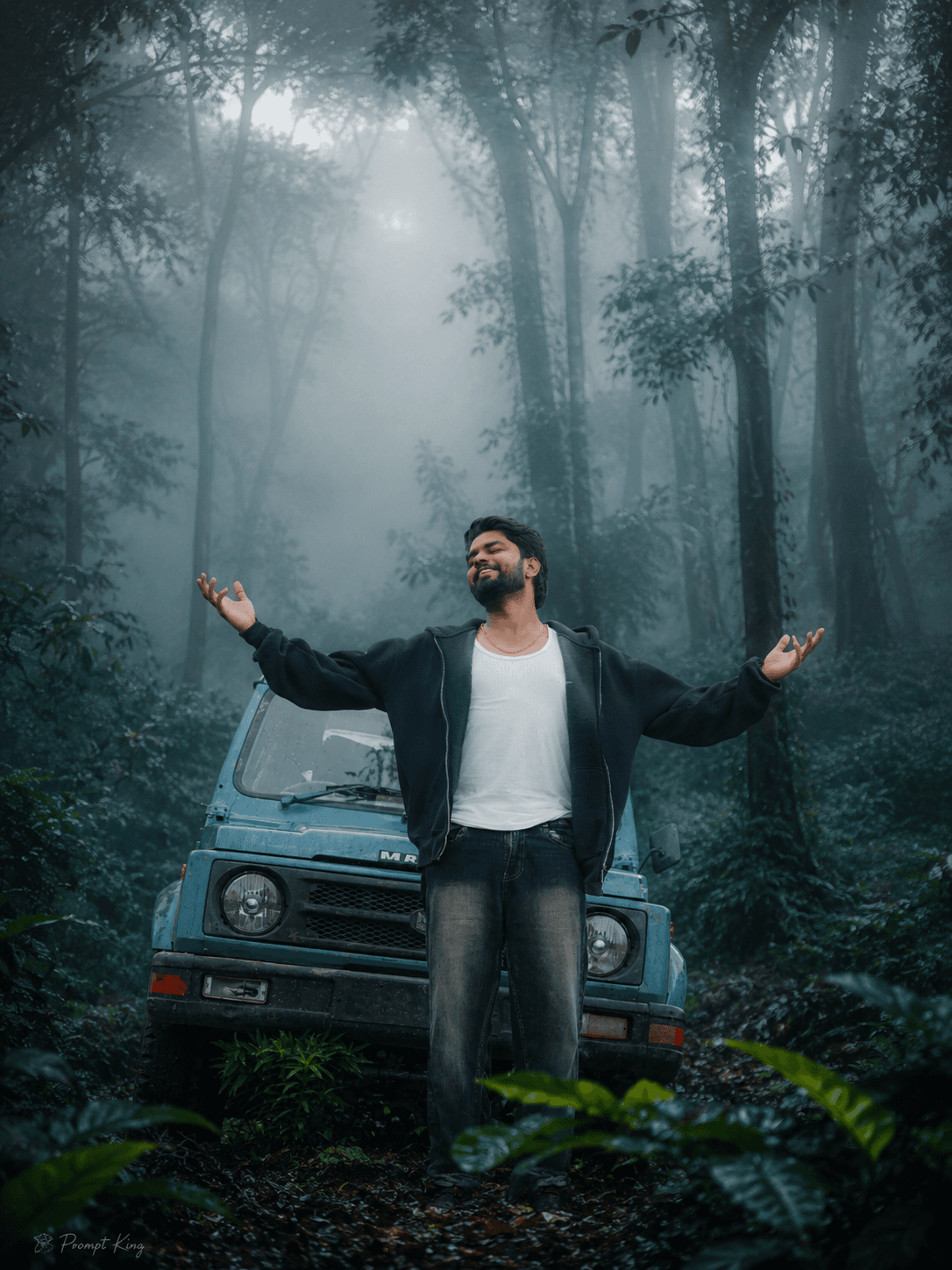
Cold Misty Morning Forest Scene Makeover
AI Photo Prompt
Want more trending photo prompts? Discover them in the Prompt King Android app on Google Play.
About this prompt
This prompt turns a regular outdoor picture into the look of a cold, misty morning in a deep forest. It layers dense white fog through the whole environment, recolours the scene in emerald, green, dark teal, moss and earthy brown, and boosts trees and foliage so the location feels like an untouched woodland. Soft volumetric rays of light pass through the mist, and the overall image is sharpened with improved dynamic range, balanced contrast and natural colour harmony. The goal is a realistic, professionally graded DSLR nature photograph rather than an obvious filter. This version is a practical choice for refreshing older travel photos, adding atmosphere to park or campus pictures, or creating calm wallpapers and backgrounds. It also works for group or family photos taken outdoors, since the faces remain unchanged and only the setting is reworked. Use it for winter or monsoon posts, hill station memories, nature-themed profile pictures, or poetry and quote backgrounds. A photo with some greenery already visible will give the most believable fog and lighting.
Lighting, colour and composition
Cold, diffused morning light passes through fog, softening shadows and lowering contrast across the frame. The palette is forest green and teal with brown earth tones and pale white mist. Layered fog builds atmospheric perspective, making the background recede and the scene feel deeper.
Ways to make it your own
- Apply it to group photos outdoors; faces stay the same while the setting changes.
- Ask for a light frost on leaves to strengthen the cold morning feeling.
- Use a wider landscape photo to make the most of the volumetric light rays.
Best for
Trending photo ideas and creative portrait inspiration.
Suggested framing
Use the aspect ratio or framing described in the prompt, then adapt it for your intended platform.
Customization ideas
Adjust the clothing, background, lighting, colors and composition to match your own idea.
How to use
Copy the prompt, adapt it to your idea, and paste it into your preferred compatible AI tool. Follow that tool’s instructions for reference photos.
A few helpful answers.
What type of image does this prompt create?
In a compatible AI tool, this prompt is intended as a starting point for this prompt turns a regular outdoor picture into the look of a cold, misty morning in a deep forest. It layers dense white fog through the whole environment, recolours the scene in emerald, green, dark teal, moss and earthy brown, and boosts trees and foliage so the location feels like an untouched woodland. Soft volumetric rays of light pass through the mist, and the overall image is sharpened with improved dynamic range, balanced contrast and natural colour harmony. The goal is a realistic, professionally graded DSLR nature photograph rather than an obvious filter. This version is a practical choice for refreshing older travel photos, adding atmosphere to park or campus pictures, or creating calm wallpapers and backgrounds. It also works for group or family photos taken outdoors, since the faces remain unchanged and only the setting is reworked. Use it for winter or monsoon posts, hill station memories, nature-themed profile pictures, or poetry and quote backgrounds. A photo with some greenery already visible will give the most believable fog and lighting. Results depend on the tool, settings and references you use.
Can I customize the clothing or background?
Yes. Replace the clothing, setting or colors in the prompt with your own choices. Keep descriptions consistent and adjust one detail at a time.
What aspect ratio works best?
Start with Use the aspect ratio or framing described in the prompt, then adapt it for your intended platform.. A 4:5 ratio works well for a portrait feed post. Adjust the crop for your intended platform and your tool’s available settings.
Does Prompt King generate the image?
No. Prompt King helps users discover and copy prompts that can be used with compatible AI tools.
Can I use this for social media ideas?
Yes. Use it as creative inspiration and customize the result for your audience. Use photos you have permission to upload, and check your chosen tool’s terms before publishing.




