
Burning Plank Hero Shot in a Ruined City
AI Photo Prompt
Want more trending photo prompts? Discover them in the Prompt King Android app on Google Play.
About this prompt
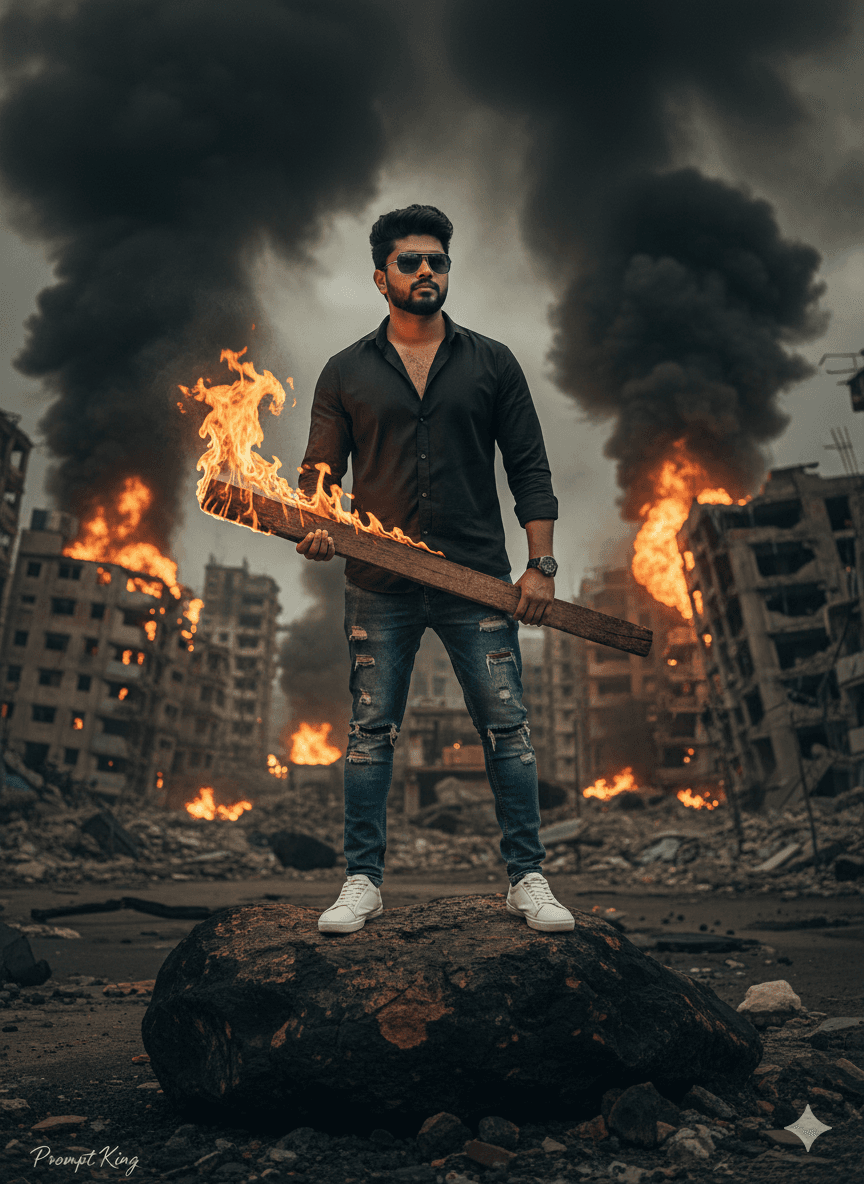
A dramatic, hyper-realistic 9:16 portrait based on your uploaded image, keeping the same face and hairstyle. A young man stands calmly on a large scorched rock in a post-apocalyptic urban wasteland. He wears a crisp black shirt, ripped blue jeans, white sneakers and reflective sunglasses, and his expression is stoic as he holds a burning wooden plank, with flames flickering near his hand. Behind him, collapsed buildings are engulfed in massive fireballs and thick black smoke rising into the sky. The image has the feel of an action film poster where the hero stands unshaken amid chaos. The prompt text ends abruptly mid-sentence, so adding details such as the sky colour, lighting direction and camera angle will help you get consistent results. It suits action movie fans wanting a bold profile picture, a reel cover for dramatic edits, a gaming channel thumbnail, or a birthday post with cinematic energy. The scene is clearly fictional and stylised, so it works best as poster art. Replacing the burning plank with a torch or lantern gives a slightly calmer variation.
Lighting, colour and composition
Fire provides strong warm backlight and orange glow on one side, with smoke creating dark, moody contrast. The palette is black and denim blue clothing with fiery orange, ember red and charcoal grey. A vertical 9:16, slightly low-angle composition places the figure on the rock with destruction filling the background.
Ways to make it your own
- Complete the cut-off sentence by describing the sky, such as 'a dark orange sky'.
- Replace the burning plank with a lantern for a calmer, survival-themed version.
- Change the ripped jeans to cargo pants for a more rugged action outfit.
Best for
Trending photo ideas and creative portrait inspiration.
Suggested framing
Use the aspect ratio or framing described in the prompt, then adapt it for your intended platform.
Customization ideas
Adjust the clothing, background, lighting, colors and composition to match your own idea.
How to use
Copy the prompt, adapt it to your idea, and paste it into your preferred compatible AI tool. Follow that tool’s instructions for reference photos.
A few helpful answers.
What type of image does this prompt create?
In a compatible AI tool, this prompt is intended as a starting point for a dramatic, hyper-realistic 9:16 portrait based on your uploaded image, keeping the same face and hairstyle. A young man stands calmly on a large scorched rock in a post-apocalyptic urban wasteland. He wears a crisp black shirt, ripped blue jeans, white sneakers and reflective sunglasses, and his expression is stoic as he holds a burning wooden plank, with flames flickering near his hand. Behind him, collapsed buildings are engulfed in massive fireballs and thick black smoke rising into the sky. The image has the feel of an action film poster where the hero stands unshaken amid chaos. The prompt text ends abruptly mid-sentence, so adding details such as the sky colour, lighting direction and camera angle will help you get consistent results. It suits action movie fans wanting a bold profile picture, a reel cover for dramatic edits, a gaming channel thumbnail, or a birthday post with cinematic energy. The scene is clearly fictional and stylised, so it works best as poster art. Replacing the burning plank with a torch or lantern gives a slightly calmer variation. Results depend on the tool, settings and references you use.
Can I customize the clothing or background?
Yes. Replace the clothing, setting or colors in the prompt with your own choices. Keep descriptions consistent and adjust one detail at a time.
What aspect ratio works best?
Start with Use the aspect ratio or framing described in the prompt, then adapt it for your intended platform.. A 4:5 ratio works well for a portrait feed post. Adjust the crop for your intended platform and your tool’s available settings.
Does Prompt King generate the image?
No. Prompt King helps users discover and copy prompts that can be used with compatible AI tools.
Can I use this for social media ideas?
Yes. Use it as creative inspiration and customize the result for your audience. Use photos you have permission to upload, and check your chosen tool’s terms before publishing.




