
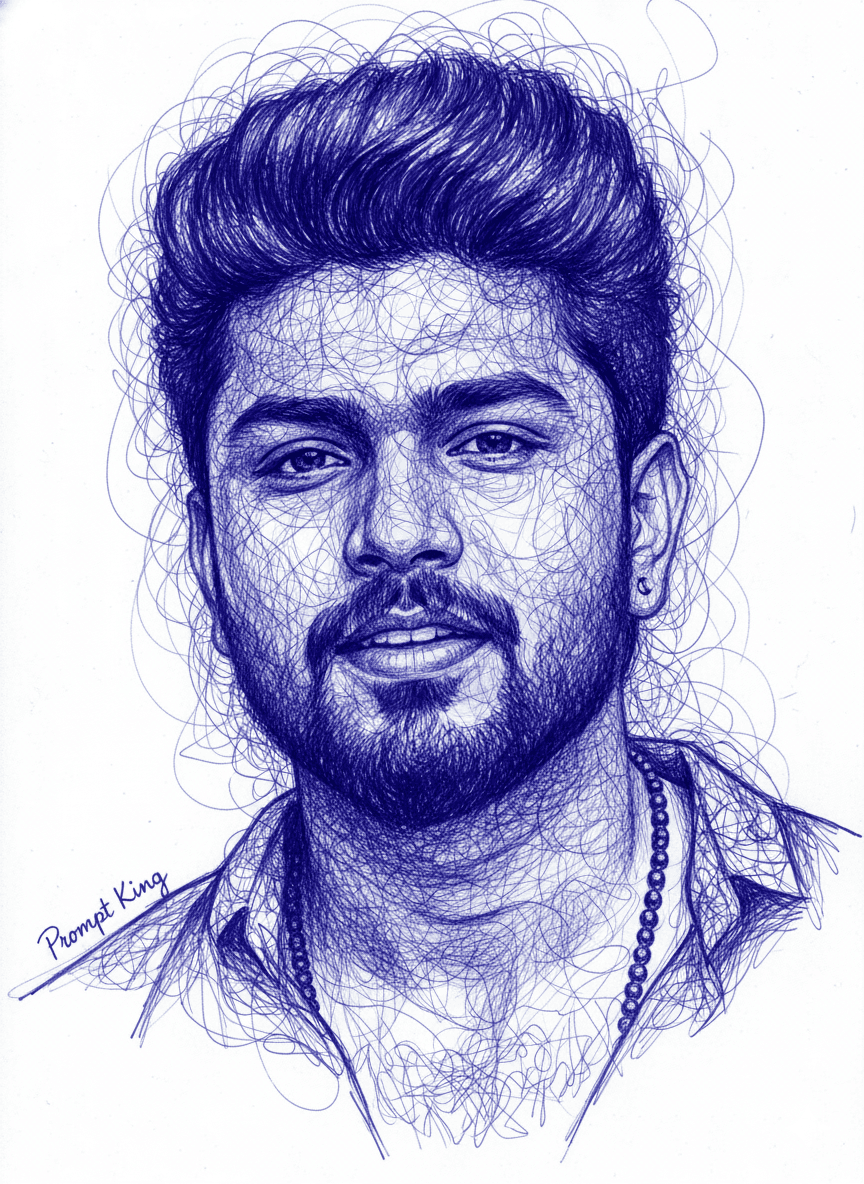
Blue Ballpoint Pen Swirl Line Portrait Drawing
AI Photo Prompt
Want more trending photo prompts? Discover them in the Prompt King Android app on Google Play.
About this prompt
This prompt converts a photo into a detailed portrait drawn in blue ballpoint pen. Intricate, swirling, thread-like lines form the hair and flow across parts of the face, partially covering it while still blending into realistic facial features. The lines are dense and flowing, appearing chaotic at first glance but carefully controlled. Only shades of deep indigo blue are used on a clean white background, with subtle gradients adding depth and volume. The result looks like a piece of hand-drawn art rather than a photo filter, making it suitable for art lovers and creatives. It works well as a unique profile picture, a printed gift for a friend, a poster for a room, or a cover image for a portfolio or blog. Because it is monochrome and minimal, it fits almost any feed style. The prompt is designed to follow the style of a reference image, so supplying a clear, well-lit portrait photo helps the lines map neatly onto the face.
Lighting, colour and composition
Even, flat lighting suits the drawn style, with depth created through line density rather than shadows. The palette is deep indigo and blue on clean white. The face sits centred, with swirling hair lines spreading outward and partly crossing the features, leaving white space around the edges.
Ways to make it your own
- Change the ink colour to black or red for a different pen-drawing effect.
- Reduce how much the lines cover the face if you want features more visible.
- Use a square 1:1 crop for profile pictures or print framing.
Best for
Trending photo ideas and creative portrait inspiration.
Suggested framing
Use the aspect ratio or framing described in the prompt, then adapt it for your intended platform.
Customization ideas
Adjust the clothing, background, lighting, colors and composition to match your own idea.
How to use
Copy the prompt, adapt it to your idea, and paste it into your preferred compatible AI tool. Follow that tool’s instructions for reference photos.
A few helpful answers.
What type of image does this prompt create?
In a compatible AI tool, this prompt is intended as a starting point for this prompt converts a photo into a detailed portrait drawn in blue ballpoint pen. Intricate, swirling, thread-like lines form the hair and flow across parts of the face, partially covering it while still blending into realistic facial features. The lines are dense and flowing, appearing chaotic at first glance but carefully controlled. Only shades of deep indigo blue are used on a clean white background, with subtle gradients adding depth and volume. The result looks like a piece of hand-drawn art rather than a photo filter, making it suitable for art lovers and creatives. It works well as a unique profile picture, a printed gift for a friend, a poster for a room, or a cover image for a portfolio or blog. Because it is monochrome and minimal, it fits almost any feed style. The prompt is designed to follow the style of a reference image, so supplying a clear, well-lit portrait photo helps the lines map neatly onto the face. Results depend on the tool, settings and references you use.
Can I customize the clothing or background?
Yes. Replace the clothing, setting or colors in the prompt with your own choices. Keep descriptions consistent and adjust one detail at a time.
What aspect ratio works best?
Start with Use the aspect ratio or framing described in the prompt, then adapt it for your intended platform.. A 4:5 ratio works well for a portrait feed post. Adjust the crop for your intended platform and your tool’s available settings.
Does Prompt King generate the image?
No. Prompt King helps users discover and copy prompts that can be used with compatible AI tools.
Can I use this for social media ideas?
Yes. Use it as creative inspiration and customize the result for your audience. Use photos you have permission to upload, and check your chosen tool’s terms before publishing.




