
Bearded Man Relaxing Under Cursive Sky Lettering
AI Photo Prompt
Want more trending photo prompts? Discover them in the Prompt King Android app on Google Play.
About this prompt
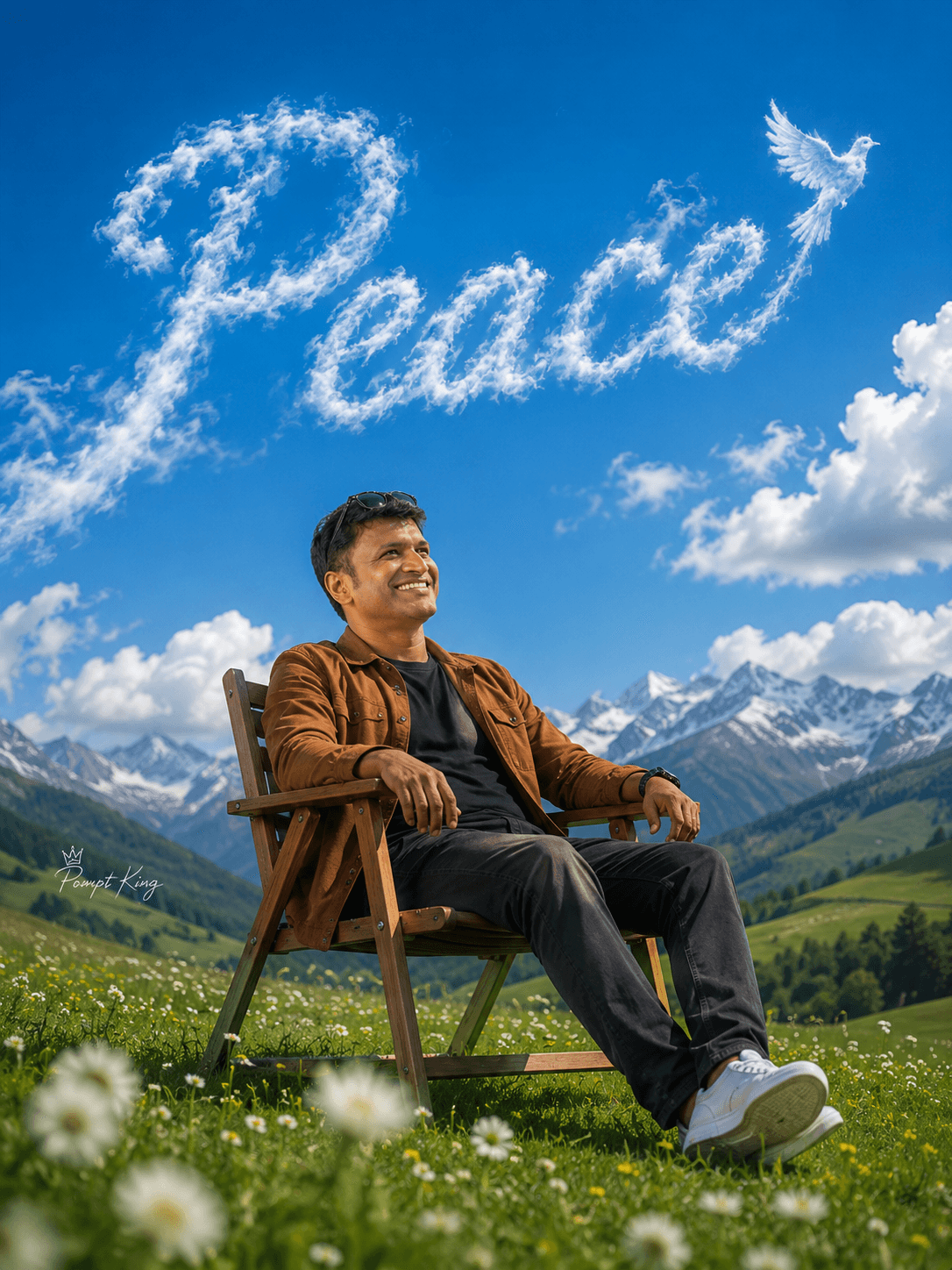
This prompt shows a bearded young man resting in a simple wooden chair on top of a bright green hill scattered with tiny white and yellow wildflowers. He wears a black cap, dark T-shirt, brown jacket and dark trousers, and leans back with his face lifted toward the sun as if enjoying a quiet moment alone. Above him the sky is a clear, deep blue with soft cumulus clouds, and the word 'Peace' is formed from cursive, smoke-like cloud lettering stretching across the frame, finished with a small dove silhouette at the end. Softly blurred white flowers in the foreground give the photo depth and frame the subject. The style resembles a cinematic music or playlist cover with photorealistic textures. Your uploaded face photo is used for the subject. This version works well as a cover for a calm music playlist, a motivational caption, a weekend detox post, an aesthetic profile picture, or a background for a mindfulness quote. For a more personal touch, change the sky word or add a small date or caption underneath the lettering.
Lighting, colour and composition
Clear midday sunlight brings out saturated greens and blues with soft shadows under the chair. The palette is grass green, deep sky blue and cloud white, with earthy brown and black clothing. Foreground blur, a centred subject and wide open sky create layered depth and a balanced poster layout.
Ways to make it your own
- Change the dove to a flock of birds for a stronger sense of freedom.
- Ask for sunset colours in the sky so the cloud lettering glows pink and orange.
- Swap the wooden chair for a hammock or picnic blanket for a different relaxed pose.
Best for
Trending photo ideas and creative portrait inspiration.
Suggested framing
Use the aspect ratio or framing described in the prompt, then adapt it for your intended platform.
Customization ideas
Adjust the clothing, background, lighting, colors and composition to match your own idea.
How to use
Copy the prompt, adapt it to your idea, and paste it into your preferred compatible AI tool. Follow that tool’s instructions for reference photos.
A few helpful answers.
What type of image does this prompt create?
In a compatible AI tool, this prompt is intended as a starting point for this prompt shows a bearded young man resting in a simple wooden chair on top of a bright green hill scattered with tiny white and yellow wildflowers. He wears a black cap, dark T-shirt, brown jacket and dark trousers, and leans back with his face lifted toward the sun as if enjoying a quiet moment alone. Above him the sky is a clear, deep blue with soft cumulus clouds, and the word 'Peace' is formed from cursive, smoke-like cloud lettering stretching across the frame, finished with a small dove silhouette at the end. Softly blurred white flowers in the foreground give the photo depth and frame the subject. The style resembles a cinematic music or playlist cover with photorealistic textures. Your uploaded face photo is used for the subject. This version works well as a cover for a calm music playlist, a motivational caption, a weekend detox post, an aesthetic profile picture, or a background for a mindfulness quote. For a more personal touch, change the sky word or add a small date or caption underneath the lettering. Results depend on the tool, settings and references you use.
Can I customize the clothing or background?
Yes. Replace the clothing, setting or colors in the prompt with your own choices. Keep descriptions consistent and adjust one detail at a time.
What aspect ratio works best?
Start with Use the aspect ratio or framing described in the prompt, then adapt it for your intended platform.. A 4:5 ratio works well for a portrait feed post. Adjust the crop for your intended platform and your tool’s available settings.
Does Prompt King generate the image?
No. Prompt King helps users discover and copy prompts that can be used with compatible AI tools.
Can I use this for social media ideas?
Yes. Use it as creative inspiration and customize the result for your audience. Use photos you have permission to upload, and check your chosen tool’s terms before publishing.




