Rose Day Sweatshirt Look With Floating Petals
AI Photo Prompt
Want more trending photo prompts? Discover them in the Prompt King Android app on Google Play.
About this prompt
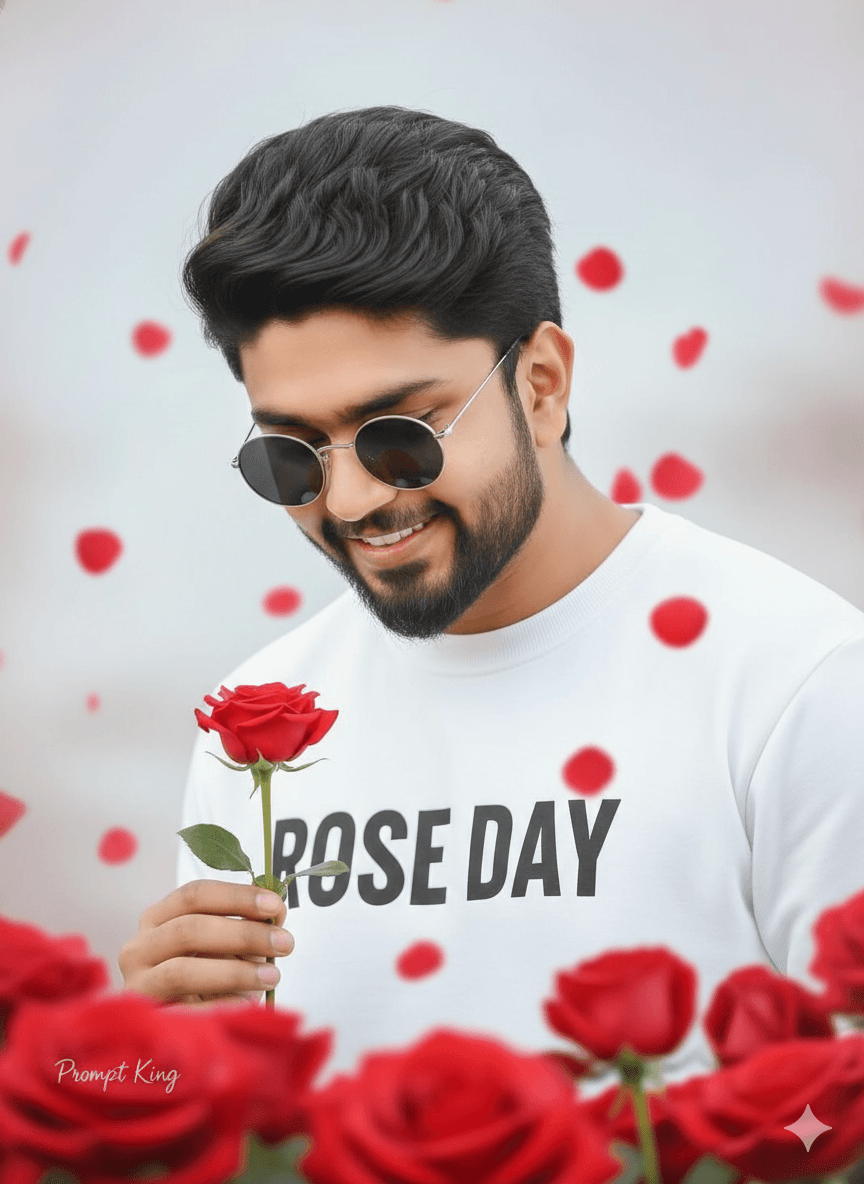
This prompt creates a casual, trendy Rose Day portrait of a young man with voluminous dark hair and a neatly trimmed beard. He wears round sunglasses and a white sweatshirt printed with bold black text reading 'ROSE DAY', which turns the outfit itself into the greeting. Looking down with a smile, he holds a single red rose delicately in one hand. Red rose petals float gently through the air around him, adding movement and a celebratory feel. The background is soft and light with a dreamy pastel tone, keeping the image airy and bright. The overall look is relaxed and youthful, more like streetwear fashion than a formal romantic portrait, which makes it a good choice for college students and young men who prefer a casual style. It works well for social media stories, messaging app status updates and profile pictures during Valentine's week, and specifically for Rose Day on 7 February. A clear reference photo with your face visible, even with sunglasses, will help keep your features recognisable. You can also personalise the sweatshirt text to make the image feel more unique, such as a name or a short message.
Lighting, colour and composition
Bright, soft lighting keeps the scene airy with minimal shadows. A pastel background of blush and cream contrasts with the white sweatshirt, black lettering and floating red petals. A medium close-up with the downward glance and centred rose creates a calm, candid composition with gentle movement from the petals.
Ways to make it your own
- Replace the sweatshirt text with your partner's initials or a short message.
- Remove the sunglasses if you want your eyes to show for a more personal feel.
- Change the sweatshirt colour to black with white text for a bolder contrast.
Best for
Valentine's day photo ideas and creative portrait inspiration.
Suggested framing
Use the aspect ratio or framing described in the prompt, then adapt it for your intended platform.
Customization ideas
Adjust the clothing, background, lighting, colors and composition to match your own idea.
How to use
Copy the prompt, adapt it to your idea, and paste it into your preferred compatible AI tool. Follow that tool’s instructions for reference photos.
A few helpful answers.
What type of image does this prompt create?
In a compatible AI tool, this prompt is intended as a starting point for this prompt creates a casual, trendy Rose Day portrait of a young man with voluminous dark hair and a neatly trimmed beard. He wears round sunglasses and a white sweatshirt printed with bold black text reading 'ROSE DAY', which turns the outfit itself into the greeting. Looking down with a smile, he holds a single red rose delicately in one hand. Red rose petals float gently through the air around him, adding movement and a celebratory feel. The background is soft and light with a dreamy pastel tone, keeping the image airy and bright. The overall look is relaxed and youthful, more like streetwear fashion than a formal romantic portrait, which makes it a good choice for college students and young men who prefer a casual style. It works well for social media stories, messaging app status updates and profile pictures during Valentine's week, and specifically for Rose Day on 7 February. A clear reference photo with your face visible, even with sunglasses, will help keep your features recognisable. You can also personalise the sweatshirt text to make the image feel more unique, such as a name or a short message. Results depend on the tool, settings and references you use.
Can I customize the clothing or background?
Yes. Replace the clothing, setting or colors in the prompt with your own choices. Keep descriptions consistent and adjust one detail at a time.
What aspect ratio works best?
Start with Use the aspect ratio or framing described in the prompt, then adapt it for your intended platform.. A 4:5 ratio works well for a portrait feed post. Adjust the crop for your intended platform and your tool’s available settings.
Does Prompt King generate the image?
No. Prompt King helps users discover and copy prompts that can be used with compatible AI tools.
Can I use this for social media ideas?
Yes. Use it as creative inspiration and customize the result for your audience. Use photos you have permission to upload, and check your chosen tool’s terms before publishing.