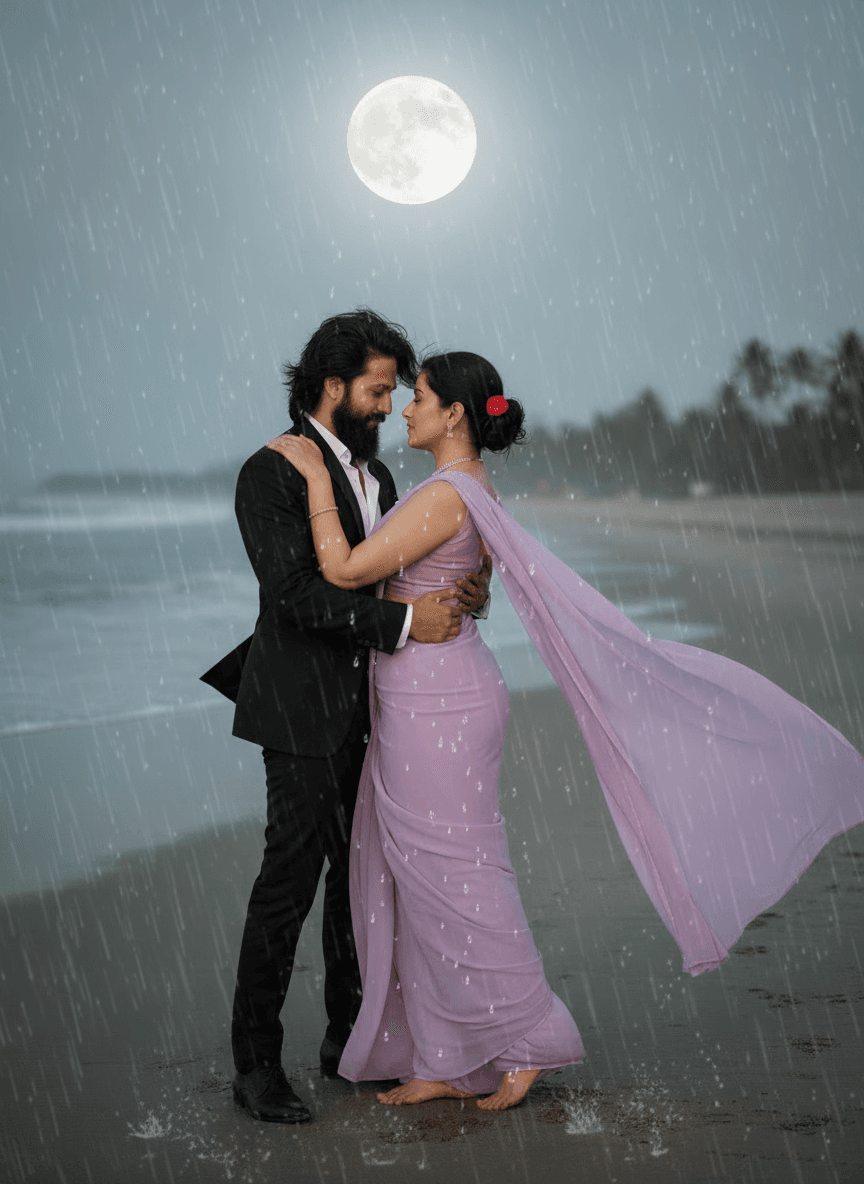
Romantic Couple Portrait Standing Together in Rain
AI Photo Prompt
Want more trending photo prompts? Discover them in the Prompt King Android app on Google Play.
About this prompt
This couple prompt creates a full-length, cinematic portrait of a couple standing together in the rain, using two uploaded photos to keep both faces accurate. The woman wears a saree that is fully drenched, with detailed wet textures and raindrops on her skin and fabric, and she looks forward with a soft, romantic expression. The man stands slightly behind her in a soaked white open shirt, gently holding her. The rain, wet fabric and close pose create an emotional, filmy monsoon mood. Because the original wording focuses on wet clothing and an open shirt, a more classic version keeps the same rain and romance while describing the man in a buttoned shirt and the couple sharing an umbrella, which suits monsoon posts, anniversary greetings and pre-wedding concepts. Use clear, front-facing photos of each person for the best likeness. Night-time street lights or a cloudy daytime sky can both work as backgrounds, depending on the mood you want. Rain streaks and reflections on the ground help sell the monsoon atmosphere.
Lighting, colour and composition
Soft, diffused light under grey monsoon clouds, with highlights on raindrops and wet surfaces. Muted blues and greys contrast with the saree colour and white shirt. A full-length two-person composition places the woman in front and the man slightly behind, with rain streaks across the frame.
Ways to make it your own
- Add a shared umbrella and buttoned shirt for a more classic monsoon portrait.
- Set the scene at night under street lights for glowing rain streaks.
- Choose a bright saree colour like red or yellow to stand out against grey tones.
Best for
Couple photo ideas and creative portrait inspiration.
Suggested framing
Use the aspect ratio or framing described in the prompt, then adapt it for your intended platform.
Customization ideas
Adjust the clothing, background, lighting, colors and composition to match your own idea.
How to use
Copy the prompt, adapt it to your idea, and paste it into your preferred compatible AI tool. Follow that tool’s instructions for reference photos.
A few helpful answers.
What type of image does this prompt create?
In a compatible AI tool, this prompt is intended as a starting point for this couple prompt creates a full-length, cinematic portrait of a couple standing together in the rain, using two uploaded photos to keep both faces accurate. The woman wears a saree that is fully drenched, with detailed wet textures and raindrops on her skin and fabric, and she looks forward with a soft, romantic expression. The man stands slightly behind her in a soaked white open shirt, gently holding her. The rain, wet fabric and close pose create an emotional, filmy monsoon mood. Because the original wording focuses on wet clothing and an open shirt, a more classic version keeps the same rain and romance while describing the man in a buttoned shirt and the couple sharing an umbrella, which suits monsoon posts, anniversary greetings and pre-wedding concepts. Use clear, front-facing photos of each person for the best likeness. Night-time street lights or a cloudy daytime sky can both work as backgrounds, depending on the mood you want. Rain streaks and reflections on the ground help sell the monsoon atmosphere. Results depend on the tool, settings and references you use.
Can I customize the clothing or background?
Yes. Replace the clothing, setting or colors in the prompt with your own choices. Keep descriptions consistent and adjust one detail at a time.
What aspect ratio works best?
Start with Use the aspect ratio or framing described in the prompt, then adapt it for your intended platform.. A 4:5 ratio works well for a portrait feed post. Adjust the crop for your intended platform and your tool’s available settings.
Does Prompt King generate the image?
No. Prompt King helps users discover and copy prompts that can be used with compatible AI tools.
Can I use this for social media ideas?
Yes. Use it as creative inspiration and customize the result for your audience. Use photos you have permission to upload, and check your chosen tool’s terms before publishing.