Night Café Conversation Couple Among String Lights
AI Photo Prompt
Want more trending photo prompts? Discover them in the Prompt King Android app on Google Play.
About this prompt
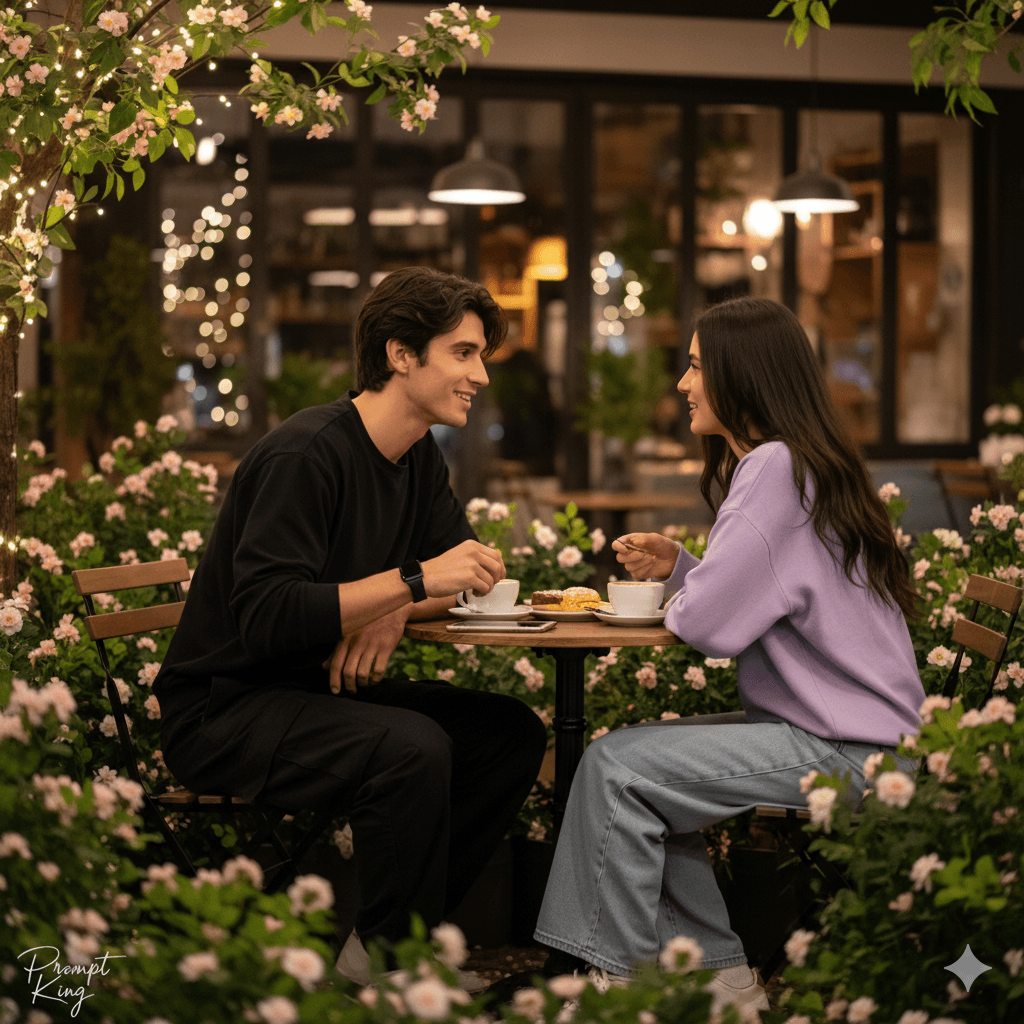
This prompt shows a slim young man sitting in an outdoor café at night, wearing a loose black shirt, black baggy cargo trousers and a black smartwatch, with naturally styled dark hair. Lush green plants with small pink and white flowers surround the seating area, and the café behind is softly lit by warm string lights and lamps, creating a cosy, modern atmosphere. Across from him sits a young woman, created as a new character with long dark hair and a pastel casual outfit. The two are engaged in a lively conversation with warm, natural expressions. The image feels like a candid moment from a date night or a catch-up with a friend. It suits couple posts, café or restaurant promotions, short film concept art, and relaxed lifestyle content. Since the woman is created rather than based on a photo, you can add 'based on the second uploaded photo' if you want her to resemble a real partner. Use a clear reference of the man's face. The warm lights and dark outfits create a pleasant contrast that suits evening themes.
Lighting, colour and composition
Warm string lights and lamps create a cosy, low-light glow with soft bokeh. Black clothing contrasts with pastel tones on the woman and pink-white flowers among green plants. A two-person composition at a café table shows both faces in profile or three-quarter view, with lights blurred behind.
Ways to make it your own
- Add a second uploaded photo so the woman resembles your partner.
- Place coffee cups and a dessert on the table for a fuller café scene.
- Change the setting to a rooftop café with a city skyline.
Best for
Couple photo ideas and creative portrait inspiration.
Suggested framing
Use the aspect ratio or framing described in the prompt, then adapt it for your intended platform.
Customization ideas
Adjust the clothing, background, lighting, colors and composition to match your own idea.
How to use
Copy the prompt, adapt it to your idea, and paste it into your preferred compatible AI tool. Follow that tool’s instructions for reference photos.
A few helpful answers.
What type of image does this prompt create?
In a compatible AI tool, this prompt is intended as a starting point for this prompt shows a slim young man sitting in an outdoor café at night, wearing a loose black shirt, black baggy cargo trousers and a black smartwatch, with naturally styled dark hair. Lush green plants with small pink and white flowers surround the seating area, and the café behind is softly lit by warm string lights and lamps, creating a cosy, modern atmosphere. Across from him sits a young woman, created as a new character with long dark hair and a pastel casual outfit. The two are engaged in a lively conversation with warm, natural expressions. The image feels like a candid moment from a date night or a catch-up with a friend. It suits couple posts, café or restaurant promotions, short film concept art, and relaxed lifestyle content. Since the woman is created rather than based on a photo, you can add 'based on the second uploaded photo' if you want her to resemble a real partner. Use a clear reference of the man's face. The warm lights and dark outfits create a pleasant contrast that suits evening themes. Results depend on the tool, settings and references you use.
Can I customize the clothing or background?
Yes. Replace the clothing, setting or colors in the prompt with your own choices. Keep descriptions consistent and adjust one detail at a time.
What aspect ratio works best?
Start with Use the aspect ratio or framing described in the prompt, then adapt it for your intended platform.. A 4:5 ratio works well for a portrait feed post. Adjust the crop for your intended platform and your tool’s available settings.
Does Prompt King generate the image?
No. Prompt King helps users discover and copy prompts that can be used with compatible AI tools.
Can I use this for social media ideas?
Yes. Use it as creative inspiration and customize the result for your audience. Use photos you have permission to upload, and check your chosen tool’s terms before publishing.