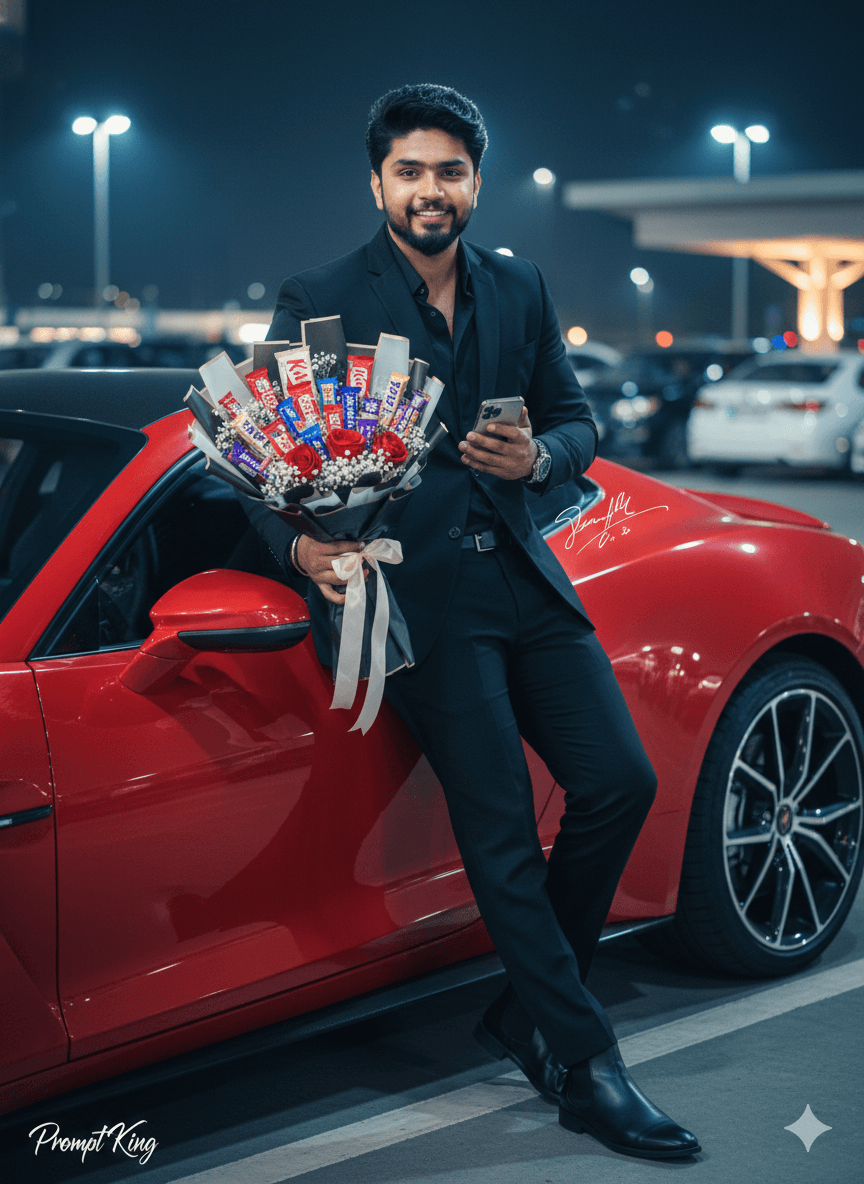
Man in All-Black Suit With Chocolate Bouquet
AI Photo Prompt
Want more trending photo prompts? Discover them in the Prompt King Android app on Google Play.
About this prompt
This Chocolate Day prompt places a stylish young man in a modern city parking lot at night, leaning casually against a sleek red luxury car. He wears a fitted all-black outfit: black suit, black shirt, black trousers and black Chelsea boots, finished with a luxury wristwatch and slightly messy hair. In one hand he holds a large chocolate bouquet made of assorted chocolate bars arranged with red roses, white baby's breath, soft white fibres, pastel and black wrapping paper and satin ribbons. With his other hand he checks his watch, and he looks towards the camera with calm confidence. The city lights and dark surroundings give the scene a cinematic, nighttime fashion-shoot feel, while the red car and red roses add strong colour accents against the black outfit. The prompt uses a reference photo and asks for the facial features to remain the same. This style suits men who want a bold, polished image for Chocolate Day, Valentine's week, or a 'waiting for my date' themed post. It also works as a stylish profile picture with a festive twist. Upload a sharp, front-facing photo in good light for the best match, and choose a reference where your hair and beard are clearly visible.
Lighting, colour and composition
Night-time ambient city light and soft reflections on the car create a moody, glossy look. The palette is mostly black and charcoal with saturated red from the car and roses, plus pastel wrapping as a light accent. A medium-full shot with the man leaning diagonally against the car adds dynamic, editorial composition.
Ways to make it your own
- Change the car colour to white or silver if you want the red roses to pop even more.
- Ask for a navy or maroon suit instead of all black for a softer evening look.
- Swap the chocolate bouquet for a single heart-shaped box if you prefer a minimal prop.
Best for
Valentine's day photo ideas and creative portrait inspiration.
Suggested framing
Use the aspect ratio or framing described in the prompt, then adapt it for your intended platform.
Customization ideas
Adjust the clothing, background, lighting, colors and composition to match your own idea.
How to use
Copy the prompt, adapt it to your idea, and paste it into your preferred compatible AI tool. Follow that tool’s instructions for reference photos.
A few helpful answers.
What type of image does this prompt create?
In a compatible AI tool, this prompt is intended as a starting point for this Chocolate Day prompt places a stylish young man in a modern city parking lot at night, leaning casually against a sleek red luxury car. He wears a fitted all-black outfit: black suit, black shirt, black trousers and black Chelsea boots, finished with a luxury wristwatch and slightly messy hair. In one hand he holds a large chocolate bouquet made of assorted chocolate bars arranged with red roses, white baby's breath, soft white fibres, pastel and black wrapping paper and satin ribbons. With his other hand he checks his watch, and he looks towards the camera with calm confidence. The city lights and dark surroundings give the scene a cinematic, nighttime fashion-shoot feel, while the red car and red roses add strong colour accents against the black outfit. The prompt uses a reference photo and asks for the facial features to remain the same. This style suits men who want a bold, polished image for Chocolate Day, Valentine's week, or a 'waiting for my date' themed post. It also works as a stylish profile picture with a festive twist. Upload a sharp, front-facing photo in good light for the best match, and choose a reference where your hair and beard are clearly visible. Results depend on the tool, settings and references you use.
Can I customize the clothing or background?
Yes. Replace the clothing, setting or colors in the prompt with your own choices. Keep descriptions consistent and adjust one detail at a time.
What aspect ratio works best?
Start with Use the aspect ratio or framing described in the prompt, then adapt it for your intended platform.. A 4:5 ratio works well for a portrait feed post. Adjust the crop for your intended platform and your tool’s available settings.
Does Prompt King generate the image?
No. Prompt King helps users discover and copy prompts that can be used with compatible AI tools.
Can I use this for social media ideas?
Yes. Use it as creative inspiration and customize the result for your audience. Use photos you have permission to upload, and check your chosen tool’s terms before publishing.