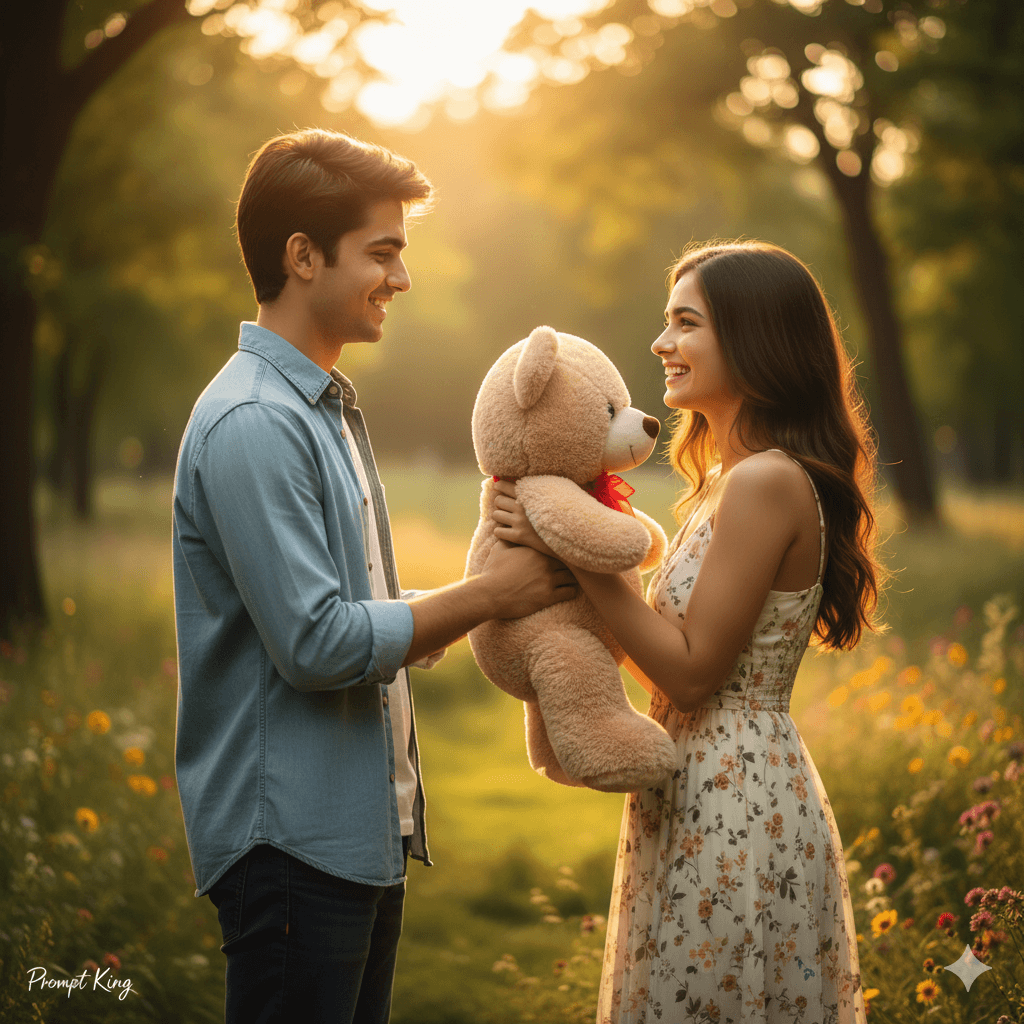
Golden Hour Park Couple Sharing a Teddy Bear
AI Photo Prompt
Want more trending photo prompts? Discover them in the Prompt King Android app on Google Play.
About this prompt
This prompt creates a realistic Teddy Day photo of a young couple in their twenties standing in a park during golden hour. The young man smiles as he gives a cute teddy bear to the young woman, and she holds it close to her chest with a joyful expression. Both look happy and in love. Soft natural sunlight gives warm tones, and a shallow depth of field blurs the background of trees and flowers. They wear modern casual outfits, and the prompt asks for natural skin texture and realistic faces with DSLR photo quality. The scene feels like a candid moment captured on a walk in the park, simple and sweet. Teddy Day is celebrated on 10 February during Valentine's week, and this image works for greetings for that day, couple posts, WhatsApp status updates and anniversary memories. It suits young couples who prefer bright, outdoor and casual images. You can adjust the outfits or teddy colour to match your own style.
Lighting, colour and composition
Warm golden-hour sunlight gives soft highlights and a glowing background. The palette is warm amber and green from the park, with the teddy as a soft accent colour. A medium two-shot places the couple in the centre, with the teddy held between them as the focal point.
Ways to make it your own
- Choose a teddy colour, such as pink or white, to match the couple's outfits.
- Describe outfits, like a denim jacket and floral dress, for a more personal look.
- Use a 4:5 frame to keep both faces and the teddy clearly in view.
Best for
Valentine's day photo ideas and creative portrait inspiration.
Suggested framing
Use the aspect ratio or framing described in the prompt, then adapt it for your intended platform.
Customization ideas
Adjust the clothing, background, lighting, colors and composition to match your own idea.
How to use
Copy the prompt, adapt it to your idea, and paste it into your preferred compatible AI tool. Follow that tool’s instructions for reference photos.
A few helpful answers.
What type of image does this prompt create?
In a compatible AI tool, this prompt is intended as a starting point for this prompt creates a realistic Teddy Day photo of a young couple in their twenties standing in a park during golden hour. The young man smiles as he gives a cute teddy bear to the young woman, and she holds it close to her chest with a joyful expression. Both look happy and in love. Soft natural sunlight gives warm tones, and a shallow depth of field blurs the background of trees and flowers. They wear modern casual outfits, and the prompt asks for natural skin texture and realistic faces with DSLR photo quality. The scene feels like a candid moment captured on a walk in the park, simple and sweet. Teddy Day is celebrated on 10 February during Valentine's week, and this image works for greetings for that day, couple posts, WhatsApp status updates and anniversary memories. It suits young couples who prefer bright, outdoor and casual images. You can adjust the outfits or teddy colour to match your own style. Results depend on the tool, settings and references you use.
Can I customize the clothing or background?
Yes. Replace the clothing, setting or colors in the prompt with your own choices. Keep descriptions consistent and adjust one detail at a time.
What aspect ratio works best?
Start with Use the aspect ratio or framing described in the prompt, then adapt it for your intended platform.. A 4:5 ratio works well for a portrait feed post. Adjust the crop for your intended platform and your tool’s available settings.
Does Prompt King generate the image?
No. Prompt King helps users discover and copy prompts that can be used with compatible AI tools.
Can I use this for social media ideas?
Yes. Use it as creative inspiration and customize the result for your audience. Use photos you have permission to upload, and check your chosen tool’s terms before publishing.