Floor Seated Birthday Shoot With Silver Star Balloons
AI Photo Prompt
Want more trending photo prompts? Discover them in the Prompt King Android app on Google Play.
About this prompt
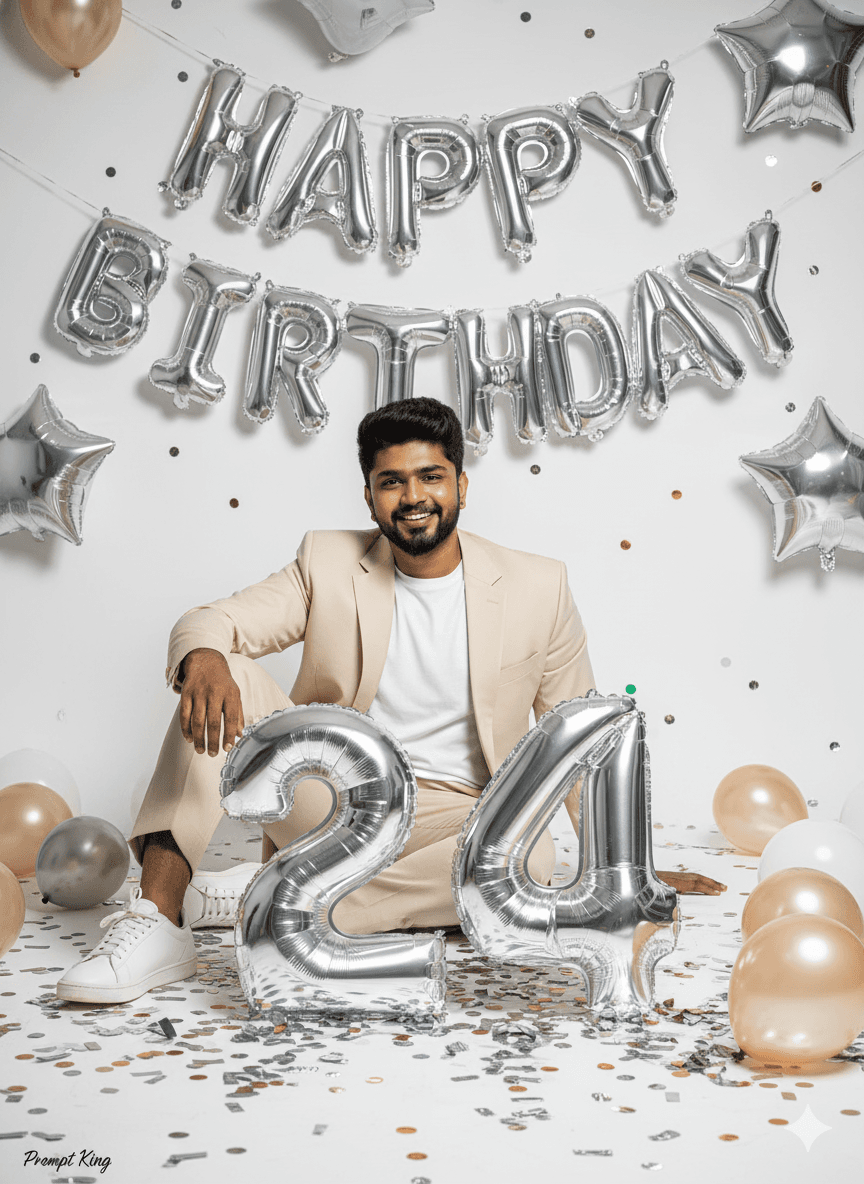
This prompt creates a birthday studio photoshoot of a young man sitting casually on the floor in front of silver HAPPY BIRTHDAY letter balloons and star balloons. His face and hairstyle match the reference, and the prompt even lets you specify height for natural proportions. He wears a cream or beige suit with a plain white tee and white sneakers, a relaxed yet smart look. Large metallic silver number balloons, set to 24 in the prompt, sit in front of him, and the floor is decorated with shiny confetti and extra balloons. Cinematic bright high-fashion lighting with sharp contrast gives the image a fun, polished party vibe. The relaxed floor pose makes it feel more personal and candid than a standing portrait. This prompt suits milestone and regular birthdays alike, for Instagram posts, WhatsApp status, reel covers and printed photos. The light outfit and silver decorations keep the overall look clean and bright, which suits daytime parties and simple home setups.
Lighting, colour and composition
Bright, high-key fashion lighting with crisp contrast and metallic reflections on balloons. The palette is cream, white and silver. The subject sits low in the centre of the frame, framed by number balloons in front and letter and star balloons behind, with confetti scattered across the floor.
Ways to make it your own
- Change the 24 balloons to the correct age before generating.
- Swap silver balloons for rose gold or gold for a warmer palette.
- Use a slightly high camera angle to show more confetti on the floor.
Best for
Birthday photo ideas and creative portrait inspiration.
Suggested framing
Use the aspect ratio or framing described in the prompt, then adapt it for your intended platform.
Customization ideas
Adjust the clothing, background, lighting, colors and composition to match your own idea.
How to use
Copy the prompt, adapt it to your idea, and paste it into your preferred compatible AI tool. Follow that tool’s instructions for reference photos.
A few helpful answers.
What type of image does this prompt create?
In a compatible AI tool, this prompt is intended as a starting point for this prompt creates a birthday studio photoshoot of a young man sitting casually on the floor in front of silver HAPPY BIRTHDAY letter balloons and star balloons. His face and hairstyle match the reference, and the prompt even lets you specify height for natural proportions. He wears a cream or beige suit with a plain white tee and white sneakers, a relaxed yet smart look. Large metallic silver number balloons, set to 24 in the prompt, sit in front of him, and the floor is decorated with shiny confetti and extra balloons. Cinematic bright high-fashion lighting with sharp contrast gives the image a fun, polished party vibe. The relaxed floor pose makes it feel more personal and candid than a standing portrait. This prompt suits milestone and regular birthdays alike, for Instagram posts, WhatsApp status, reel covers and printed photos. The light outfit and silver decorations keep the overall look clean and bright, which suits daytime parties and simple home setups. Results depend on the tool, settings and references you use.
Can I customize the clothing or background?
Yes. Replace the clothing, setting or colors in the prompt with your own choices. Keep descriptions consistent and adjust one detail at a time.
What aspect ratio works best?
Start with Use the aspect ratio or framing described in the prompt, then adapt it for your intended platform.. A 4:5 ratio works well for a portrait feed post. Adjust the crop for your intended platform and your tool’s available settings.
Does Prompt King generate the image?
No. Prompt King helps users discover and copy prompts that can be used with compatible AI tools.
Can I use this for social media ideas?
Yes. Use it as creative inspiration and customize the result for your audience. Use photos you have permission to upload, and check your chosen tool’s terms before publishing.