Chocolate Drip Cake Birthday With Neon Sign
AI Photo Prompt
Want more trending photo prompts? Discover them in the Prompt King Android app on Google Play.
About this prompt
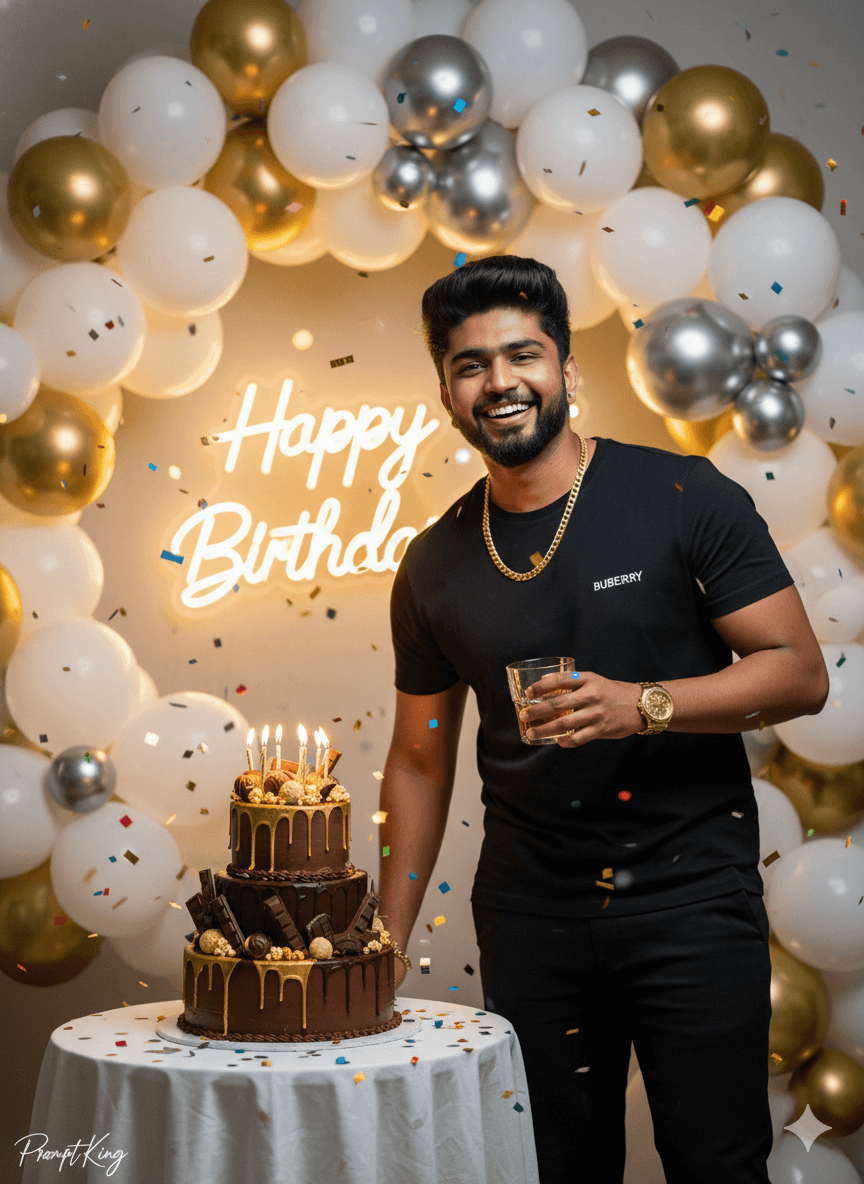
This prompt creates a vibrant birthday photoshoot of a young man with his face and hairstyle matched to the reference. He wears a black t-shirt, black pants, a golden watch and a chain, and smiles while holding a glass beside a two-tier chocolate cake decorated with a golden drip, chocolates, popcorn and candles. The background has a white, gold and silver balloon arch with a glowing neon Happy Birthday sign, and colourful confetti falls through the air. Bright, high-fashion cinematic lighting with sharp contrast gives the photo a lively party energy. The all-black outfit stands out against the light balloon arch, while the gold accents tie the clothing and decorations together. This prompt suits birthday posts, Instagram reels covers, WhatsApp status images or a thank-you post after a party. It is a good choice for anyone wanting a fun, energetic celebration image rather than a formal portrait. The prompt mentions a branded t-shirt, but a plain black tee works equally well.
Lighting, colour and composition
Bright, high-contrast fashion lighting with a glowing neon accent behind. The palette is black, gold, silver and white with multicolour confetti. The subject stands beside the cake in a medium shot, balloon arch framing the background and confetti layered in front for depth.
Ways to make it your own
- Replace the branded tee with a plain black or printed shirt of your choice.
- Change the neon sign text to include the person's name or age.
- Swap the glass for a party popper or sparkler for a more playful pose.
Best for
Birthday photo ideas and creative portrait inspiration.
Suggested framing
Use the aspect ratio or framing described in the prompt, then adapt it for your intended platform.
Customization ideas
Adjust the clothing, background, lighting, colors and composition to match your own idea.
How to use
Copy the prompt, adapt it to your idea, and paste it into your preferred compatible AI tool. Follow that tool’s instructions for reference photos.
A few helpful answers.
What type of image does this prompt create?
In a compatible AI tool, this prompt is intended as a starting point for this prompt creates a vibrant birthday photoshoot of a young man with his face and hairstyle matched to the reference. He wears a black t-shirt, black pants, a golden watch and a chain, and smiles while holding a glass beside a two-tier chocolate cake decorated with a golden drip, chocolates, popcorn and candles. The background has a white, gold and silver balloon arch with a glowing neon Happy Birthday sign, and colourful confetti falls through the air. Bright, high-fashion cinematic lighting with sharp contrast gives the photo a lively party energy. The all-black outfit stands out against the light balloon arch, while the gold accents tie the clothing and decorations together. This prompt suits birthday posts, Instagram reels covers, WhatsApp status images or a thank-you post after a party. It is a good choice for anyone wanting a fun, energetic celebration image rather than a formal portrait. The prompt mentions a branded t-shirt, but a plain black tee works equally well. Results depend on the tool, settings and references you use.
Can I customize the clothing or background?
Yes. Replace the clothing, setting or colors in the prompt with your own choices. Keep descriptions consistent and adjust one detail at a time.
What aspect ratio works best?
Start with Use the aspect ratio or framing described in the prompt, then adapt it for your intended platform.. A 4:5 ratio works well for a portrait feed post. Adjust the crop for your intended platform and your tool’s available settings.
Does Prompt King generate the image?
No. Prompt King helps users discover and copy prompts that can be used with compatible AI tools.
Can I use this for social media ideas?
Yes. Use it as creative inspiration and customize the result for your audience. Use photos you have permission to upload, and check your chosen tool’s terms before publishing.