
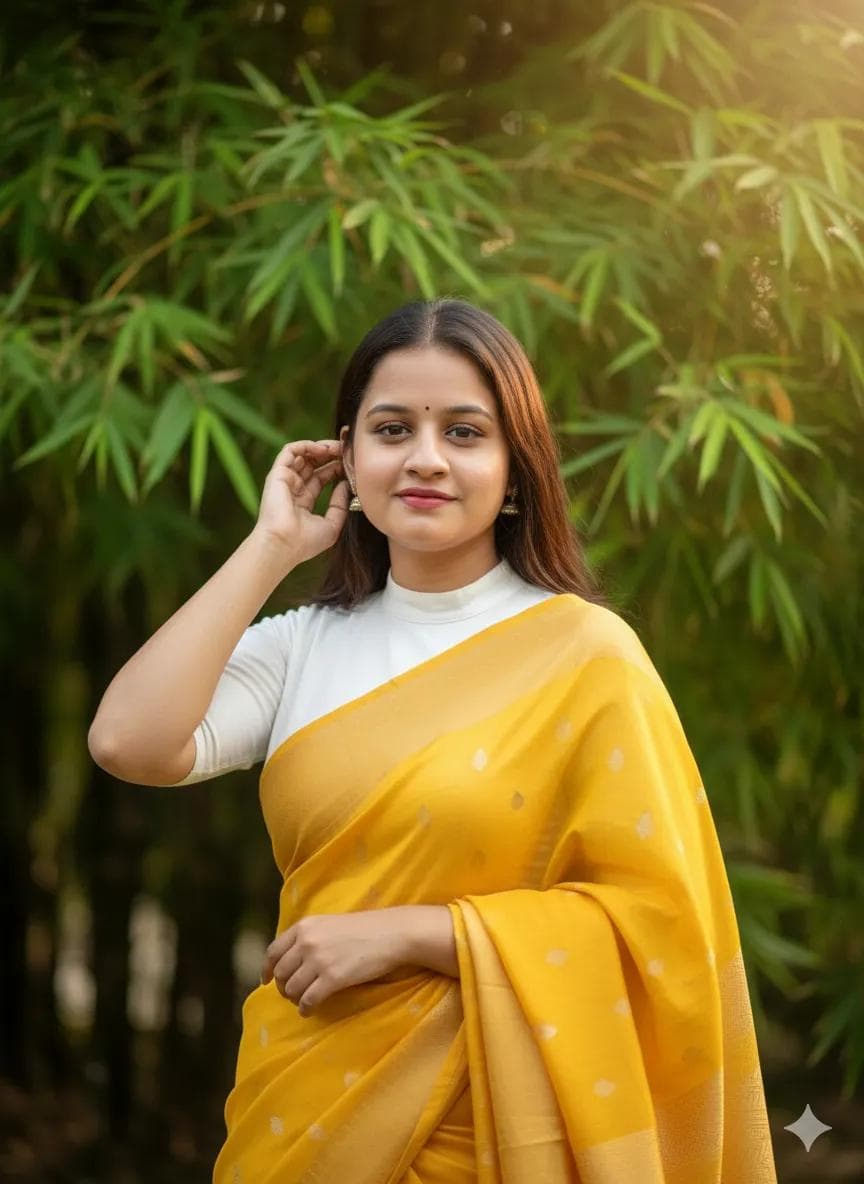
Yellow Sari Portrait in Bamboo Grove at Golden Hour
AI Photo Prompt
Want more trending photo prompts? Discover them in the Prompt King Android app on Google Play.
About this prompt
This professional portrait prompt shows a young woman wearing a vibrant yellow sari with subtle metallic threads and a crisp white blouse. She stands among lush green bamboo foliage, smiling softly as she tucks a strand of hair behind her ear with her right hand. The image is captured at golden hour, with warm, soft directional light coming from the upper right and gentle rim lighting that outlines her silhouette. A shallow depth of field and strong bokeh blur the bamboo behind her, keeping her face and the saree sharp. The yellow and green palette is fresh and cheerful, and the pose feels natural and graceful. This prompt suits Haldi ceremony posts, Vasant Panchami, Sankranti and Pongal greetings, birthday portraits and elegant profile pictures. The prompt is well structured with lighting direction specified, so results tend to be consistent. Add 'based on my uploaded photo' at the beginning if you want your own face. Use a clear reference photo with soft light. The bamboo setting is less common than flower gardens, giving the image a distinctive natural backdrop.
Lighting, colour and composition
Warm golden-hour light from the upper right with subtle rim lighting defines the silhouette. Bright yellow and white clothing glows against deep bamboo greens. A medium composition with a hand-to-hair pose, shallow depth of field and strong bokeh isolates the subject from the leafy background.
Ways to make it your own
- Add 'based on my uploaded photo' to use your own face.
- Switch the yellow sari to orange or coral for a Sankranti theme.
- Use a 2:3 vertical frame to show more of the tall bamboo.
Best for
Girls photo ideas and creative portrait inspiration.
Suggested framing
Use the aspect ratio or framing described in the prompt, then adapt it for your intended platform.
Customization ideas
Adjust the clothing, background, lighting, colors and composition to match your own idea.
How to use
Copy the prompt, adapt it to your idea, and paste it into your preferred compatible AI tool. Follow that tool’s instructions for reference photos.
A few helpful answers.
What type of image does this prompt create?
In a compatible AI tool, this prompt is intended as a starting point for this professional portrait prompt shows a young woman wearing a vibrant yellow sari with subtle metallic threads and a crisp white blouse. She stands among lush green bamboo foliage, smiling softly as she tucks a strand of hair behind her ear with her right hand. The image is captured at golden hour, with warm, soft directional light coming from the upper right and gentle rim lighting that outlines her silhouette. A shallow depth of field and strong bokeh blur the bamboo behind her, keeping her face and the saree sharp. The yellow and green palette is fresh and cheerful, and the pose feels natural and graceful. This prompt suits Haldi ceremony posts, Vasant Panchami, Sankranti and Pongal greetings, birthday portraits and elegant profile pictures. The prompt is well structured with lighting direction specified, so results tend to be consistent. Add 'based on my uploaded photo' at the beginning if you want your own face. Use a clear reference photo with soft light. The bamboo setting is less common than flower gardens, giving the image a distinctive natural backdrop. Results depend on the tool, settings and references you use.
Can I customize the clothing or background?
Yes. Replace the clothing, setting or colors in the prompt with your own choices. Keep descriptions consistent and adjust one detail at a time.
What aspect ratio works best?
Start with Use the aspect ratio or framing described in the prompt, then adapt it for your intended platform.. A 4:5 ratio works well for a portrait feed post. Adjust the crop for your intended platform and your tool’s available settings.
Does Prompt King generate the image?
No. Prompt King helps users discover and copy prompts that can be used with compatible AI tools.
Can I use this for social media ideas?
Yes. Use it as creative inspiration and customize the result for your audience. Use photos you have permission to upload, and check your chosen tool’s terms before publishing.




