Yellow Gulal Explosion Holi Portrait in White Kurti
AI Photo Prompt
Want more trending photo prompts? Discover them in the Prompt King Android app on Google Play.
About this prompt
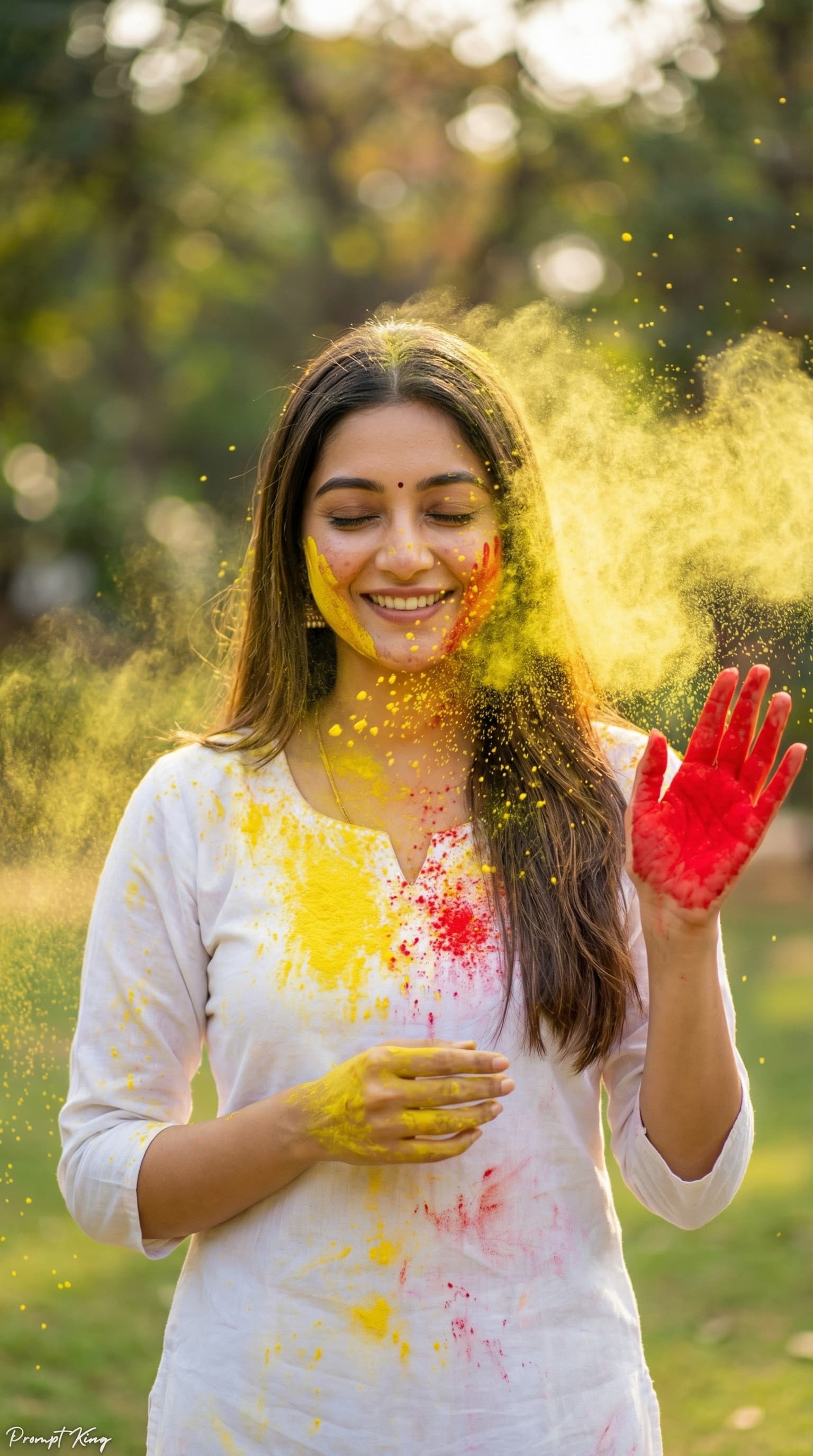
This prompt creates a realistic Holi festival portrait using your uploaded photo as the face reference, keeping your facial features and natural smile. The subject has a candid, joyful expression with eyes gently closed and head tilted slightly down, and long straight hair falls naturally over her shoulders. She wears a simple white traditional kurti, set in an outdoor park with a lush green, blurred background and soft natural daylight. Bright yellow gulal powder bursts across the frame, covering her face, hair and dress, with powder particles frozen in mid-air. One hand is raised with bright red colour on the palm, and the other rests near her chest, partly covered in yellow powder. The photo is shot with an 85mm lens at f/1.8, giving a creamy bokeh background and sharp focus on the face. Warm sunlight and vibrant colour grading make it feel like a professional festival photoshoot. It is well suited to Holi greetings, festival profile pictures and social posts, especially for women who want a cheerful, natural-looking celebration portrait.
Lighting, colour and composition
Soft daylight with a warm sunlight glow keeps skin tones natural while the yellow powder glows brightly. The palette is white, sunflower yellow and red over fresh park greens. A close, centred composition with shallow depth of field keeps the face sharp and the powder dynamic around it.
Ways to make it your own
- Change the yellow gulal to pink or green if you want a different festive colour story.
- Keep the eyes open and looking at the camera for a more direct, personal portrait.
- Try a 4:5 crop to keep the powder burst and face well framed in the Instagram feed.
Best for
Festival photo ideas and creative portrait inspiration.
Suggested framing
Use the aspect ratio or framing described in the prompt, then adapt it for your intended platform.
Customization ideas
Adjust the clothing, background, lighting, colors and composition to match your own idea.
How to use
Copy the prompt, adapt it to your idea, and paste it into your preferred compatible AI tool. Follow that tool’s instructions for reference photos.
A few helpful answers.
What type of image does this prompt create?
In a compatible AI tool, this prompt is intended as a starting point for this prompt creates a realistic Holi festival portrait using your uploaded photo as the face reference, keeping your facial features and natural smile. The subject has a candid, joyful expression with eyes gently closed and head tilted slightly down, and long straight hair falls naturally over her shoulders. She wears a simple white traditional kurti, set in an outdoor park with a lush green, blurred background and soft natural daylight. Bright yellow gulal powder bursts across the frame, covering her face, hair and dress, with powder particles frozen in mid-air. One hand is raised with bright red colour on the palm, and the other rests near her chest, partly covered in yellow powder. The photo is shot with an 85mm lens at f/1.8, giving a creamy bokeh background and sharp focus on the face. Warm sunlight and vibrant colour grading make it feel like a professional festival photoshoot. It is well suited to Holi greetings, festival profile pictures and social posts, especially for women who want a cheerful, natural-looking celebration portrait. Results depend on the tool, settings and references you use.
Can I customize the clothing or background?
Yes. Replace the clothing, setting or colors in the prompt with your own choices. Keep descriptions consistent and adjust one detail at a time.
What aspect ratio works best?
Start with Use the aspect ratio or framing described in the prompt, then adapt it for your intended platform.. A 4:5 ratio works well for a portrait feed post. Adjust the crop for your intended platform and your tool’s available settings.
Does Prompt King generate the image?
No. Prompt King helps users discover and copy prompts that can be used with compatible AI tools.
Can I use this for social media ideas?
Yes. Use it as creative inspiration and customize the result for your audience. Use photos you have permission to upload, and check your chosen tool’s terms before publishing.