Yellow Cricket Jersey Double Exposure Fan Poster
AI Photo Prompt
Want more trending photo prompts? Discover them in the Prompt King Android app on Google Play.
About this prompt
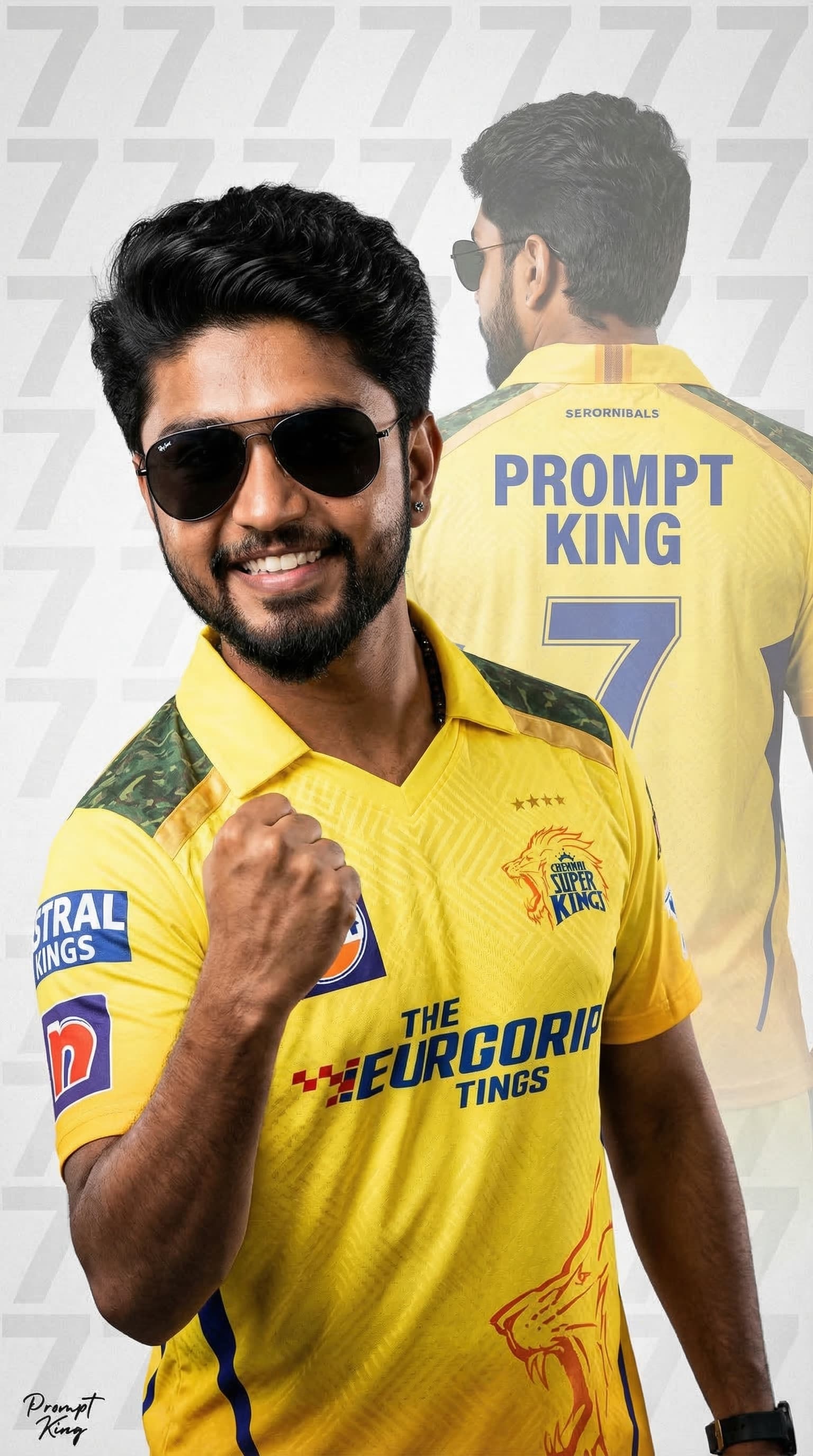
This prompt uses your uploaded photo as the base and keeps the face, skin tone, hairstyle, expression and sunglasses unchanged. It places you in a yellow franchise-style cricket jersey and applies a double-exposure effect. In the foreground you celebrate with a clenched fist, while in the background a faded back view shows the name Prompt King and the number 7 on the jersey. The background is a clean, light grey texture with a subtle large 7 watermark, and the lighting is cinematic with sharp focus, giving the poster a professional sports graphic look. It is meant for fans who want to show team support during the T20 league season. Since the original prompt names a specific league team, its official kit and a number strongly linked to a well-known player, adapt it before sharing: keep the yellow colour and layout but remove team names and logos, and use your own number. With those changes it becomes a good template for school sports day, local cricket tournaments, a birthday edit for a cricket lover or a fan profile picture.
Lighting, colour and composition
Clean studio-style lighting keeps the face natural while adding crisp highlights to the jersey. The palette is bright yellow with navy accents over soft light grey. The sharp celebrating figure sits in front, and the faded back view and number watermark fill the background evenly.
Ways to make it your own
- Swap the number 7 for your own jersey number to make the poster personal.
- Use a stadium crowd background instead of grey for a more dramatic match-day feel.
- Ask for the face without sunglasses if your reference photo shows your eyes.
Best for
Prompt photo ideas and creative portrait inspiration.
Suggested framing
Use the aspect ratio or framing described in the prompt, then adapt it for your intended platform.
Customization ideas
Adjust the clothing, background, lighting, colors and composition to match your own idea.
How to use
Copy the prompt, adapt it to your idea, and paste it into your preferred compatible AI tool. Follow that tool’s instructions for reference photos.
A few helpful answers.
What type of image does this prompt create?
In a compatible AI tool, this prompt is intended as a starting point for this prompt uses your uploaded photo as the base and keeps the face, skin tone, hairstyle, expression and sunglasses unchanged. It places you in a yellow franchise-style cricket jersey and applies a double-exposure effect. In the foreground you celebrate with a clenched fist, while in the background a faded back view shows the name Prompt King and the number 7 on the jersey. The background is a clean, light grey texture with a subtle large 7 watermark, and the lighting is cinematic with sharp focus, giving the poster a professional sports graphic look. It is meant for fans who want to show team support during the T20 league season. Since the original prompt names a specific league team, its official kit and a number strongly linked to a well-known player, adapt it before sharing: keep the yellow colour and layout but remove team names and logos, and use your own number. With those changes it becomes a good template for school sports day, local cricket tournaments, a birthday edit for a cricket lover or a fan profile picture. Results depend on the tool, settings and references you use.
Can I customize the clothing or background?
Yes. Replace the clothing, setting or colors in the prompt with your own choices. Keep descriptions consistent and adjust one detail at a time.
What aspect ratio works best?
Start with Use the aspect ratio or framing described in the prompt, then adapt it for your intended platform.. A 4:5 ratio works well for a portrait feed post. Adjust the crop for your intended platform and your tool’s available settings.
Does Prompt King generate the image?
No. Prompt King helps users discover and copy prompts that can be used with compatible AI tools.
Can I use this for social media ideas?
Yes. Use it as creative inspiration and customize the result for your audience. Use photos you have permission to upload, and check your chosen tool’s terms before publishing.