
White Net Saree Field With Ethereal Blue Shiva
AI Photo Prompt
Want more trending photo prompts? Discover them in the Prompt King Android app on Google Play.
About this prompt
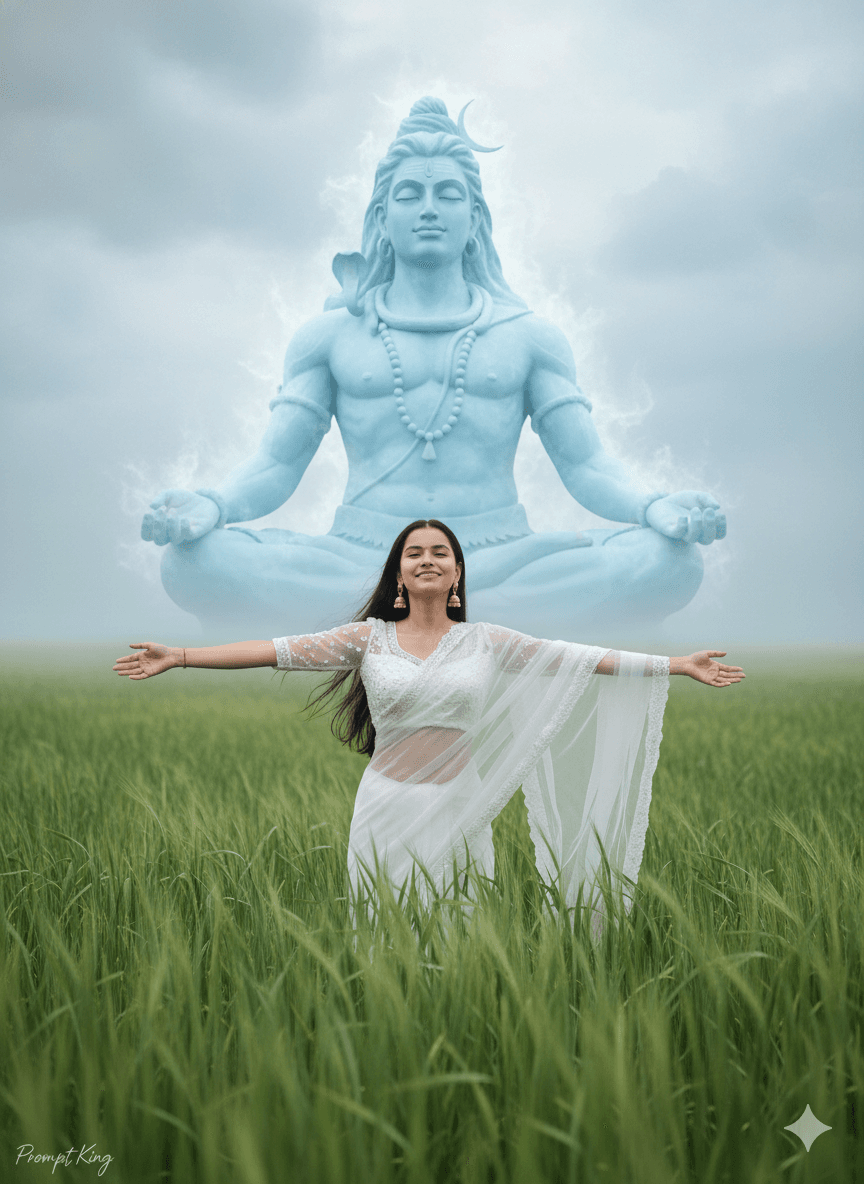
This prompt creates a realistic, DSLR-style cinematic photo of the young woman from your reference image standing with her arms open wide in a field of tall green grass. She has long, flowing open hair, a gentle smile and delicate features, and she wears a white net saree with a matching blouse and elegant jhumka earrings, with a soft natural glow on her face. Behind her, a massive, ethereal, semi-transparent blue statue of Lord Shiva sits in a meditative pose within a cloudy, misty sky. The open field and wide arms convey freedom, joy and gratitude, while the divine form behind adds a peaceful spiritual layer. The white saree keeps the palette clean, so the blue Shiva form stands out clearly. It suits Maha Shivaratri greetings, Shravan Monday posts, spiritual profile pictures and women who want a fresh, open-air devotional image instead of a temple interior. It also works as a calm wallpaper or WhatsApp status during the festival season.
Lighting, colour and composition
Soft, diffused daylight with misty haze keeps the image airy and light. The palette is white, fresh grass green and translucent blue against soft grey clouds. She stands centred in the lower half with arms outstretched, while the meditating figure fills the sky behind her.
Ways to make it your own
- Change the white saree to pale blue or lavender to echo the colour of the sky figure.
- Ask for golden hour light to add warm tones to the grass and clouds.
- Use a 9:16 vertical frame so the full sky figure fits above her.
Best for
Girls photo ideas and creative portrait inspiration.
Suggested framing
Use the aspect ratio or framing described in the prompt, then adapt it for your intended platform.
Customization ideas
Adjust the clothing, background, lighting, colors and composition to match your own idea.
How to use
Copy the prompt, adapt it to your idea, and paste it into your preferred compatible AI tool. Follow that tool’s instructions for reference photos.
A few helpful answers.
What type of image does this prompt create?
In a compatible AI tool, this prompt is intended as a starting point for this prompt creates a realistic, DSLR-style cinematic photo of the young woman from your reference image standing with her arms open wide in a field of tall green grass. She has long, flowing open hair, a gentle smile and delicate features, and she wears a white net saree with a matching blouse and elegant jhumka earrings, with a soft natural glow on her face. Behind her, a massive, ethereal, semi-transparent blue statue of Lord Shiva sits in a meditative pose within a cloudy, misty sky. The open field and wide arms convey freedom, joy and gratitude, while the divine form behind adds a peaceful spiritual layer. The white saree keeps the palette clean, so the blue Shiva form stands out clearly. It suits Maha Shivaratri greetings, Shravan Monday posts, spiritual profile pictures and women who want a fresh, open-air devotional image instead of a temple interior. It also works as a calm wallpaper or WhatsApp status during the festival season. Results depend on the tool, settings and references you use.
Can I customize the clothing or background?
Yes. Replace the clothing, setting or colors in the prompt with your own choices. Keep descriptions consistent and adjust one detail at a time.
What aspect ratio works best?
Start with Use the aspect ratio or framing described in the prompt, then adapt it for your intended platform.. A 4:5 ratio works well for a portrait feed post. Adjust the crop for your intended platform and your tool’s available settings.
Does Prompt King generate the image?
No. Prompt King helps users discover and copy prompts that can be used with compatible AI tools.
Can I use this for social media ideas?
Yes. Use it as creative inspiration and customize the result for your audience. Use photos you have permission to upload, and check your chosen tool’s terms before publishing.




