
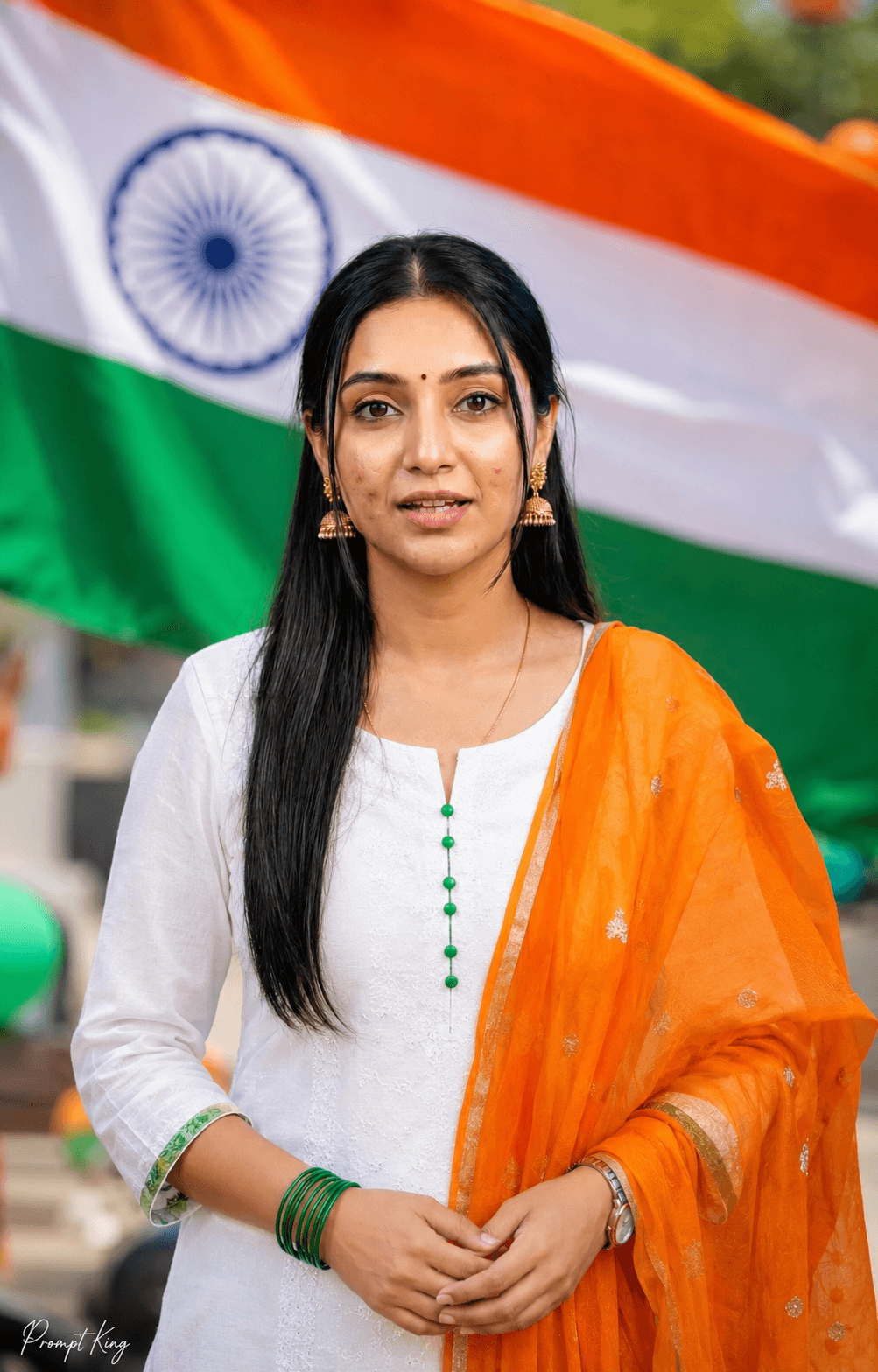
White Kurta With Saffron Dupatta Greeting Portrait
AI Photo Prompt
Want more trending photo prompts? Discover them in the Prompt King Android app on Google Play.
About this prompt
This prompt turns your photo into a bright, cheerful outdoor Independence Day portrait. The woman keeps her exact facial identity, smile, hairstyle, skin tone and body proportions from the uploaded image, and is dressed in a simple white kurta with green sleeve accents and a flowing saffron-orange dupatta, so the outfit itself reflects the tricolour. She stands in front of a large, softly blurred Indian national flag and smiles naturally at the camera with her hands gently joined in front, giving a warm, welcoming feel similar to a namaste greeting. Green bangles and minimal jewellery complete the look. The prompt asks for bright daylight, realistic fabric folds, clean facial detail, warm festive colours and soft background blur, framed vertically in 4:5. Compared with more dramatic patriotic prompts, this one is simple and friendly, making it a good choice for school teachers, students, office greetings, family WhatsApp groups and a festive profile picture for the week of 15 August. A clear, smiling daylight photo gives the most natural match.
Lighting, colour and composition
Bright, even daylight keeps colours fresh and skin natural, with gentle shadows. The palette is white, saffron orange and green with soft blurred flag tones. A centred, waist-up composition with hands joined in front creates a calm, welcoming, symmetrical frame.
Ways to make it your own
- Change the dupatta to a three-colour tricolour print for a stronger patriotic theme.
- Ask for an outdoor school or office setting instead of a plain flag background.
- Reuse the image for Republic Day by keeping the outfit and changing the caption.
Best for
Girls photo ideas and creative portrait inspiration.
Suggested framing
Use the aspect ratio or framing described in the prompt, then adapt it for your intended platform.
Customization ideas
Adjust the clothing, background, lighting, colors and composition to match your own idea.
How to use
Copy the prompt, adapt it to your idea, and paste it into your preferred compatible AI tool. Follow that tool’s instructions for reference photos.
A few helpful answers.
What type of image does this prompt create?
In a compatible AI tool, this prompt is intended as a starting point for this prompt turns your photo into a bright, cheerful outdoor Independence Day portrait. The woman keeps her exact facial identity, smile, hairstyle, skin tone and body proportions from the uploaded image, and is dressed in a simple white kurta with green sleeve accents and a flowing saffron-orange dupatta, so the outfit itself reflects the tricolour. She stands in front of a large, softly blurred Indian national flag and smiles naturally at the camera with her hands gently joined in front, giving a warm, welcoming feel similar to a namaste greeting. Green bangles and minimal jewellery complete the look. The prompt asks for bright daylight, realistic fabric folds, clean facial detail, warm festive colours and soft background blur, framed vertically in 4:5. Compared with more dramatic patriotic prompts, this one is simple and friendly, making it a good choice for school teachers, students, office greetings, family WhatsApp groups and a festive profile picture for the week of 15 August. A clear, smiling daylight photo gives the most natural match. Results depend on the tool, settings and references you use.
Can I customize the clothing or background?
Yes. Replace the clothing, setting or colors in the prompt with your own choices. Keep descriptions consistent and adjust one detail at a time.
What aspect ratio works best?
Start with Use the aspect ratio or framing described in the prompt, then adapt it for your intended platform.. A 4:5 ratio works well for a portrait feed post. Adjust the crop for your intended platform and your tool’s available settings.
Does Prompt King generate the image?
No. Prompt King helps users discover and copy prompts that can be used with compatible AI tools.
Can I use this for social media ideas?
Yes. Use it as creative inspiration and customize the result for your audience. Use photos you have permission to upload, and check your chosen tool’s terms before publishing.




