
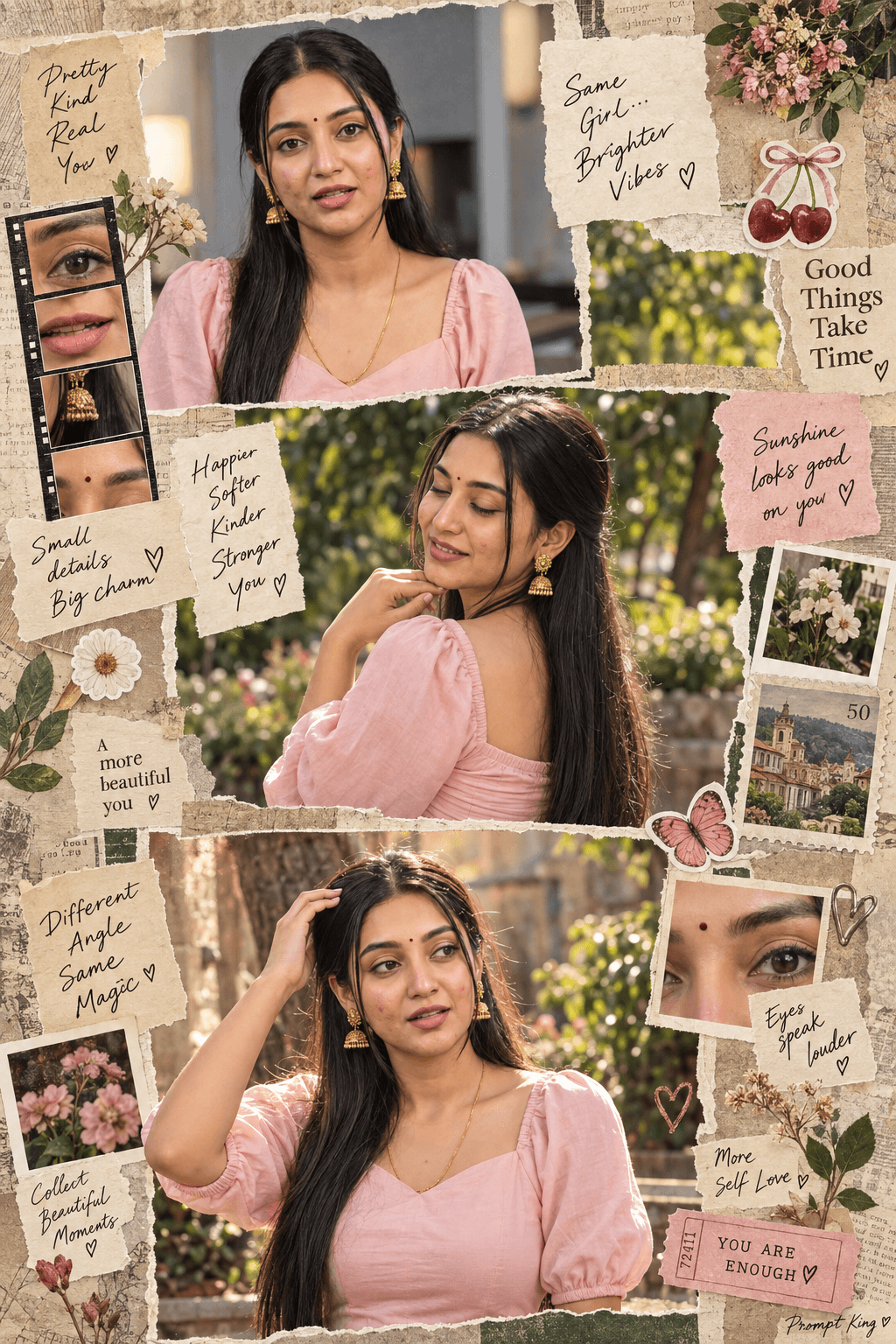
Vintage Scrapbook Collage Of Outdoor Portraits
AI Photo Prompt
Want more trending photo prompts? Discover them in the Prompt King Android app on Google Play.
About this prompt
This prompt creates a multi-panel scrapbook-style collage of the same woman, styled like a page from a handmade photo journal. The panels show different poses in the same black outfit and long styled hair: one with her back turned, hand beneath the chin, eyes closed and smiling against trees and plants in natural daylight, and another mid-shot facing forward with one hand on her head, looking sideways in warm sunlight against an artistic, grainy backdrop. Around and between the photos, the prompt adds many collage elements: close-up crops of her face, torn paper edges, vintage textures and small stickers such as cherries, flowers, stamps and handwritten compliment notes. The result feels personal, playful and nostalgic rather than polished. Upload a clear photo of yourself so the face stays consistent across panels. This idea suits a birthday post, a best-friend tribute, a monthly photo dump, an Instagram carousel cover, or a printable keepsake page. It also works for anyone who enjoys aesthetic, journal-style content. Adjust the stickers and notes to include names, dates or inside jokes.
Lighting, colour and composition
Natural daylight and warm sunlight give soft, slightly grainy images that suit the vintage paper look. The palette is warm and muted, with black clothing, leafy greens, cream paper and small red sticker accents. A layered vertical collage with overlapping panels, torn edges and scattered stickers creates a busy, handmade composition.
Ways to make it your own
- Replace the generic compliment notes with names, dates or a short personal message.
- Swap the black outfit for a floral dress to make the collage brighter and softer.
- Limit the stickers to one theme, like flowers only, for a cleaner page.
Best for
Girls photo ideas and creative portrait inspiration.
Suggested framing
Use the aspect ratio or framing described in the prompt, then adapt it for your intended platform.
Customization ideas
Adjust the clothing, background, lighting, colors and composition to match your own idea.
How to use
Copy the prompt, adapt it to your idea, and paste it into your preferred compatible AI tool. Follow that tool’s instructions for reference photos.
A few helpful answers.
What type of image does this prompt create?
In a compatible AI tool, this prompt is intended as a starting point for this prompt creates a multi-panel scrapbook-style collage of the same woman, styled like a page from a handmade photo journal. The panels show different poses in the same black outfit and long styled hair: one with her back turned, hand beneath the chin, eyes closed and smiling against trees and plants in natural daylight, and another mid-shot facing forward with one hand on her head, looking sideways in warm sunlight against an artistic, grainy backdrop. Around and between the photos, the prompt adds many collage elements: close-up crops of her face, torn paper edges, vintage textures and small stickers such as cherries, flowers, stamps and handwritten compliment notes. The result feels personal, playful and nostalgic rather than polished. Upload a clear photo of yourself so the face stays consistent across panels. This idea suits a birthday post, a best-friend tribute, a monthly photo dump, an Instagram carousel cover, or a printable keepsake page. It also works for anyone who enjoys aesthetic, journal-style content. Adjust the stickers and notes to include names, dates or inside jokes. Results depend on the tool, settings and references you use.
Can I customize the clothing or background?
Yes. Replace the clothing, setting or colors in the prompt with your own choices. Keep descriptions consistent and adjust one detail at a time.
What aspect ratio works best?
Start with Use the aspect ratio or framing described in the prompt, then adapt it for your intended platform.. A 4:5 ratio works well for a portrait feed post. Adjust the crop for your intended platform and your tool’s available settings.
Does Prompt King generate the image?
No. Prompt King helps users discover and copy prompts that can be used with compatible AI tools.
Can I use this for social media ideas?
Yes. Use it as creative inspiration and customize the result for your audience. Use photos you have permission to upload, and check your chosen tool’s terms before publishing.




