
Teal Saree Portrait Beside a Winding Stream
AI Photo Prompt
Want more trending photo prompts? Discover them in the Prompt King Android app on Google Play.
About this prompt
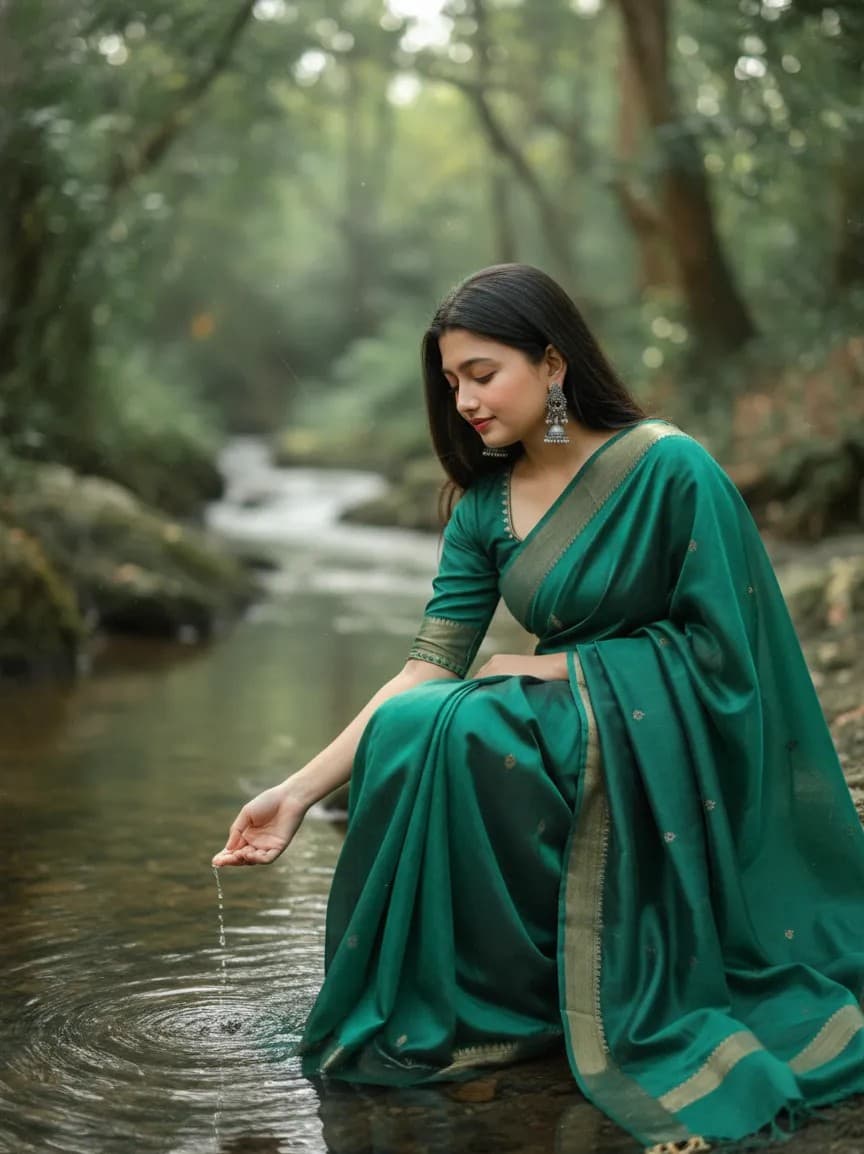
This environmental portrait prompt shows a young woman in a flowing teal-green saree sitting gracefully beside a small, winding stream in a lush grassy field. She looks down at the water with a calm, thoughtful expression, suggesting quiet reflection. The lighting is soft and overcast, creating luminous shadows and gentle highlights on her face and the folds of the saree. Colours are muted with warm skin tones, subtle film grain and low contrast, giving the image a timeless, cinematic quality. The prompt is well structured, with separate sections for lighting, mood, colour and depth, which helps image tools produce consistent results. This style is ideal for poetry and quote posts, nature-themed profile photos, personal portfolio images and calm birthday portraits. It also works for anyone who wants an artistic image that feels like a still from an art-house film. The face is requested to match the uploaded reference exactly, so choose a clear photo with soft light. The teal saree pairs naturally with green fields, but other muted colours such as dusty rose or ivory would suit the same mood.
Lighting, colour and composition
Soft overcast light creates luminous, even illumination with gentle shadows. Muted teal, green and earthy tones dominate, finished with subtle film grain and low contrast. An environmental composition places the seated subject off-centre beside the curving stream, which leads the eye through the grassy field.
Ways to make it your own
- Change the saree to dusty rose or ivory while keeping the muted film look.
- Add light morning fog over the field for a more poetic atmosphere.
- Use a 3:2 horizontal frame to show more of the stream and landscape.
Best for
Girls photo ideas and creative portrait inspiration.
Suggested framing
Use the aspect ratio or framing described in the prompt, then adapt it for your intended platform.
Customization ideas
Adjust the clothing, background, lighting, colors and composition to match your own idea.
How to use
Copy the prompt, adapt it to your idea, and paste it into your preferred compatible AI tool. Follow that tool’s instructions for reference photos.
A few helpful answers.
What type of image does this prompt create?
In a compatible AI tool, this prompt is intended as a starting point for this environmental portrait prompt shows a young woman in a flowing teal-green saree sitting gracefully beside a small, winding stream in a lush grassy field. She looks down at the water with a calm, thoughtful expression, suggesting quiet reflection. The lighting is soft and overcast, creating luminous shadows and gentle highlights on her face and the folds of the saree. Colours are muted with warm skin tones, subtle film grain and low contrast, giving the image a timeless, cinematic quality. The prompt is well structured, with separate sections for lighting, mood, colour and depth, which helps image tools produce consistent results. This style is ideal for poetry and quote posts, nature-themed profile photos, personal portfolio images and calm birthday portraits. It also works for anyone who wants an artistic image that feels like a still from an art-house film. The face is requested to match the uploaded reference exactly, so choose a clear photo with soft light. The teal saree pairs naturally with green fields, but other muted colours such as dusty rose or ivory would suit the same mood. Results depend on the tool, settings and references you use.
Can I customize the clothing or background?
Yes. Replace the clothing, setting or colors in the prompt with your own choices. Keep descriptions consistent and adjust one detail at a time.
What aspect ratio works best?
Start with Use the aspect ratio or framing described in the prompt, then adapt it for your intended platform.. A 4:5 ratio works well for a portrait feed post. Adjust the crop for your intended platform and your tool’s available settings.
Does Prompt King generate the image?
No. Prompt King helps users discover and copy prompts that can be used with compatible AI tools.
Can I use this for social media ideas?
Yes. Use it as creative inspiration and customize the result for your audience. Use photos you have permission to upload, and check your chosen tool’s terms before publishing.




