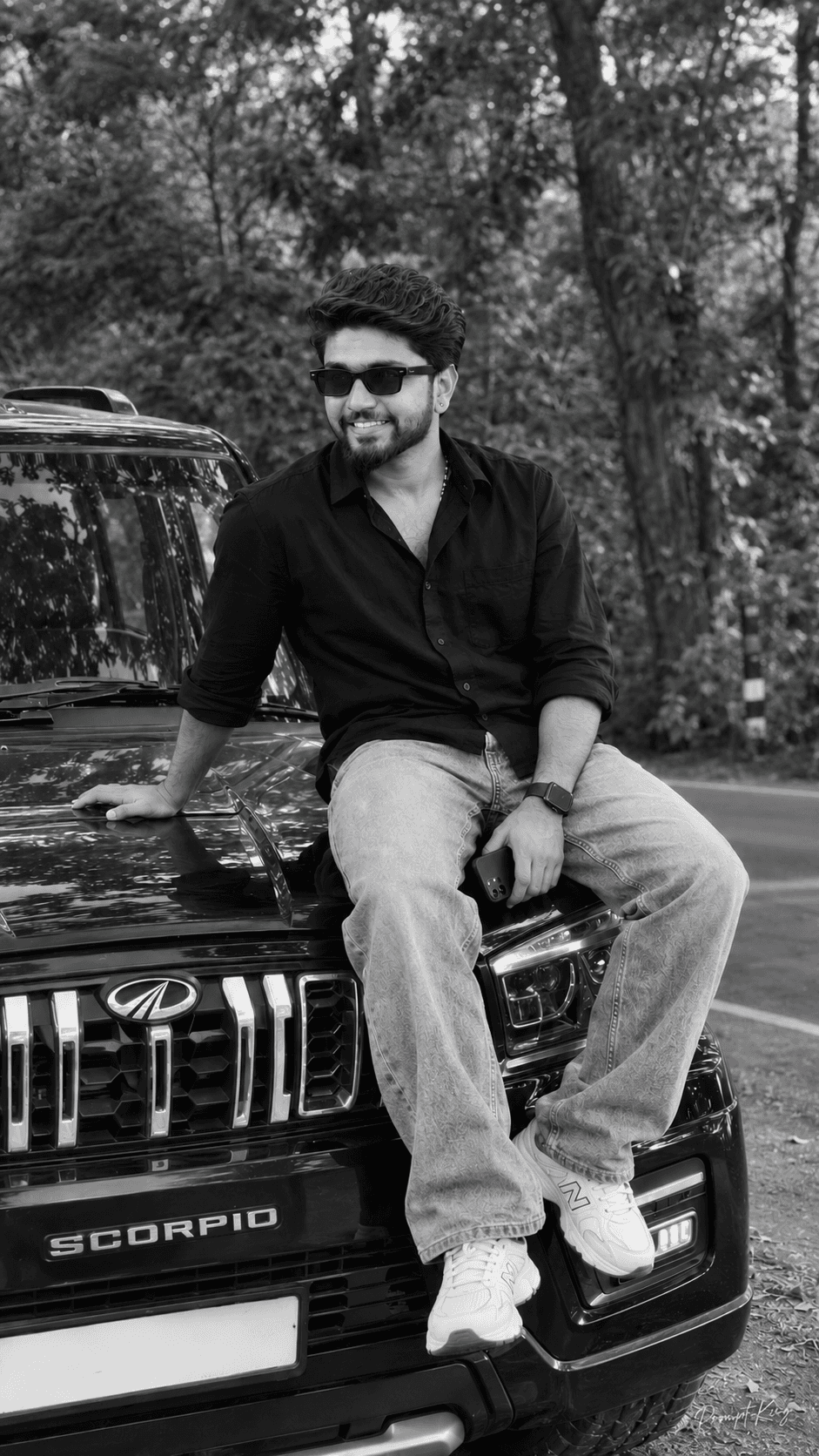
Roadside SUV Bonnet Candid With Phone In Hand
AI Photo Prompt
Want more trending photo prompts? Discover them in the Prompt King Android app on Google Play.
About this prompt
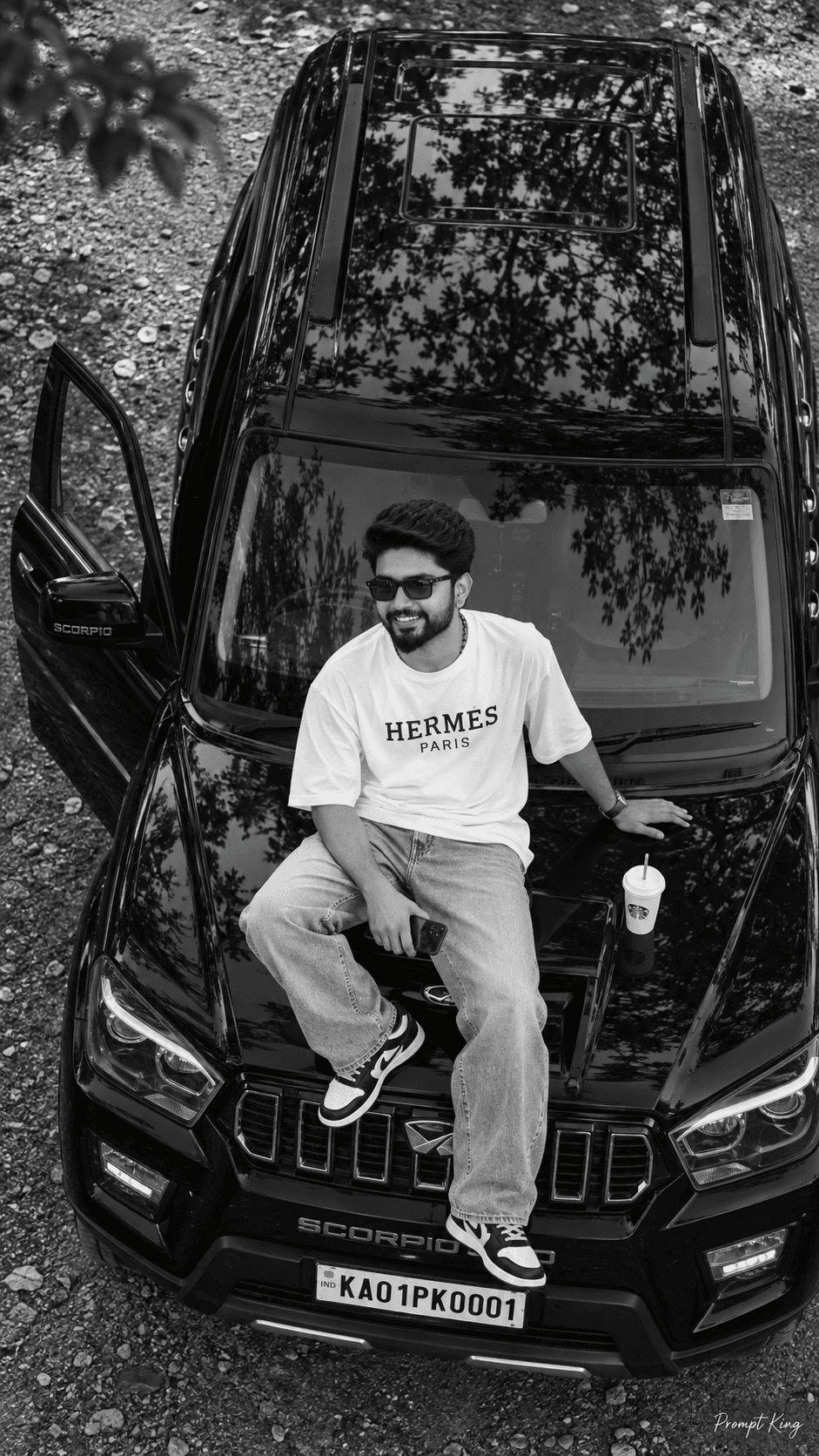
This prompt creates a realistic phone-camera style portrait of a young man sitting casually on the front bonnet edge of a glossy black SUV parked slightly sideways beside a quiet road. The roadside is lined with lush green plants and tall trees, with a soft, forest-like background that blurs naturally. One hand rests behind him on the bonnet for support, while the other holds a phone near his thigh. His legs are relaxed and slightly apart, his head turned a little to the side with a calm, confident closed-mouth smile, and his hair is styled slightly longer and fluffy. The prompt puts strong emphasis on keeping your face identical to your uploaded photo, with natural skin pores and no smoothing, glow or heavy HDR. The car is rendered with detailed reflections, grille, headlights and chrome elements under ordinary outdoor light. The frame is vertical 9:16, and many users finish it in black and white for a classic lifestyle feel. This suits a new-car post, a road-trip memory, or a casual, grounded profile picture.
Lighting, colour and composition
Natural outdoor daylight with mild shade from the trees keeps contrast gentle and true to a phone camera. Glossy black paint, green foliage and natural skin tones form the colour version, which converts cleanly to monochrome. The subject sits on the bonnet slightly off-centre, with the angled car leading the eye into the frame.
Ways to make it your own
- Choose black and white or natural colour explicitly in the prompt to control the final look.
- Swap the phone for sunglasses in hand for a different casual pose.
- Ask for a wider frame if you want more of the car and road visible.
Best for
Bike-Car photo ideas and creative portrait inspiration.
Suggested framing
Use the aspect ratio or framing described in the prompt, then adapt it for your intended platform.
Customization ideas
Adjust the clothing, background, lighting, colors and composition to match your own idea.
How to use
Copy the prompt, adapt it to your idea, and paste it into your preferred compatible AI tool. Follow that tool’s instructions for reference photos.
A few helpful answers.
What type of image does this prompt create?
In a compatible AI tool, this prompt is intended as a starting point for this prompt creates a realistic phone-camera style portrait of a young man sitting casually on the front bonnet edge of a glossy black SUV parked slightly sideways beside a quiet road. The roadside is lined with lush green plants and tall trees, with a soft, forest-like background that blurs naturally. One hand rests behind him on the bonnet for support, while the other holds a phone near his thigh. His legs are relaxed and slightly apart, his head turned a little to the side with a calm, confident closed-mouth smile, and his hair is styled slightly longer and fluffy. The prompt puts strong emphasis on keeping your face identical to your uploaded photo, with natural skin pores and no smoothing, glow or heavy HDR. The car is rendered with detailed reflections, grille, headlights and chrome elements under ordinary outdoor light. The frame is vertical 9:16, and many users finish it in black and white for a classic lifestyle feel. This suits a new-car post, a road-trip memory, or a casual, grounded profile picture. Results depend on the tool, settings and references you use.
Can I customize the clothing or background?
Yes. Replace the clothing, setting or colors in the prompt with your own choices. Keep descriptions consistent and adjust one detail at a time.
What aspect ratio works best?
Start with Use the aspect ratio or framing described in the prompt, then adapt it for your intended platform.. A 4:5 ratio works well for a portrait feed post. Adjust the crop for your intended platform and your tool’s available settings.
Does Prompt King generate the image?
No. Prompt King helps users discover and copy prompts that can be used with compatible AI tools.
Can I use this for social media ideas?
Yes. Use it as creative inspiration and customize the result for your audience. Use photos you have permission to upload, and check your chosen tool’s terms before publishing.