
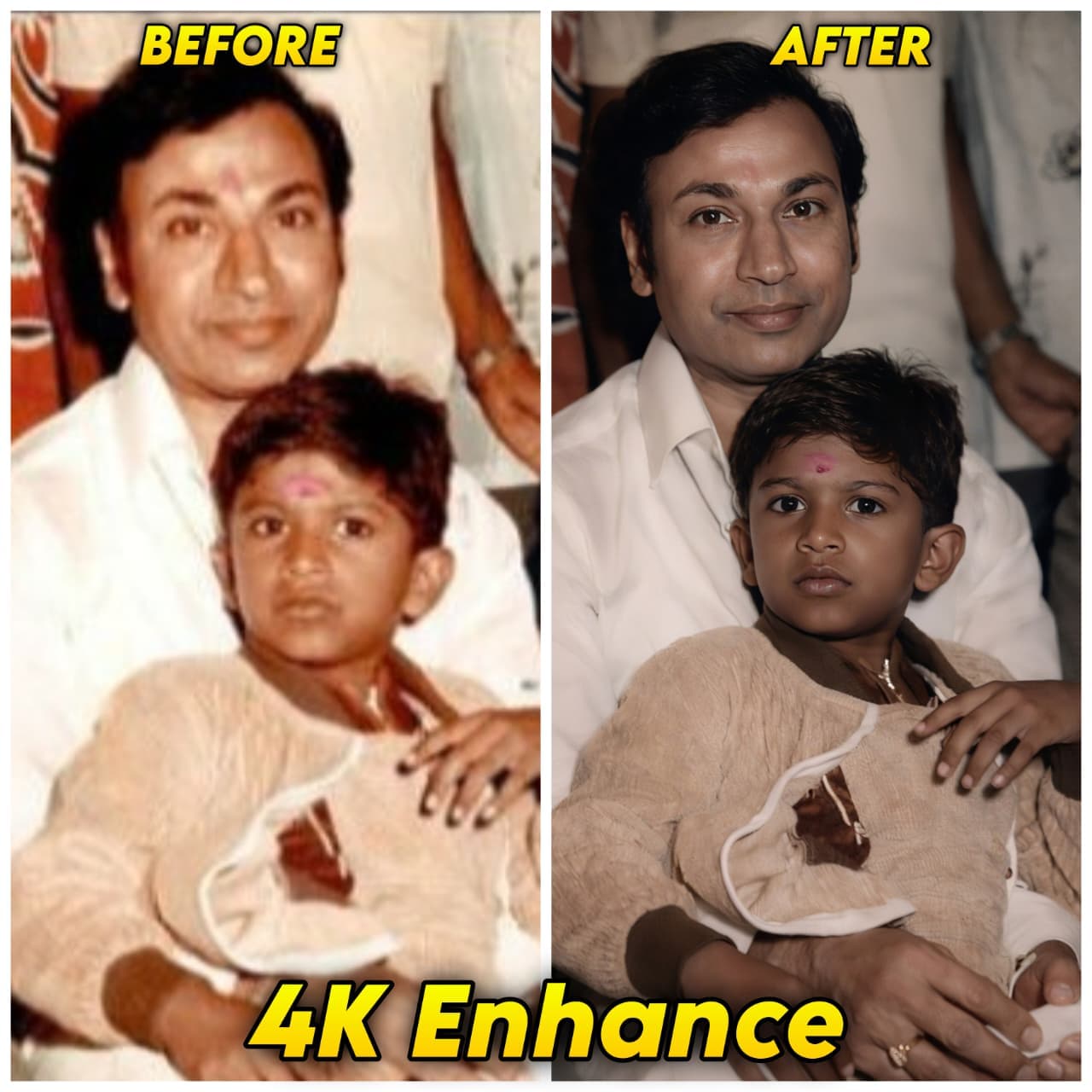
Portrait Enhancement With Original Background Preserved
AI Photo Prompt
Want more trending photo prompts? Discover them in the Prompt King Android app on Google Play.
About this prompt
This prompt is designed to improve the quality of an existing portrait while keeping the person and setting exactly the same. It strictly preserves identity and facial geometry, without changing expression or face shape, and allows only light cleanup. The background must stay identical, with no new objects, replacements or layout changes. The image is re-rendered as if shot on a full-frame Sony A1 with an 85mm f/1.4 lens at f/1.6, ISO 100 and 1/200 second, giving a shallow depth of field and precise focus on the face. Lighting keeps the same direction and mood as the original but is upgraded to a soft, directional, subject-focused style with warm highlights, cool shadows, deeper contrast and wider dynamic range. Colour stays neutral with natural saturation, real skin texture and subtle film grain, avoiding fake glow or plastic smoothing. This prompt is useful for upgrading old phone photos, low-light images, profile pictures, LinkedIn headshots, matrimonial photos and family pictures that you like but want to look sharper and more polished.
Lighting, colour and composition
Lighting matches the original direction but adds soft directional key light, warm highlights and cool shadows. Colours stay neutral and natural with a gentle contrast curve. Composition is kept exactly as in the source, typically a portrait crop with the face as the sharp focal point.
Ways to make it your own
- Mention the original lighting, such as indoor tube light, so the upgrade stays believable.
- Ask for a 1:1 crop of the enhanced image for a clean LinkedIn or WhatsApp photo.
- Remove the film grain instruction if you want a very clean, modern finish.
Best for
Enhance photo ideas and creative portrait inspiration.
Suggested framing
Use the aspect ratio or framing described in the prompt, then adapt it for your intended platform.
Customization ideas
Adjust the clothing, background, lighting, colors and composition to match your own idea.
How to use
Copy the prompt, adapt it to your idea, and paste it into your preferred compatible AI tool. Follow that tool’s instructions for reference photos.
A few helpful answers.
What type of image does this prompt create?
In a compatible AI tool, this prompt is intended as a starting point for this prompt is designed to improve the quality of an existing portrait while keeping the person and setting exactly the same. It strictly preserves identity and facial geometry, without changing expression or face shape, and allows only light cleanup. The background must stay identical, with no new objects, replacements or layout changes. The image is re-rendered as if shot on a full-frame Sony A1 with an 85mm f/1.4 lens at f/1.6, ISO 100 and 1/200 second, giving a shallow depth of field and precise focus on the face. Lighting keeps the same direction and mood as the original but is upgraded to a soft, directional, subject-focused style with warm highlights, cool shadows, deeper contrast and wider dynamic range. Colour stays neutral with natural saturation, real skin texture and subtle film grain, avoiding fake glow or plastic smoothing. This prompt is useful for upgrading old phone photos, low-light images, profile pictures, LinkedIn headshots, matrimonial photos and family pictures that you like but want to look sharper and more polished. Results depend on the tool, settings and references you use.
Can I customize the clothing or background?
Yes. Replace the clothing, setting or colors in the prompt with your own choices. Keep descriptions consistent and adjust one detail at a time.
What aspect ratio works best?
Start with Use the aspect ratio or framing described in the prompt, then adapt it for your intended platform.. A 4:5 ratio works well for a portrait feed post. Adjust the crop for your intended platform and your tool’s available settings.
Does Prompt King generate the image?
No. Prompt King helps users discover and copy prompts that can be used with compatible AI tools.
Can I use this for social media ideas?
Yes. Use it as creative inspiration and customize the result for your audience. Use photos you have permission to upload, and check your chosen tool’s terms before publishing.
