
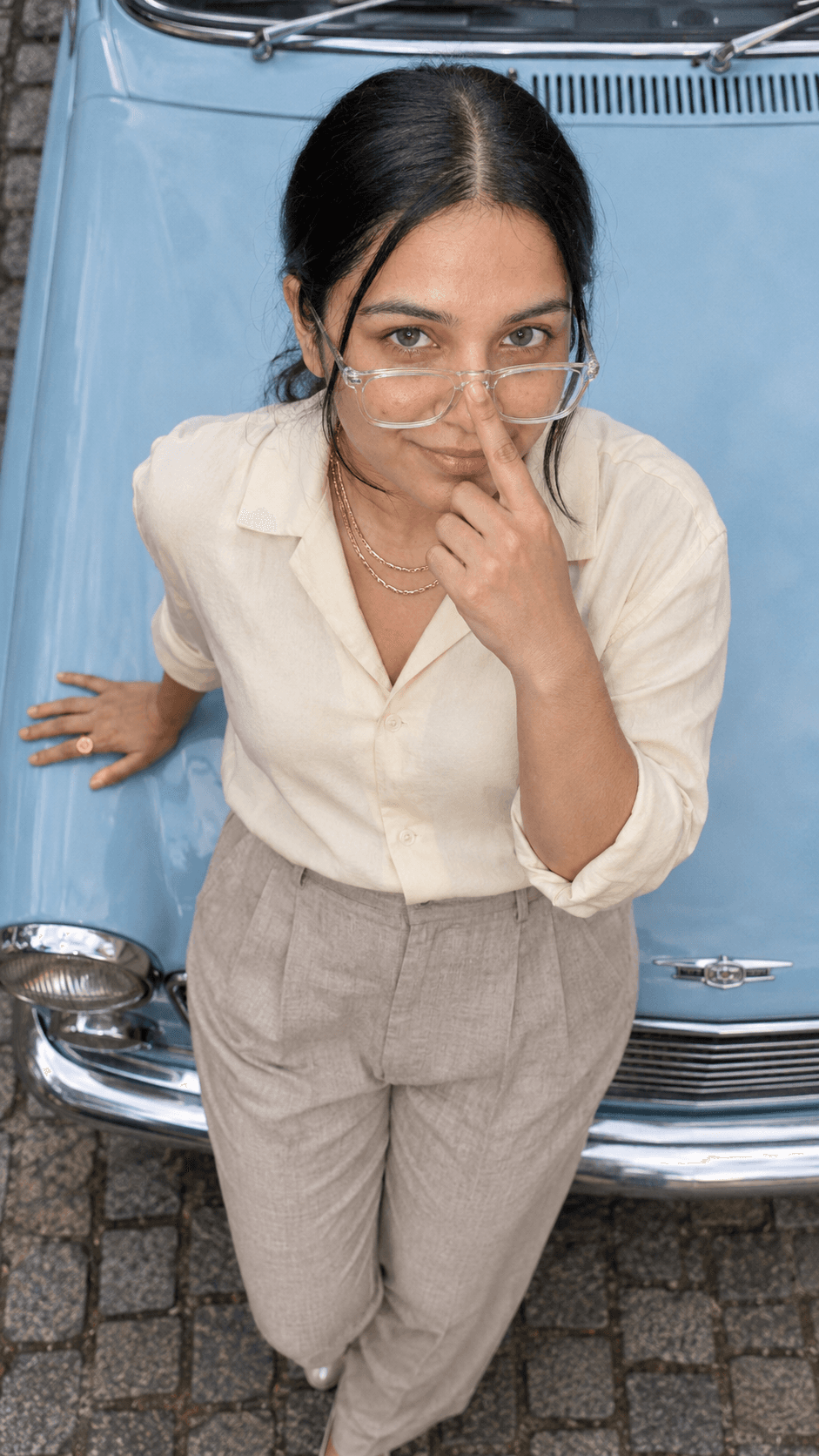
Overhead Grin On Powder Blue Vintage Car Bonnet
AI Photo Prompt
Want more trending photo prompts? Discover them in the Prompt King Android app on Google Play.
About this prompt
This prompt creates a true-to-life photograph taken from directly overhead, looking down at a woman leaning back on the powder-blue bonnet of a vintage car parked on a cobbled old-town lane. Her face, turned straight up to the lens, fills the upper half of the frame while her torso and the bonnet fall away below, with the natural foreshortening of a real overhead camera. She wears clear-frame spectacles lowered halfway down her nose, with one index finger resting on the bridge mid-push and her eyes looking over the frames, and she gives a playful 'caught you' grin with one brow raised. Her other hand lies flat on the bonnet with a gold signet ring. She wears a butter-cream Cuban-collar shirt and stone pleated trousers with layered double gold chains. The prompt replaces the original photo's lighting with bright overcast noon light, giving soft, even illumination and a faint powder-blue bounce off the bonnet. Your uploaded photo guides the face. This suits a playful profile picture, a fashion post or a fun birthday image.
Lighting, colour and composition
Bright overcast light from above gives soft, even illumination with a gentle shadow under the jaw. The palette is powder blue, butter cream, stone beige and gold against grey cobbles. A strict overhead composition with the face large in the upper half and the bonnet receding below creates strong perspective.
Ways to make it your own
- Swap the clear spectacles for sunglasses pushed down for a bolder variation.
- Change the car colour to mint green or cherry red to suit your outfit.
- Ask for golden-hour light instead of overcast for warmer skin tones.
Best for
Girls photo ideas and creative portrait inspiration.
Suggested framing
Use the aspect ratio or framing described in the prompt, then adapt it for your intended platform.
Customization ideas
Adjust the clothing, background, lighting, colors and composition to match your own idea.
How to use
Copy the prompt, adapt it to your idea, and paste it into your preferred compatible AI tool. Follow that tool’s instructions for reference photos.
A few helpful answers.
What type of image does this prompt create?
In a compatible AI tool, this prompt is intended as a starting point for this prompt creates a true-to-life photograph taken from directly overhead, looking down at a woman leaning back on the powder-blue bonnet of a vintage car parked on a cobbled old-town lane. Her face, turned straight up to the lens, fills the upper half of the frame while her torso and the bonnet fall away below, with the natural foreshortening of a real overhead camera. She wears clear-frame spectacles lowered halfway down her nose, with one index finger resting on the bridge mid-push and her eyes looking over the frames, and she gives a playful 'caught you' grin with one brow raised. Her other hand lies flat on the bonnet with a gold signet ring. She wears a butter-cream Cuban-collar shirt and stone pleated trousers with layered double gold chains. The prompt replaces the original photo's lighting with bright overcast noon light, giving soft, even illumination and a faint powder-blue bounce off the bonnet. Your uploaded photo guides the face. This suits a playful profile picture, a fashion post or a fun birthday image. Results depend on the tool, settings and references you use.
Can I customize the clothing or background?
Yes. Replace the clothing, setting or colors in the prompt with your own choices. Keep descriptions consistent and adjust one detail at a time.
What aspect ratio works best?
Start with Use the aspect ratio or framing described in the prompt, then adapt it for your intended platform.. A 4:5 ratio works well for a portrait feed post. Adjust the crop for your intended platform and your tool’s available settings.
Does Prompt King generate the image?
No. Prompt King helps users discover and copy prompts that can be used with compatible AI tools.
Can I use this for social media ideas?
Yes. Use it as creative inspiration and customize the result for your audience. Use photos you have permission to upload, and check your chosen tool’s terms before publishing.




